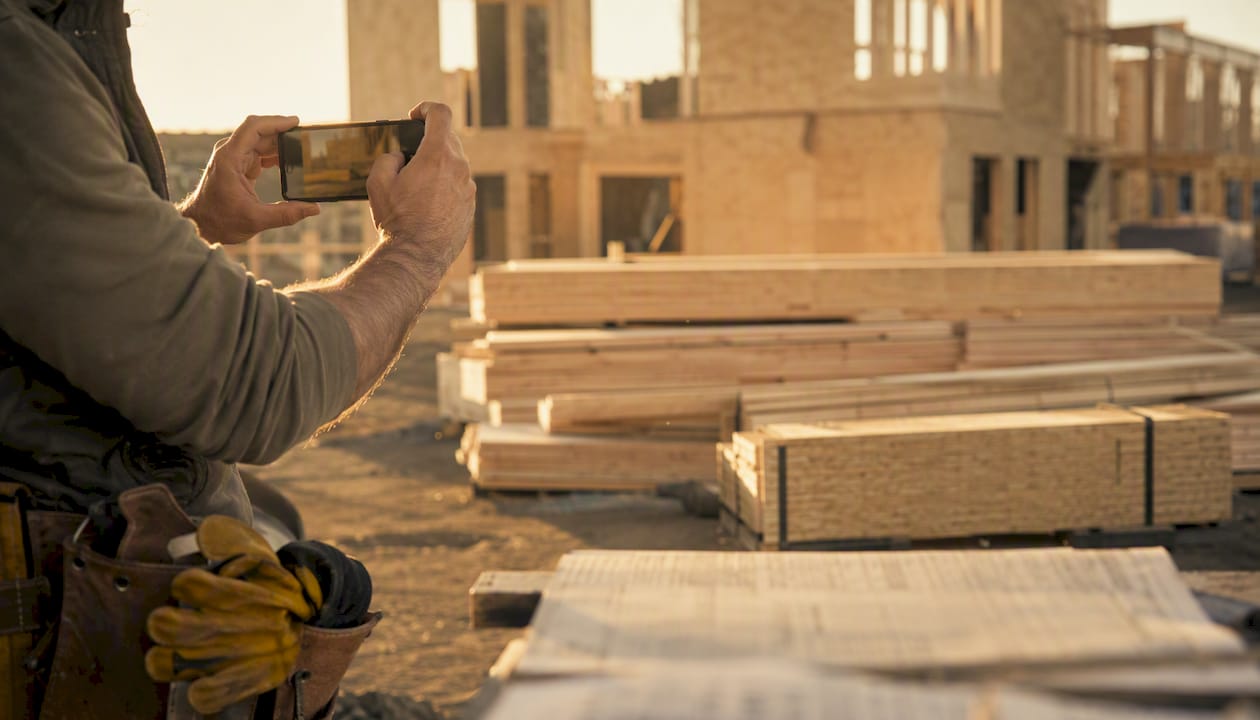
Mobile-first jobsite chat is the fastest, lowest-friction way to reduce rework, speed decisions, and preserve evidence on construction sites. If you manage a multi-trade project and your crew still coordinates through a mix of texts, calls, and paper logs, you are losing time and creating liability gaps every single day.
The short version:
- Decisions that used to wait for a phone call or a site walk now resolve in minutes with a photo and a message
- Every chat thread with a timestamp and photo is cheap, immediate documentation
- Safety incidents get reported and escalated before the shift ends, not the next morning
- Fewer requests for information (RFIs) and less rework when clarifications happen in real time
- SMS fallback keeps crews connected even when app connectivity drops
Poor communication is a well-documented driver of project failure across the industry. Research from ConstructConnect confirms that catching conflicts early and keeping teams on current information directly reduces delays and costly misunderstandings. CHERP and SiteComm, built by Debecorp specifically for trades crews, address exactly this gap with jobsite-ready chat, daily work report (DWR) capture, and role-based controls.
Start this week: pick one site or one trade, run a four-to-six-week pilot, and measure decision lead time before and after.
Table of Contents
- How does mobile chat improve jobsite outcomes?
- What should you look for in a construction chat tool?
- Why do consumer messengers fail on multi-site projects?
- How do site managers actually use mobile chat?
- A 6-step rollout plan for mobile chat across your sites
- What are the privacy and compliance rules for U.S. jobsite chat?
- What does mobile chat actually cost, and when does it pay back?
- Key Takeaways
- The tools that actually get used are the ones built for the field
- Sources and further reading
How does mobile chat improve jobsite outcomes?
Mobile chat reduces decision time and prevents errors by keeping context, including photos, location, and timestamps, where the work actually happens. That sounds obvious until you calculate what a delayed clarification costs: a concrete crew waiting two hours for a pour confirmation, or an electrician who ran conduit in the wrong location because a verbal instruction got misremembered.
Map the benefits to the KPIs you already track:
- DWR completion time: research published in ScienceDirect found that DWR managers once spent approximately 50% of their working hours collecting daily work report information before electronic systems replaced manual collection; structured chat and chatbot templates cut that overhead sharply
Trade-specific impacts are real and worth naming. A foreman on a concrete crew needs pour confirmations and mix-change approvals fast. An electrician needs drawing revisions pushed to their phone before they start a run. A plumbing crew needs delivery confirmations with photos so they are not chasing a missing fitting at 7 AM. Mobile chat handles all three scenarios with the same tool, which is why foreman communication tools built for the field look very different from generic office messengers.
Pro Tip: Before you roll out any chat tool, spend one week logging your current decision lead times and DWR completion times manually. That baseline is what turns a gut feeling about “better communication” into a number your owner or GC will respect.
What should you look for in a construction chat tool?
Prioritize jobsite features over generic chat features. A tool that works beautifully in a marketing office will frustrate a concrete finisher wearing gloves in the rain.
The capabilities that actually matter on site:
- SMS and voice fallback: industry guidance recommends multi-channel strategies to reach crews even when app connectivity is unreliable; SMS is the right fallback because it reaches basic phones and gets read almost immediately
Pro Tip: When evaluating tools for subcontractor adoption, weight simplicity over feature depth. A tool with ten powerful features that subs ignore is worse than a simpler one they actually use. Aim for a tool that requires no more than three taps to send a photo report.
Why do consumer messengers fail on multi-site projects?
Consumer messengers work short-term and fail at scale, especially when a dispute lands on your desk. The failure modes are predictable and expensive.
- Deleted threads: — personal apps give every user the ability to delete their own messages; a deleted thread is a missing record
When a subcontractor on a commercial fit-out project sends a variation request through a consumer messenger and the GC’s site super misses it in a busy thread, the result is not just a billing dispute. The sub does the work, the GC claims they never approved it, and both parties spend weeks reconstructing a conversation that was never structured to be a record. The cost of that dispute almost always exceeds the cost of a proper tool by a wide margin.
App fatigue compounds the problem. When crews are asked to use a consumer messenger for chat, a separate app for timesheets, another for safety forms, and email for drawings, the cognitive load drives non-compliance. Subcontractors especially resist adding yet another personal app for a single project. A purpose-built tool that consolidates these functions reduces the number of apps competing for attention, which is the only realistic path to consistent adoption. Consolidating communications into managed platforms is the standard recommendation for exactly this reason.
How do site managers actually use mobile chat?
Three use cases cover the majority of daily value. Each one is ready to run on your next project.
Daily work reports
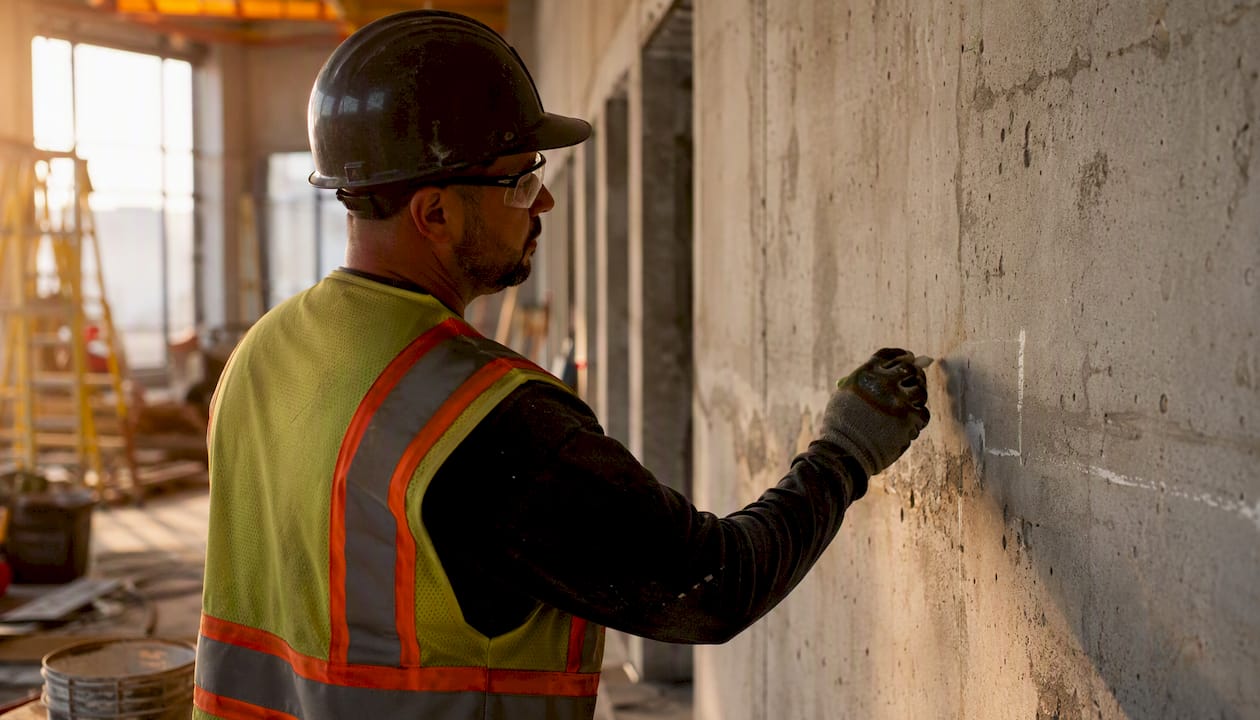
The traditional DWR process involves a foreman filling out a paper or PDF form at the end of a shift, often from memory. A structured chat approach replaces that with a short prompted sequence during the shift: crew count, tasks completed, materials used, issues flagged. A chatbot or template inside the messenger parses those replies and populates the DWR automatically.
Capture these three things in every DWR thread:
- Crew count and trade breakdown for that shift
- Tasks completed with location reference (zone, floor, grid)
- Any delays, material shortages, or open questions requiring a decision
ScienceDirect research on chatbot-engaged DWR shows this approach directly addresses the time burden that once consumed approximately 50% of a DWR manager’s working hours. The paperless jobsite reporting model takes this further by feeding chat-captured data directly into project records.
Delivery and material verification
A delivery arrives on site. The foreman takes a timestamped photo of the packing slip next to the materials, sends it to the delivery channel, and the PM has a confirmed receipt with GPS and time data before the truck leaves. When a supplier later claims delivery of a full order and the site log shows a short delivery, that photo thread is your evidence.
Capture these three things for every delivery:
- Photo of packing slip with materials visible in frame
- Quantity confirmation against the purchase order
- Any damage or discrepancy noted in the same thread, same timestamp
Safety and near-miss reporting
A near-miss on a scaffold gets reported immediately via mobile photo and a short structured form. The report timestamps the incident, captures the location, and triggers an alert to the safety officer before the crew moves on. BLS occupational injury and fatality data underscores why accurate, timestamped field records matter: incident investigations and insurance claims depend on the quality of the initial report, and a photo sent at 10:14 AM is far more credible than a handwritten note filled out at the end of shift.
Capture these three things for every safety event:
- Photo of the hazard or incident scene, taken immediately
- Names of crew members present and any witnesses
- Corrective action taken or escalation triggered, logged in the same thread
A 6-step rollout plan for mobile chat across your sites
Pilot first, scale second, measure always.
- Select a pilot site. Choose one site with a cooperative foreman and a manageable crew size (15–40 workers). Avoid your most complex project for the first run.
- Align stakeholders. Brief the GC, key subs, and the safety officer before launch. Resistance from one influential sub can stall adoption across the whole site.
- Set policy and governance. Define which channels are required, what must be confirmed in chat (variations, deliveries, safety events), and who has admin rights. Write it in one page. The messaging setup field guide from Debecorp includes governance templates that reduce this step to a fill-in exercise.
- Configure the tool. Create channels by trade and zone, set role-based permissions, enable offline sync, and confirm SMS fallback is active for low-connectivity areas.
- Train and onboard. A 20-minute hands-on session per trade group is enough for a simple tool. Focus on the three actions crews will do every day: send a photo report, confirm a delivery, flag a safety issue. Avoid feature overload in week one.
- Measure and iterate. Track decision lead time, DWR completion time, RFI count, and rework percentage weekly for the first six weeks. Review at week four and adjust channel structure or governance rules before scaling. The real-time jobsite updates guide covers how to connect chat evidence into daily reports and PM systems as you scale.
Mitigating app fatigue during rollout:
- Use single sign-on where your PM platform supports it
- Require no more than three daily actions from frontline workers
- Keep SMS fallback active so workers without smartphones are never excluded
- Assign one “chat champion” per trade to answer peer questions in the first two weeks
Timeline benchmarks:
- Pilot phase: 4–6 weeks
- Initial scale to two or three sites: 3–6 months
- Organization-wide deployment: 6–12 months
What are the privacy and compliance rules for U.S. jobsite chat?
Mobile chat can serve as legal evidence if it is configured and governed properly. Treat every critical thread as a potential exhibit from day one.
- Retention policies: — set a minimum retention period aligned with your contract terms and state statutes of limitations; most U.S. construction contracts require records for at least three to six years
- Chain of custody for photos: — photos used as evidence need an unbroken record from capture to storage; a tool that stores photos server-side with timestamps and GPS data is far stronger than a screenshot forwarded through a personal app
U.S.-specific considerations worth flagging: OSHA recordkeeping requirements under 29 CFR Part 1904 apply to incident records, and mobile chat records that document a safety event may be requested during an inspection. The BLS Census of Fatal Occupational Injuries framework reinforces why accurate, timestamped field records matter for both regulatory compliance and civil claims. For contract disputes, the Federal Acquisition Regulation and most AIA contract forms treat contemporaneous project records as primary evidence; a searchable chat thread with timestamps is contemporaneous by definition.
Pro Tip: At the close of every project phase, export the critical threads (variations, safety events, delivery confirmations) and store them in your PM system or document management platform. Do not rely on the chat tool’s server as your only archive.
This section is general information, not legal advice. Confirm record-retention obligations and BYOD requirements with your legal counsel and the applicable state and federal authorities.
What does mobile chat actually cost, and when does it pay back?
A modest per-user subscription plus rollout costs often pay back within one project when rework and admin time fall. The math is not complicated, but you need to run it before your next budget cycle.
| Cost or timeline item | Typical range | Notes |
|---|---|---|
| Per-user license | $5–$20/user/month | Varies by platform and feature tier |
| Initial configuration | 4–8 hours (PM time) | Channel setup, permissions, integrations |
| Training per trade group | 1–2 hours | Hands-on session; one session per trade |
| Pilot duration | 4–6 weeks | One site, one trade group minimum |
| Expected break-even | 1–3 months post-pilot | Driven by rework reduction and DWR time savings |
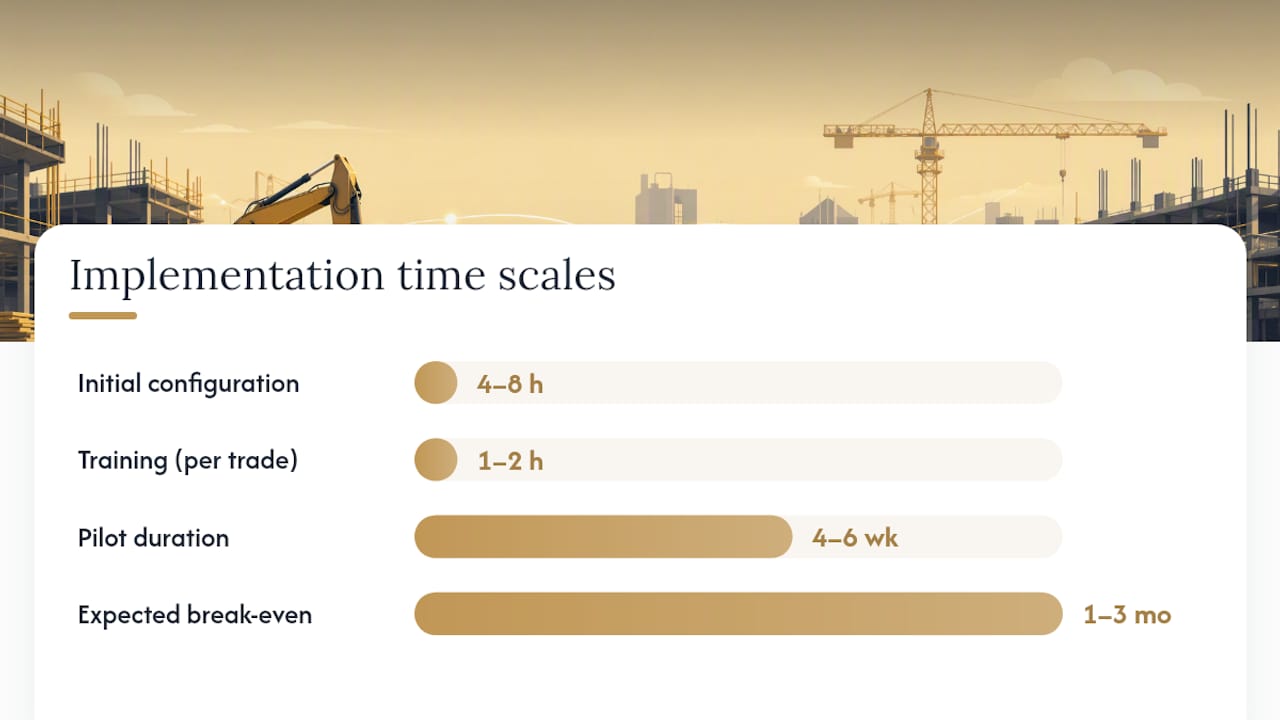
A simple worked example: on a $4M commercial project, rework typically runs 2–5% of total contract value. A 20% reduction in rework-related costs from faster clarifications and better documentation saves $16,000–$40,000 on that single project. Against a per-user license cost for a 30-person crew over six months, the return is clear without needing a spreadsheet model.
DWR time savings add a second line. If a foreman and PM together spend three hours per day on manual DWR collection and structured chat cuts that by half, that is 1.5 hours per day recovered across a six-month project. At a fully loaded labor rate, that number compounds fast.
Poor communication is consistently cited as a leading driver of project cost overruns and schedule slippage across the industry. Reducing that friction is not a technology investment; it is a risk-reduction investment with a measurable return.
Key Takeaways
Construction teams that adopt purpose-built mobile chat reduce decision lead time, cut rework, and create defensible project records that consumer messengers cannot produce.
| Point | Details |
|---|---|
| DWR time savings are immediate | Structured chat and chatbot prompts can cut DWR collection time that once occupied approximately 50% of a DWR manager’s working hours prior to electronic systems. |
| Consumer messengers create evidence gaps | Deleted threads, compressed photos, and no admin controls make personal apps a liability on multi-site projects. |
| Compliance requires configuration | Role-based access, retention policies, and exportable audit trails must be set up before the first critical message is sent. |
| Rollout follows a clear sequence | A 4–6 week pilot on one site, with baseline KPIs measured before launch, is the lowest-risk path to organization-wide adoption. |
| Debecorp’s CHERP and SiteComm | Purpose-built for trades crews with offline sync, structured DWR capture, and exportable audit trails ready for disputes and OSHA. |
The tools that actually get used are the ones built for the field
The conventional wisdom on construction technology adoption goes something like this: pick the most feature-rich platform, run a big training rollout, and wait for behavior to change. That approach fails more often than it succeeds, and the reason is almost always the same. The tool was designed for someone sitting at a desk, not for a foreman in steel-toed boots trying to confirm a pour time with one hand while holding a set of drawings with the other.
What the field actually needs is a tool that requires almost no learning curve, works when the LTE signal disappears, and turns a photo into a record without asking the worker to fill out a form. The technology is not the hard part. The governance is. Deciding what must be confirmed in chat, who holds admin rights, and how long records are kept, those decisions determine whether your chat history is an asset or a liability when a dispute lands.
The other thing most articles understate: SMS fallback is not a nice-to-have. On a large multi-trade site, you will always have workers on basic phones, workers in basements or mechanical rooms with no signal, and workers who simply do not install the app. A tool without SMS fallback excludes those workers from your communication record, which is exactly where gaps in evidence come from.
Debecorp built CHERP and SiteComm with that field reality in mind. The platforms reflect what tradespeople said they actually needed, not what a product manager assumed they needed. That distinction shows up in adoption rates, and adoption is the only metric that matters.
Sources and further reading
- Chatbot-engaged construction daily work report using mobile messenger - ScienceDirect
- U.S. Bureau of Labor Statistics news release (CFOI)
- 6 Keys to Better Construction Communication - ConstructConnect
- How to Keep Your Construction Site Connected - Ooma
- The Pros and Cons of ChatGPT in Construction - Buildr
- Construction Team Messaging Setup: 2026 Field Guide — DeBe Corp
- Real-Time Jobsite Updates Guide for Project Managers — DeBe Corp