
Real-time jobsite updates are defined as the continuous, digital capture and transmission of field data, including daily logs, photos, safety observations, and crew activity, to a centralized system accessible by both field and office teams. Construction professionals who implement systematic live reporting workflows reduce coordination delays, catch safety hazards faster, and produce defensible compliance records. A foreman can complete a site walkthrough and have an AI-generated report visible to the office within approximately 3 minutes. That speed changes how project managers make decisions. Debecorp built its CHERP and SiteComm platforms specifically around this need, working directly with tradesmen to design tools that match how work actually happens on the ground.
What tools are essential for real-time jobsite updates?
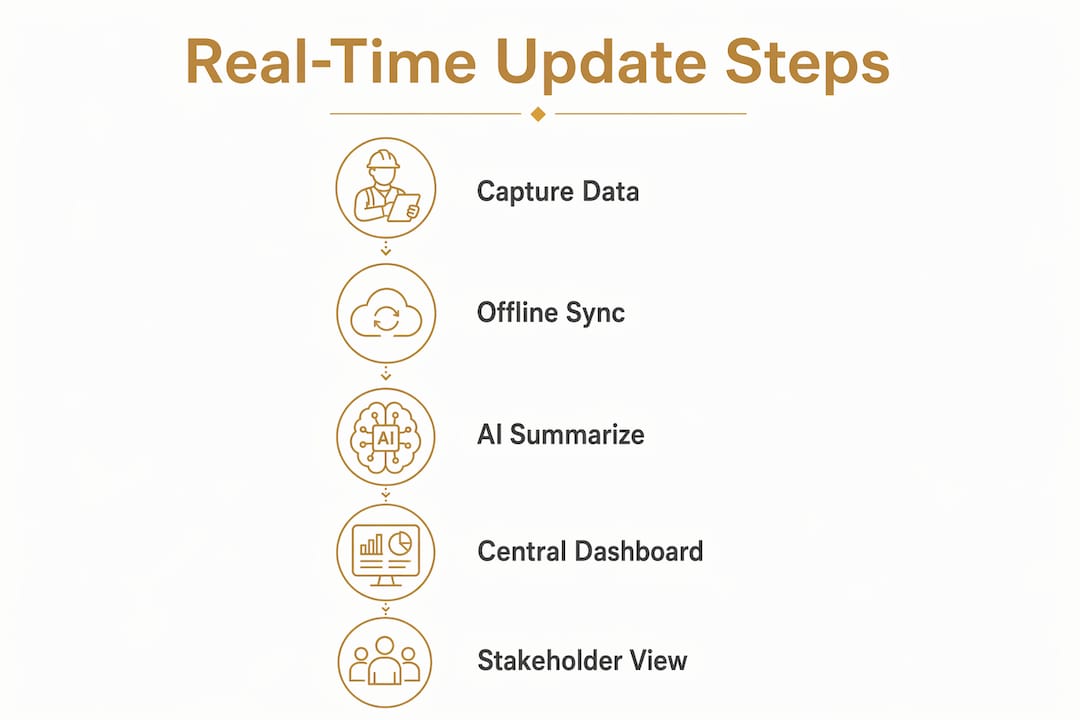
The foundation of any live site reporting system is a mobile app with offline-first architecture. Field crews rarely work in areas with consistent cellular coverage. An offline-first design queues data locally on the device and syncs automatically when signal returns. No data is lost, and no crew member needs to remember to re-submit a form.
Beyond basic mobile capture, three technology categories define how capable your system becomes.
| Feature category | What it does | Best fit for |
|---|---|---|
| Basic digital logs | Replaces paper forms with structured digital entries | Small crews, early adoption phase |
| AI-powered reporting | Converts voice notes and photos into searchable text reports | Mid-size to large projects |
| IoT sensors and drones | Tracks equipment location, material use, and site conditions live | Complex, multi-phase projects |
Real-time data from drones, IoT sensors, and mobile apps gives project managers a current view of operations across every layer of the site. That visibility replaces the end-of-day phone call with a live dashboard.
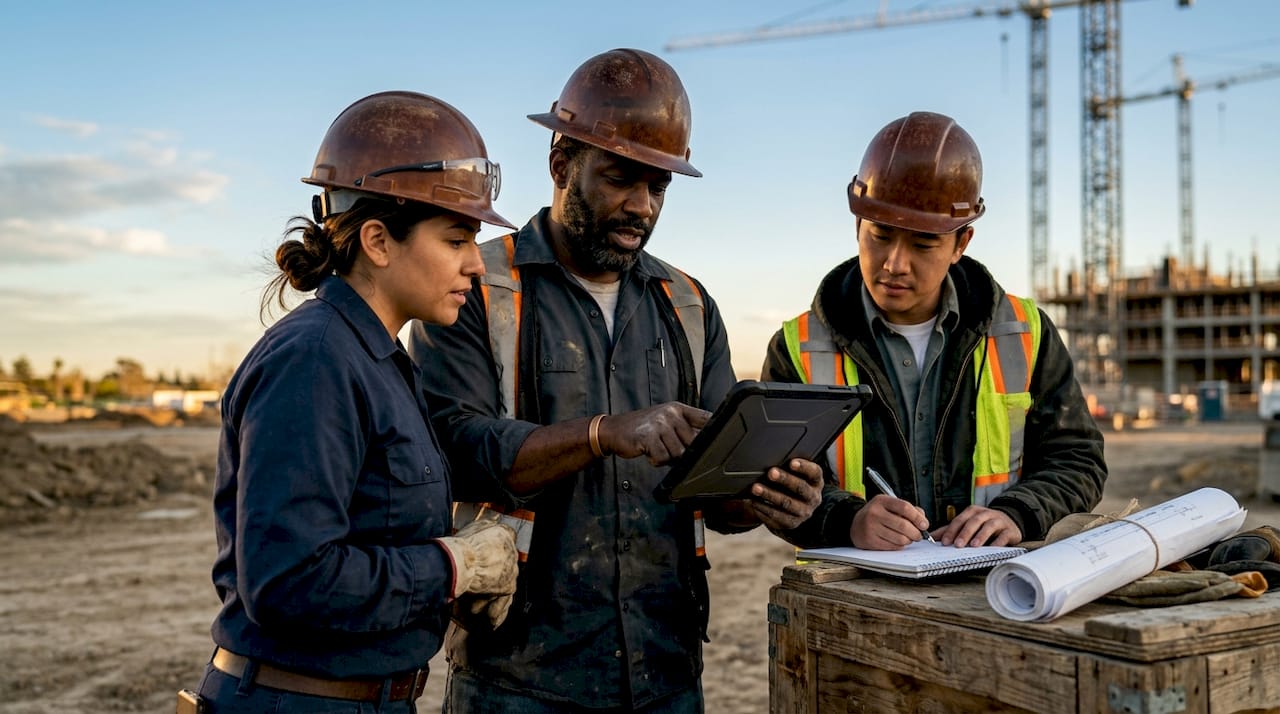
Hardware requirements are straightforward. Field crews need smartphones or ruggedized tablets with cameras capable of geotagged photos. GPS timestamps and automatic photo resizing standardize inputs so reports stay consistent regardless of who submits them. Voice-to-text features reduce the friction of typing in gloves or loud environments.
Pro Tip: Require GPS-tagged photos as a mandatory field in every daily log entry. This single standard eliminates location disputes and creates an automatic audit trail without adding time to the crew’s workflow.
How to implement real-time updates without disrupting operations
Phased implementation is the only approach that works at scale. Dropping a full IoT and AI system on a crew mid-project creates resistance and data gaps. Starting with daily logs before adding complex tools gives crews time to build habits before the system grows more demanding.
A practical rollout follows this sequence:
- Digitize daily logs. Replace paper logs with a mobile form that captures crew count, work completed, weather, and any incidents. This is the lowest-friction entry point.
- Train field crew on consistent app use. Run a 30-minute hands-on session, not a slide deck. Let crew members submit a test log and see it appear on the office dashboard in real time.
- Add photo and voice capture. Once daily logs are consistent, introduce geotagged photos and voice-to-text notes as standard fields.
- Integrate AI-generated summaries. Enable automated report generation so foremen receive a structured summary after each walkthrough without manual write-up.
- Layer in IoT sensors and drones. Add equipment trackers and aerial monitoring only after the crew is comfortable with the core workflow.
Common pitfalls to avoid during rollout:
- Skipping the training session and assuming the app is self-explanatory
- Launching on your largest, most complex project first
- Failing to assign a field champion who owns adoption accountability
- Ignoring feedback from crew members in the first two weeks
- Setting up dashboards before the data flowing into them is clean and consistent
Pro Tip: Choose a mobile app with offline-first architecture before you evaluate any other feature. Signal dead zones are not edge cases on most jobsites. They are the daily reality. An app that fails without LTE will fail your crew.
What are best practices for accurate and timely jobsite updates?
Accurate field data starts with structured inputs. Open-ended text fields produce inconsistent, hard-to-search reports. Dropdown menus, checkboxes, and required photo fields force consistency without slowing the crew down. The goal is to reduce noise before it enters the system, not clean it up afterward.
AI summarization tools convert unstructured inputs like voice notes and raw photos into concise, searchable text reports. This matters because a project manager reviewing 40 daily logs cannot read every word. A structured, AI-generated summary surfaces the critical items in seconds.
Communication protocols keep field and office aligned:
- Set a daily log submission deadline, such as 4:00 PM, and enforce it consistently
- Assign one office-side reviewer to flag incomplete or unclear entries within one hour of submission
- Use a shared project calendar to log delays, milestone completions, and open issues in real time
- Schedule a weekly 15-minute sync between the field foreman and project manager to review the previous week’s data
Jobsite updates entered into shared calendars give every stakeholder real-time visibility into delays and milestones. That visibility reduces the number of status calls and eliminates the “I didn’t know about that” problem.
Pro Tip: Integrate your update workflow with your project management calendar from day one. When a delay is logged in the field app, it should automatically appear as a calendar event for the project manager. Manual re-entry is where data goes to die.
Which challenges arise with live site reporting and how do you fix them?
The most common failure point is intermittent cellular coverage. Crews in basements, tunnels, or rural sites lose signal regularly. An offline-first mobile app solves this by storing data locally and syncing automatically when LTE returns. No crew member should ever lose a submitted report because of a dead zone.
The second most common problem is data noise. Blurry photos, one-word voice notes, and duplicate entries clog dashboards and make reports useless. Structured input fields and mandatory photo standards prevent most of this before it starts.
Delays in reporting safety incidents, even by a few hours, can compromise both worker safety and legal defensibility. Real-time updates are not a convenience feature. They are a compliance requirement on any site where OSHA standards apply.
Information silos form when field data does not automatically sync to a centralized dashboard. The fix is automatic sync, not manual export. If someone has to remember to upload a file, the silo already exists.
| Common problem | Proven solution |
|---|---|
| No signal in the field | Offline-first app with automatic sync on LTE return |
| Blurry or missing photos | Mandatory geotagged photo fields in every log |
| Crew resistance to new tools | Hands-on training with a field champion driving adoption |
| Data silos between field and office | Automatic cloud sync to a centralized dashboard |
| Fragmented voice notes | AI summarization converting audio to structured text |
Resistance from field personnel is real and predictable. Crews who have used paper logs for years see digital tools as extra work. The solution is showing them the time savings directly. A foreman who spends 45 minutes writing a daily report by hand can complete the same report in under 10 minutes with a structured mobile form and voice capture.
How do real-time updates improve jobsite safety and compliance?
AI safety detection systems provide real-time alerts for PPE compliance, fire, and smoke, reducing false positives while improving emergency response speed. These systems analyze live video feeds and flag violations or hazards within seconds. A safety manager reviewing a centralized dashboard can respond to an alert on the far side of a large site before the situation escalates.
Key safety benefits of live site reporting:
- Automated PPE compliance checks reduce the need for manual safety walks
- Instant jobsite notifications alert supervisors to hazards before they become incidents
- Photo and video evidence collected automatically creates a timestamped record of site conditions
- Centralized dashboards let safety managers track compliance across multiple projects simultaneously
- Automated alerts support faster emergency response by notifying the right people immediately
Centralized dashboards with live video and alerts help safety managers produce defensible records and reduce liability exposure. This reframes the entire value of monitoring. The system is not just watching the site. It is building a legal record in real time.
Pro Tip: Treat your AI safety monitoring system as a liability-reduction tool, not just a surveillance system. Defensible, timestamped compliance records lower insurance premiums and protect your company in the event of an incident investigation.
Tracking labor productivity alongside safety data gives project managers a complete picture. When a safety incident occurs, the system already has the crew roster, location data, and a photo record of site conditions at the time of the event.
Key Takeaways
Real-time jobsite updates work best when offline-first mobile capture, AI-powered summarization, and centralized dashboards are deployed together in a phased rollout that prioritizes crew adoption before adding complexity.
| Point | Details |
|---|---|
| Start with daily logs | Digitize paper logs first before adding AI or IoT tools to build crew habits. |
| Use offline-first apps | Apps that queue and sync data automatically prevent data loss in signal dead zones. |
| Enforce input standards | GPS-tagged photos and structured fields eliminate noise before it enters the system. |
| Integrate with calendars | Logging delays and milestones in shared calendars gives all teams real-time visibility. |
| Reframe safety monitoring | AI safety alerts build defensible compliance records that reduce liability and insurance costs. |
What I’ve learned from watching real-time systems succeed and fail on real sites
The projects where live reporting fails almost always share one trait: the system was chosen before the workflow was defined. A project manager buys an enterprise platform, hands it to the crew, and expects adoption to happen on its own. It never does.
The projects that succeed start small. One crew. One log type. Two weeks of consistent data. Then they expand. That patience feels slow in the first month and pays off for the rest of the project.
Offline functionality is the feature most teams underestimate until they need it. I have seen crews on high-rise projects lose signal for entire shifts. An app that requires LTE to submit a form is not a field tool. It is a liability.
AI-generated summaries changed how I think about daily reporting. The value is not speed, though the speed is real. The value is that a project manager can scan 30 days of reports in 20 minutes and spot a pattern that no one on the ground noticed. That is a different kind of intelligence.
The cultural piece is the hardest. Crews who have worked with paper for 20 years do not distrust the technology. They distrust the implication that their current method is wrong. The best rollouts I have seen treat the digital tool as a time-saver for the crew, not a monitoring system for management. That framing changes everything.
— SEAN
How Debecorp’s CHERP and SiteComm support live field reporting
Debecorp built CHERP and SiteComm from the ground up with input from tradesmen who work the same sites these tools are designed for. CHERP handles field operations including time and attendance, daily logs, and safety compliance, all structured around the specific demands of individual trades. SiteComm connects field crews and office teams through live data sharing that removes the lag between what happens on site and what the office knows.

Project managers who want to move from paperless jobsite reporting to a fully connected field-to-office workflow can see both platforms in detail at the CHERP and SiteComm product page. Debecorp also offers trade-specific configurations built for the way each craft actually operates on the ground.
FAQ
What are real-time jobsite updates?
Real-time jobsite updates are digital field reports, photos, and safety logs captured on mobile devices and synced instantly to a centralized dashboard accessible by both field crews and office teams.
How do offline-first apps help with jobsite reporting?
Offline-first apps store data locally on the device and sync automatically when cellular signal returns, so crews never lose a submitted report due to a dead zone.
How quickly can a foreman generate a report using AI tools?
A foreman can complete a site walkthrough and have an AI-generated report visible to the office in approximately 3 minutes, including voice-to-text processing and cloud sync.
What is the best first step for implementing live site reporting?
Digitizing daily logs is the recommended first step, giving crews a low-friction entry point before adding AI reporting or IoT sensors.
How do real-time updates reduce safety liability?
Automated photo capture, timestamped alerts, and centralized compliance dashboards create defensible records that protect companies during incident investigations and support lower insurance premiums.