
Document sharing in construction teams is the structured practice of organizing, distributing, and controlling project documents so every stakeholder works from one authoritative source of truth. Without it, field crews build from outdated drawings, project managers chase files across email threads, and costly rework becomes unavoidable. Construction teams spend around 5 hours weekly searching for project data alone. That lost time compounds across every trade, every phase, and every subcontractor on a job. Effective document sharing, governed by standards like ISO 19650, is not a storage upgrade. It is a control discipline that protects schedules, budgets, and legal standing.
What is document sharing for construction teams?
Document sharing for construction teams is the process of making the right version of every project document available to the right person at the right time, with full accountability for who accessed or changed it. The industry term for the system that governs this process is a Common Data Environment, or CDE. A CDE is not a folder on a shared drive. It is a governed workspace where documents move through defined stages: work in progress, shared for review, published for construction, and archived.
The distinction matters because construction document sharing is a control problem, not a storage problem. Generic cloud storage gives teams a place to put files. A CDE gives teams a system that enforces version authority, tracks every interaction, and prevents unauthorized revisions from reaching the field.
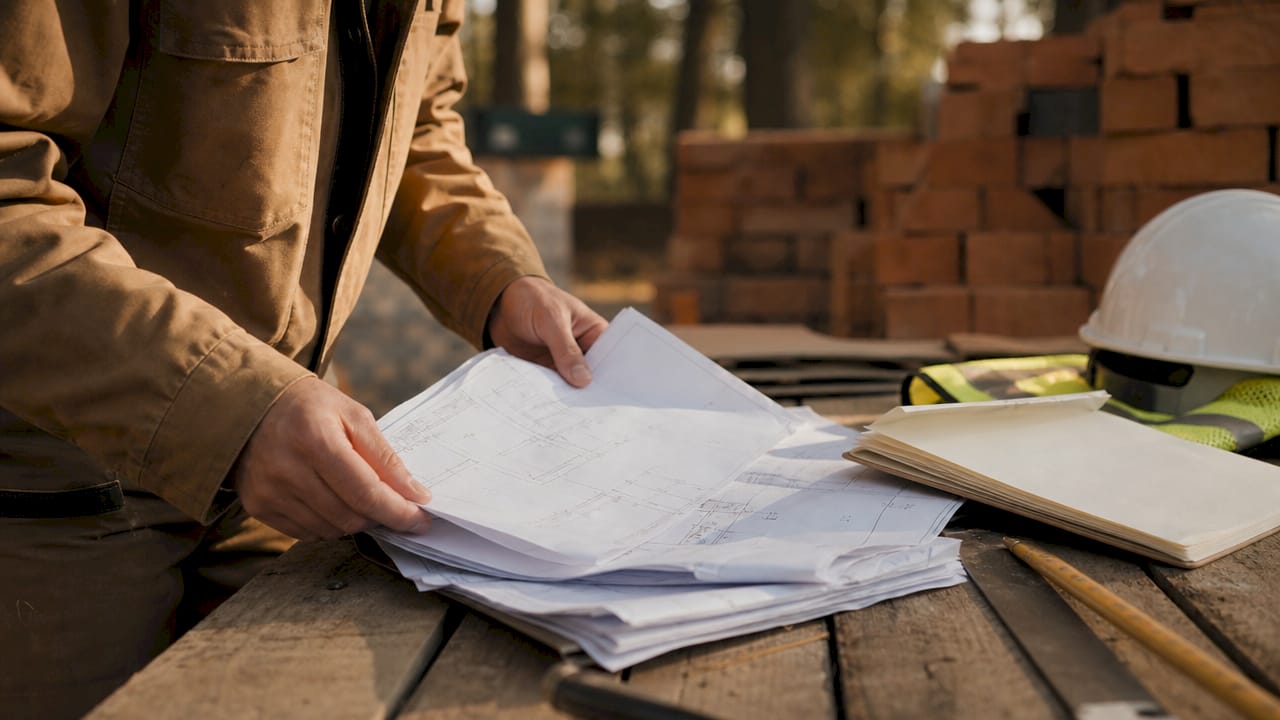
ISO 19650 is the international standard that defines how information should be managed across the lifecycle of a built asset. It formalizes the CDE concept and sets expectations for naming conventions, revision states, and approval workflows. Teams that align with ISO 19650 reduce ambiguity about which document is current and who approved it.
Pro Tip: Set up your CDE folder structure before the project kicks off. Retrofitting a naming convention onto 2,000 existing files mid-project costs more time than building it right from day one.
What are the key features of effective document sharing systems?
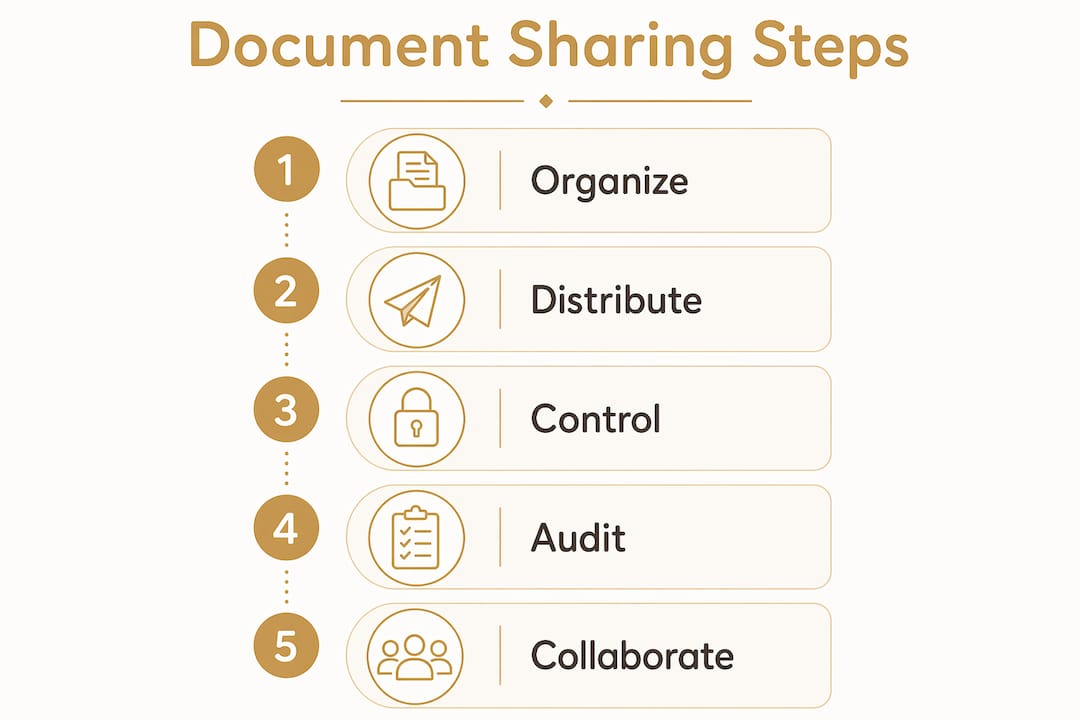
The core features of a construction document sharing system fall into five categories, each solving a specific failure point that generic file storage cannot address.
- Version control and automated superseding. Every time a drawing is revised, the system replaces the previous version in the active workspace and archives the old one. Field crews always see the current revision. Outdated drawings without version control create a near-certain risk of rework.
- Role-based permissions. Access controls define which team members can view, comment on, or edit specific documents. A subcontractor sees only the drawings relevant to their scope. The project manager sees everything. This protects sensitive data and maintains integrity across large, multi-stakeholder projects.
- Approval workflows. Documents move through a defined sequence of reviewers before reaching the field. No drawing gets published without the right signatures, and the system records each approval step automatically.
- Audit trails with timestamps. Every view, download, and edit is logged by user and time. This creates a defensible project history that holds up years after practical completion.
- Mobile access for field teams. Mobile-friendly platforms give site crews real-time access to current drawings, RFIs, and submittals from any device, even in areas with limited connectivity.
The combination of these features is what separates a true document control system from a shared folder. Each feature addresses a specific way that information breaks down on a live construction site.
How does document sharing reduce project risk and improve collaboration?
Structured document sharing reduces project risk by creating a searchable, defensible record of every decision made during a project. When a dispute arises over whether a subcontractor received the correct revision of a structural drawing, the audit trail answers the question objectively. Scattered email threads are legally fragile. A structured document history is not.
The collaboration benefits are equally concrete. When specs, drawings, and RFIs live in one governed system, field crews stop waiting for the office to forward files. They pull the current version directly, mark it up on a tablet, and submit the markup back through the same system. The office sees the field’s comments in real time. That loop closes faster and with less friction than any email chain.
Linking documents to specific tasks or BIM models takes this further. A project manager can attach the relevant drawing revision to a work package, so the crew assigned to that package sees exactly the document they need, nothing more and nothing less. This reduces the chance of a crew pulling the wrong file from a cluttered shared drive.
Effective document sharing also improves risk management by ensuring the project history is searchable and linked to specific tasks. That searchability matters most during claims, change order disputes, and post-project audits.
What are the common challenges in construction document sharing?
Construction teams run into predictable problems when they treat document sharing as a file storage task rather than a control discipline. Recognizing these challenges is the first step to fixing them.
- Relying on generic cloud storage. Platforms like basic shared drives lack automated versioning and audit logs. The most frequent failure in construction document management is using generic cloud storage without version control, which causes field teams to build from outdated instructions.
- No defined user roles or workflows. Buying software without defining who approves what, and in what order, produces chaos faster than paper did. Defining user roles and workflows reduces file-hunting time and builds the audit trails that protect teams in disputes.
- Large file formats without proper handling. CAD files, BIM models, and high-resolution PDFs are large. A system that cannot handle these formats, or that forces field crews to download a 500 MB file over a weak cell signal, fails at the job site level.
- No offline access for field personnel. Connectivity on active construction sites is unreliable. A document sharing system that requires a live internet connection to view drawings is useless in a basement, a mechanical room, or a rural site.
- Treating implementation as a one-time event. Software does not change behavior. Teams need clear onboarding, defined naming conventions, and someone accountable for document control before the first file is uploaded.
Pro Tip: Assign a document controller on every project over a certain size, even if that role is part-time. One person responsible for file naming, version publishing, and access reviews prevents the slow drift into document chaos that kills project efficiency.
What tools and technologies support construction document sharing?
The right technology for construction document sharing depends on the scale of the project and the complexity of the workflows involved. The functional categories below cover the full range of what modern platforms offer.
Common Data Environments
A CDE is the foundation of any serious construction document sharing setup. A CDE governs the lifecycle of construction documents as live instructions, not static files. Enterprise-grade CDEs support ISO 19650 workflows, multi-discipline coordination, and federated BIM models. Entry-level field apps offer simpler folder structures with basic version tracking. The right choice depends on project complexity and the number of stakeholders involved.
BIM and multi-format integration
Modern document sharing platforms support large file formats including CAD drawings, IFC files, and federated BIM models. Integration with BIM workflows allows teams to link 3D models directly to document sets, so a clash detected in the model can be traced back to the specific drawing revision that caused it. This level of integration is standard on major infrastructure and commercial projects.
Mobile and field access tools
Field access is not optional. A platform that works only on a desktop in the site office does not serve the crew installing ductwork on the 14th floor. The best platforms offer native mobile apps with offline sync, markup tools, and push notifications for document updates. Mobile apps provide real-time field access and markup capabilities that connect office and site teams without delay.
Integration with project management software
Document sharing platforms that connect to scheduling, cost control, and RFI management tools create a single workflow rather than a collection of disconnected systems. When a drawing revision triggers an automatic notification to the affected work packages, the project manager does not need to manually chase down every team affected by the change.
Key Takeaways
Effective document sharing in construction requires version control, role-based access, and audit trails working together as a control system, not just a place to store files.
| Point | Details |
|---|---|
| Document sharing is a control discipline | Organizing and governing documents prevents rework and protects teams in disputes. |
| Version control is non-negotiable | Automated superseding stops field crews from building from outdated drawings. |
| Audit trails provide legal defense | Timestamped logs of every document interaction hold up in disputes years after project completion. |
| Role-based permissions protect data integrity | Defining who sees and edits what keeps sensitive information secure across large teams. |
| Mobile access connects office and field | Real-time document access on site closes the communication loop faster than any email chain. |
Why most teams get document sharing wrong
The teams I have seen struggle most with document sharing are not the ones using the wrong software. They are the ones using the right software the wrong way. A CDE with no naming convention is just a messy folder with a better interface. An approval workflow that nobody follows is theater.
The shift that actually changes outcomes is treating every published document as a live instruction, not a file. When a drawing is superseded, the old version is not just archived. It is actively removed from the workspace where crews pull their work. That distinction sounds small. On a $50 million project, it is the difference between a clean punch list and a six-figure rework claim.
Audit trails are the other piece that teams consistently undervalue until they need them. I have watched disputes that should have been resolved in a week drag on for months because nobody could prove which version of a drawing was current on a specific date. A proper document audit trail answers that question in seconds. The teams that build this habit from day one spend less time in disputes and more time building.
The practical advice I give every project manager is this: pick your workflows before you pick your software. Know who approves drawings, who publishes them, and who gets notified when a revision drops. Then find a platform that supports those workflows. The reverse order, buying software and hoping the workflows emerge, produces the scattered data and email overload that makes construction document management so painful for so many teams.
— SEAN
How Debecorp supports document sharing and field collaboration
Debecorp builds field software directly from the experience of tradespeople, and that shows in how CHERP and SiteComm handle document sharing and team communication on job sites.

CHERP manages field operations including daily logs, safety compliance, and real-time updates, all tied to trade-specific workflows. SiteComm keeps office and field teams connected with the kind of mobile-first communication that construction sites actually need. Both platforms are built to give every crew member access to current information without hunting through email threads or shared drives. If you want to see how these tools fit your project workflows, explore CHERP and SiteComm to find out what Debecorp has built for the trades.
FAQ
What is document sharing in construction?
Document sharing in construction is the structured process of organizing, distributing, and controlling project documents so all stakeholders work from one current, authorized source. It goes beyond file storage by including version control, access permissions, and audit trails.
Why is version control critical for construction teams?
Version control prevents field crews from building from outdated drawings by automatically replacing superseded files with the current revision. Without it, the risk of costly rework is near-certain on active job sites.
What is a Common Data Environment in construction?
A Common Data Environment is a governed digital workspace where construction documents move through defined stages from draft to published to archived. It is the standard system for managing document lifecycles under ISO 19650.
How do audit trails protect construction teams?
Audit trails log every document interaction by user and timestamp, creating an objective record of who accessed or changed what and when. This record is defensible in legal disputes long after a project is complete.
How can field teams access documents on job sites?
Modern construction document sharing platforms include mobile apps with offline sync, so field crews can view current drawings and submit markups even in areas with poor connectivity. Real-time mobile access closes the gap between office decisions and field execution.