
Paperless jobsite reporting is the practice of capturing, managing, and sharing daily construction site data through digital tools, replacing handwritten logs and paper forms entirely. Field teams record crew counts, work completed, safety incidents, weather conditions, and material deliveries directly into mobile apps or field platforms. That data compiles automatically into formatted reports and distributes to project stakeholders within seconds. The AGC Technology in Construction Survey found that 61% of contractors cite poor daily documentation as a primary driver of cost-overrun disputes. For project managers who need accurate records and fast decisions, digital jobsite reporting is no longer optional.
What is paperless jobsite reporting and how does it work?
Digital jobsite reporting replaces the traditional end-of-day paper log with a continuous, real-time data capture process. Field staff enter information as work happens, not hours later from memory. That shift alone eliminates one of the most common sources of reporting error in construction.
A typical digital reporting workflow follows four steps. First, field workers open a mobile form on a phone or tablet and log the day’s activities as they occur. Second, the platform validates entries against preset rules, flagging missing data or out-of-range values before submission. Third, the system compiles all field inputs into a formatted daily report. Fourth, the report distributes automatically to the project manager, superintendent, and any other designated recipients.

The data captured in each report covers the full picture of site activity. Standard fields include crew headcount by trade, work performed by location, equipment on site, materials received, safety observations, and weather conditions. Platforms built for construction, like Debecorp’s CHERP, extend this to trade-specific compliance fields, time and attendance, and safety checklists tailored to each craft.
| Report element | What it captures |
|---|---|
| Crew count | Workers on site by trade and shift |
| Work performed | Tasks completed, location, and progress notes |
| Safety incidents | Near misses, injuries, and corrective actions |
| Weather conditions | Temperature, precipitation, and site impact |
| Materials received | Deliveries logged with quantity and supplier |
| Equipment on site | Assets deployed and hours of use |
Automated reports can be generated and shared within 30 seconds by integrating field apps with labor tracking data. That speed removes the reporting bottleneck that delays decisions on active jobsites.
Pro Tip: Design your mobile forms to match the sequence of your site walkthrough. When the form follows the physical path a superintendent already takes, data entry takes under five minutes per round.
What are the key benefits of switching to paperless reporting?
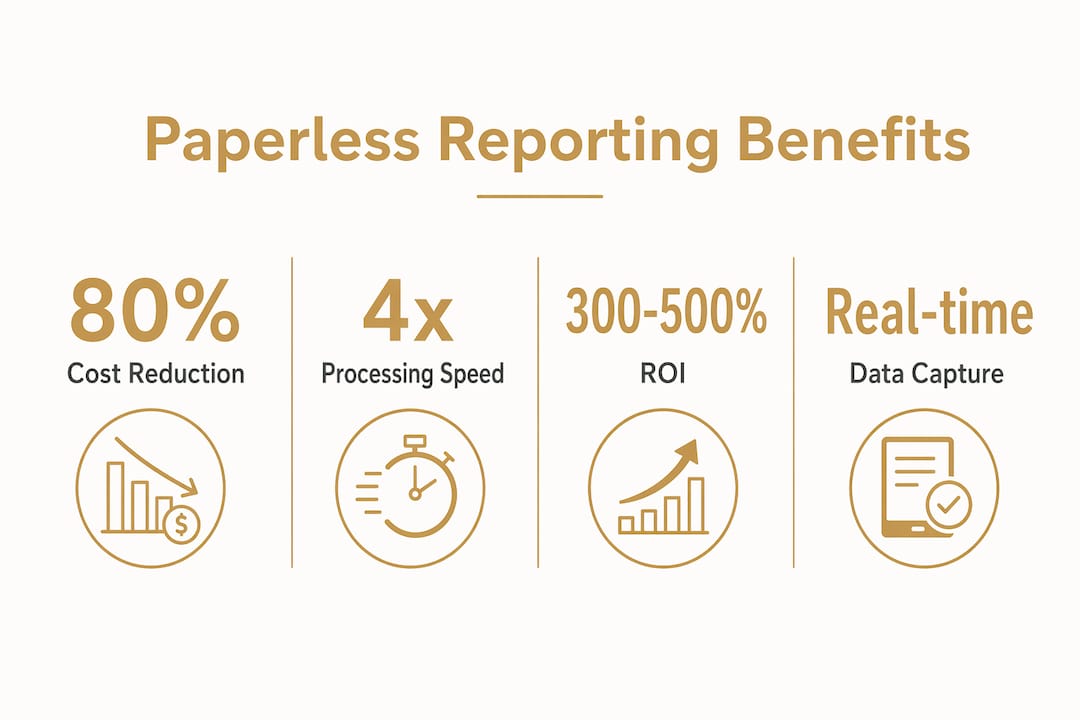
The financial case for going paperless is direct. Paperless initiatives reduce document handling costs by up to 80%, saving $4–$10 per document. On a project generating hundreds of daily reports, safety forms, and delivery receipts, those savings accumulate fast.
Speed is the second major gain. Organizations that adopt digital document management process documents up to 4 times faster and improve workflow productivity by 30%. For a project manager waiting on a daily report to approve a subcontractor’s progress payment, that speed difference is the gap between a decision made today and one delayed until tomorrow.
Accuracy improves because data entry happens at the source. Digital reporting eliminates end-of-day transcription by capturing information in real time, turning reporting into an automatic byproduct of ongoing site activity rather than a memory-based chore. Errors from illegible handwriting, forgotten details, and manual re-entry disappear.
Legal protection is a benefit that project managers often underestimate until a dispute arises. Digital reports carry automatic timestamps and are tamper-evident by design. When a subcontractor claims work was completed on a date that conflicts with your records, a timestamped digital log is the clearest evidence available. The AGC survey finding that 61% of cost-overrun disputes trace back to poor documentation makes this protection concrete, not theoretical.
Key benefits of paperless reporting at a glance:
- Processing speed: Reports compile and distribute in seconds, not hours.
- Cost reduction: Document handling costs drop by up to 80%.
- Error reduction: Real-time capture removes transcription mistakes.
- Legal records: Timestamped, tamper-evident logs protect against disputes.
- Real-time decisions: Project managers access current site data without waiting for end-of-day summaries.
- Audit readiness: Digital records cut audit document retrieval time by up to 95%.
Businesses that commit to paperless document management see 300–500% ROI within five years, with many reaching payback in under 12 months. That return reflects both direct cost savings and the indirect value of faster decisions and fewer disputes.
What challenges and misconceptions exist about going paperless?
The most common misconception is that digital reporting creates more work for field staff. The opposite is true. Paper-based reporting requires workers to fill out forms twice: once in the field on paper and again when someone transcribes those notes into a spreadsheet or project management system. Digital capture eliminates the second step entirely.
The real barrier to success is not the technology. The biggest obstacle is lack of structured workflow design and insufficient training. Teams that skip formal onboarding and fail to integrate the platform with existing systems consistently underperform against their expectations. The software works. The process around it has to be built deliberately.
Three challenges come up repeatedly when construction teams make the switch:
- Resistance from experienced field staff who are comfortable with paper and skeptical of new tools.
- Poor form design that asks for too much information or uses unclear field labels, slowing entry and frustrating users.
- Disconnected systems where the reporting app does not talk to the project management or accounting platform, creating duplicate data entry.
Going paperless is a process shift, not just a software purchase. It requires validations, workflow automation, and data capture at source to reduce blind spots and improve operational visibility. Each of those elements needs deliberate design before the first field worker opens the app.
Pro Tip: Pilot digital reporting on one crew or one phase of a project before rolling it out site-wide. A two-week pilot surfaces form design problems and training gaps while the stakes are low.
How to implement paperless jobsite reporting effectively
Effective implementation follows a defined sequence. Skipping steps, especially training and integration, is the primary reason projects fail to realize the productivity gains the technology delivers.
- Audit your current reporting process. Map every paper form, log, and report your team produces. Identify which data fields are actually used for decisions versus which are collected out of habit.
- Select a platform built for your trades. Entry-level field apps offer basic forms but lack trade-specific compliance fields and integration depth. Enterprise platforms built for construction, like Debecorp’s CHERP and SiteComm, include time and attendance, safety compliance, and daily logs designed by tradespeople for tradespeople.
- Design forms that match site workflows. Each form should follow the physical sequence of a site walkthrough. Required fields should cover only what drives decisions. Optional fields can capture additional context without blocking submission.
- Set validation rules before launch. Define which fields are mandatory, what value ranges are acceptable, and what triggers an alert. Validation at the point of entry prevents incomplete or inaccurate reports from reaching the project manager.
- Train every user before go-live. Field staff need hands-on practice, not a PDF manual. Run a one-hour session on site with real devices and real scenarios. Superintendents need separate training on report review and approval workflows.
- Integrate with your financial systems. Consistent digital reporting improves financial clarity by aligning site data with accounting systems. When field data flows directly into cost tracking, project managers can compare actual labor and materials against budget in real time.
- Review and refine after 30 days. Pull adoption metrics: how many reports were submitted on time, how many had validation errors, and which fields are consistently left blank. Use that data to simplify forms and close training gaps.
The connection between site reporting and financial clarity is direct. When daily logs capture labor hours, equipment use, and material deliveries accurately, the project manager has the data to catch cost overruns before they compound. Jobsite documentation without paper also creates the audit trail that protects the general contractor if a subcontractor disputes quantities or schedule.
Key Takeaways
Digital jobsite reporting delivers measurable gains in speed, cost, accuracy, and legal protection when supported by structured workflows and proper training.
| Point | Details |
|---|---|
| Real-time data capture | Field staff log site activity as it happens, eliminating end-of-day transcription errors. |
| Cost savings are significant | Paperless document handling cuts costs by up to 80% and saves $4–$10 per document. |
| Disputes require proof | Timestamped digital records protect against the 61% of cost-overrun disputes tied to poor documentation. |
| Training drives adoption | Structured onboarding and workflow design matter more than software selection for successful rollout. |
| Integration unlocks full value | Connecting field reports to accounting systems gives project managers real-time financial visibility. |
The part most project managers get wrong
The teams I see struggle most with digital reporting are not the ones who chose the wrong software. They are the ones who treated implementation as an IT project instead of a field operations change. They bought a platform, sent a login link to the superintendent, and expected adoption to follow. It does not work that way.
Field workers are practical people. They will use a tool that makes their day easier and ignore one that adds friction. The difference between those two outcomes is almost always form design and training. A form that takes three minutes to complete on a phone will get filled out. A form that requires fifteen taps to navigate will get abandoned in favor of a paper backup that nobody officially sanctioned.
The other mistake I see is treating reporting as separate from financial management. The real power of jobsite documentation without paper is that it feeds your cost tracking in real time. When a project manager can see that labor hours on a concrete pour exceeded the estimate by 15% on the day it happened, they can investigate and adjust. When they find out three weeks later from a paper timesheet, the overrun is already baked in.
The construction teams getting the most out of digital reporting treat it as an operational system, not a compliance checkbox. They design it around how their crews actually work, connect it to their financial systems, and review the data weekly. That approach is what turns a reporting tool into a project management advantage.
— SEAN
Debecorp’s field platforms for digital jobsite reporting
Construction teams ready to move away from paper logs have a direct path forward with Debecorp’s platforms, CHERP and SiteComm.

CHERP handles the full range of field operations: time and attendance, daily logs, safety compliance, and trade-specific reporting, all built from the ground up with input from tradespeople. SiteComm connects field teams and office staff with real-time communication tools that keep everyone on the same page without chasing down paper. Both platforms are designed for the trades, not adapted from generic software. Project managers looking to replace paper-based workflows can explore CHERP and SiteComm to see how each platform fits their site operations. Debecorp also covers 14 specific trades, so the reporting fields and compliance checklists match the actual work your crews perform.
FAQ
What is paperless jobsite reporting?
Paperless jobsite reporting is the practice of capturing daily construction site data through digital tools instead of paper forms. Field teams log crew counts, work completed, safety events, and materials in real time using mobile apps or field platforms.
How fast can digital reports be generated?
Automated construction daily reports can be generated and shared within 30 seconds when field apps integrate with labor tracking data. That speed removes the reporting delay that slows decisions on active projects.
Does digital reporting reduce costs?
Paperless initiatives reduce document handling costs by up to 80%, saving $4–$10 per document. Businesses typically see 300–500% ROI within five years, with many reaching payback in under 12 months.
What is the biggest barrier to going paperless?
The biggest barrier is lack of structured workflow design and insufficient training, not software capability. Teams that skip formal onboarding consistently fail to realize the productivity gains digital reporting delivers.
How does digital reporting help with construction disputes?
Digital reports carry automatic timestamps and are tamper-evident, creating legal-grade records. The AGC Technology in Construction Survey found that 61% of cost-overrun disputes trace back to poor daily documentation, making accurate digital records a direct form of financial protection.