
Coordinating crews across job sites means aligning the right workers to the right roles, at the right sites, at the right time. When that alignment breaks down, delays compound fast. The SCRA method (Site, Crew, Role, Availability) and operational fit principles give construction managers a structured way to manage crews on-site without the guesswork. This guide covers the prerequisites, assignment workflows, communication tactics, and monitoring practices that keep multi-site projects moving in 2026.
What do you need to coordinate crews across job sites effectively?
Effective cross-site crew management starts with clean, centralized data. Fragmented data leads directly to scheduling conflicts and unfilled roles. Before you assign a single worker, you need four data sets in one place: crew qualifications, site-specific requirements, role definitions, and real-time availability.
The four data sets every manager needs
-
Crew qualifications: Certifications, trade licenses, and site-specific training records for each worker
-
Site requirements: Access credentials, safety compliance needs, and equipment familiarity by location
-
Role definitions: Exact responsibilities and skill levels required for each position on each site
-
Availability data: Current schedules, time-off requests, and confirmed shift commitments
Once that data is centralized, communication protocols become the next priority. Clear communication norms across channels (app, email, phone) prevent information overload and keep distributed teams productive. Define which channel handles which type of message before the project starts. Emergency alerts go through one channel. Daily updates go through another. That separation alone cuts confusion significantly.
Technology ties it together. Crew scheduling software with GPS tracking increases visibility into crew locations and job progress, reducing the volume of manual check-ins required. Scheduling tools that visualize assignments alongside site maps also help managers understand travel constraints and proximity when making decisions.

| Prerequisite | Function |
|---|---|
| Centralized crew data | Prevents double bookings and unfilled roles |
| Communication channel matrix | Reduces information overload across sites |
| Crew scheduling software | Automates assignment matching and conflict detection |
| Real-time GPS tracking | Provides live crew location and progress updates |
| Site access and certification records | Verifies operational fit before assignment |
Pro Tip: Build your communication channel matrix before the project kickoff meeting. Changing norms mid-project creates confusion that takes weeks to correct.
How does the SCRA method work for assigning crews?
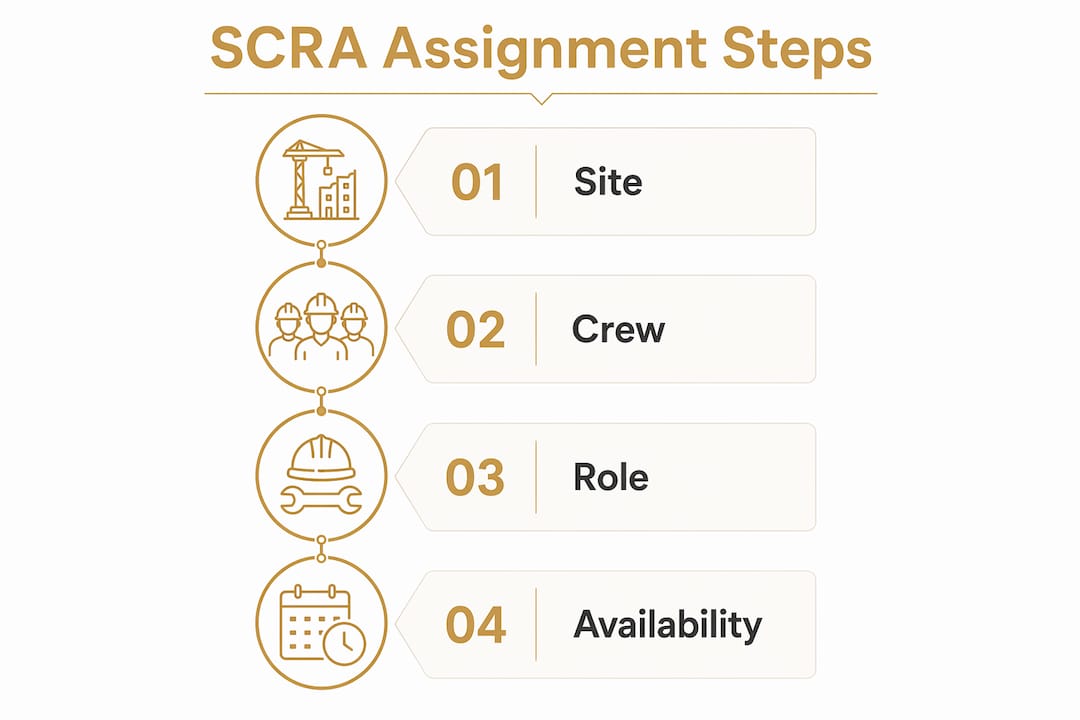
The SCRA method is a proven workflow standard for construction crew assignments, filtering workers by Site, Crew, Role, and Availability to produce role-specific, site-appropriate matches in under 5 minutes. It replaces the common mistake of assigning whoever is available first, which often sends the wrong worker to the wrong site.
Breaking down each SCRA component
Site defines the physical location and its specific requirements. A worker certified for confined space entry at Site A may not hold the same clearance at Site B. The site filter catches that mismatch before it becomes a safety incident.
Crew identifies the team structure at each location. Assigning a worker to a crew where they have no existing relationship or workflow familiarity slows productivity. Keeping crew compositions stable where possible reduces ramp-up time.
Role specifies the exact function needed. A general laborer and a licensed electrician are both “available,” but only one fits the role. Role filtering prevents skill mismatches that cause rework or safety violations.
Availability is the final filter, not the first. Operational fit combines role qualifications, site access needs, and proximity. Assignments based solely on availability miss critical safety or skill requirements, causing delays that cost more than the time saved.
Step-by-step crew assignment process
-
Pull the open role and confirm its site-specific requirements, including certifications and access credentials.
-
Filter your worker database by role qualification first, removing anyone who does not meet the skill threshold.
-
Apply the site filter to check access credentials and any location-specific training requirements.
-
Check crew compatibility by reviewing the existing team at that site.
-
Review availability last, selecting from the qualified, site-cleared, crew-compatible workers who are free.
-
Confirm the assignment and push a notification to the worker and the site supervisor simultaneously.
When a worker calls out, the replacement process follows the same sequence. A qualified replacement who is slightly farther away is a better choice than an immediately available but unsuitable worker. The short delay from travel is almost always less costly than the disruption caused by sending the wrong person.
| Assignment approach | Outcome |
|---|---|
| Availability-first | Fast assignment, high risk of skill or access mismatch |
| Operational fit (SCRA) | Slightly longer filter process, significantly fewer on-site delays |
Pro Tip: Verify site-specific certifications during the role filter step, not after. Discovering a certification gap on the morning of a shift wastes everyone’s time.
What communication strategies keep multi-site crews aligned?
Communication failures cause more project delays than scheduling errors. The fix is not more communication. It is structured communication with defined ownership at every level.
Project coordinators prevent delays by focusing on operational details, not high-level strategy. That means clearing blockers like missing materials or site access issues before they stop work. A coordinator who spends their day in status meetings instead of removing blockers is not doing the job.
Daily huddles and documentation
Daily crew huddles set expectations and confirm task ownership for the shift ahead. Short daily meetings combined with visual management tools reduce confusion and improve alignment across sites. Keep huddles to 10 minutes. Cover three things: what is happening today, who owns what, and what blockers exist right now.
Documentation closes the loop. Every assignment change, site update, or safety flag should be logged in a shared system the same day it happens. Supervisors at other sites need that information to adjust their own plans. Undocumented changes are the leading cause of double bookings and missed handoffs.
A matrix organizational structure for multi-site projects improves cross-team resource sharing and communication. It gives shared resources clear reporting lines without requiring every decision to escalate to a single project manager.
Common communication mistakes to avoid
-
Relying on phone calls as the primary update channel across more than two sites
-
Sending the same update through multiple channels without designating one as the source of truth
-
Skipping documentation when a verbal change is made on-site
-
Assigning task ownership to a team rather than a named individual
-
Allowing supervisors to communicate directly with workers on other sites without looping in the responsible coordinator
How do you monitor and fix crew coordination problems before they cause delays?
Monitoring is not about watching workers. It is about detecting system failures before they compound. The signs of a coordination breakdown are predictable: repeated late starts, workers arriving without the right tools or credentials, and supervisors calling in for information that should already be visible.
Real-time GPS tracking and scheduling dashboards give supervisors the visibility to catch these signals early. When a crew is not on-site at the scheduled start time, a tracking tool surfaces that fact immediately. Without it, the first alert often comes from a foreman calling 30 minutes into a lost shift.
Pro Tip: Run a weekly coordination review every Friday. Pull the week’s assignment changes, late starts, and blocker reports. Patterns in that data tell you exactly where your process is breaking down.
Troubleshooting the most common coordination failures
-
Double bookings: Caused by manual scheduling without a conflict detection layer. Fix by requiring all assignments to go through a central scheduling system before confirmation.
-
Absenteeism gaps: Caused by slow replacement workflows. Fix by pre-qualifying a bench of replacement workers for each site using the SCRA filter so replacements take minutes, not hours.
-
Role mismatches: Caused by skipping the role and site filters under time pressure. Fix by making those filters non-negotiable steps in the assignment process, even for urgent replacements.
-
Communication blackouts: Caused by over-reliance on a single channel or a single person. Fix by assigning a backup coordinator for each site and documenting all updates in a shared log.
Feedback loops from crews and foremen are the most underused monitoring tool in multi-site management. A foreman who flags a recurring access problem is giving you data that no dashboard captures. Build a simple weekly check-in where foremen report blockers and process gaps. Act on that feedback visibly so crews know it is worth reporting.
Key takeaways
Effective cross-site crew coordination requires the SCRA method, operational fit filtering, and structured communication norms working together, not independently.
| Point | Details |
|---|---|
| Centralize data first | Crew qualifications, site requirements, and availability must live in one system before assignments begin. |
| Use SCRA, not availability alone | Filter by Site, Crew, and Role before checking availability to prevent skill and access mismatches. |
| Define communication channels early | Assign each message type to one channel before the project starts to prevent information overload. |
| Monitor for system failures, not individuals | Use GPS tracking and scheduling dashboards to catch late starts and double bookings before they compound. |
| Build feedback loops with foremen | Weekly blocker reports from site supervisors surface process gaps that no software dashboard captures. |
What I have learned from years of watching multi-site coordination fail
The most common mistake I see construction managers make is treating crew coordination as a scheduling problem. It is not. Scheduling is just the output. The real problem is almost always data quality or communication structure.
Managers who struggle with cross-site crew management usually have one of two issues. Either their worker data is incomplete (missing certifications, outdated availability, no site access records), or their communication norms are undefined. Both problems look like scheduling failures on the surface. They are not.
The SCRA method works because it forces you to engage with the data before you make the assignment. Operational fit is not a concept. It is a checklist. Site cleared? Role qualified? Crew compatible? Available? If you cannot answer yes to the first three before you check the fourth, you are not coordinating. You are guessing.
Technology helps, but it does not replace judgment. A scheduling tool that shows you a qualified, available worker 45 minutes away is giving you information. Deciding whether that travel time is acceptable given the site’s start time and the crew’s workflow is still your call. The managers who get this right use technology to surface options and human judgment to choose between them.
The other thing I would push back on is the idea that more communication solves coordination problems. It does not. Undisciplined communication creates noise that buries the signals you actually need. Define your channels, assign ownership, and document everything. That discipline is what separates sites that run on time from sites that run on chaos.
— SEAN
Debecorp’s CHERP and SiteComm for multi-site crew management
Construction managers who want to put the SCRA method and operational fit principles into practice need tools built for the trades, not adapted from generic project management software.

Debecorp builds CHERP and SiteComm from the ground up with direct input from tradespeople. CHERP handles field operations including time and attendance, daily logs, and safety compliance, all organized by trade. CHERP supports the coordination workflows covered in this guide, including assignment tracking, real-time updates, and documentation. Managers working across 14 skilled trades can see how Debecorp’s platforms fit their specific crew management needs.
FAQ
What is the SCRA method in construction crew scheduling?
The SCRA method filters crew assignments by Site, Crew, Role, and Availability in that order. It produces role-specific, site-appropriate assignments and reduces confusion caused by availability-first scheduling.
What does operational fit mean for crew assignments?
Operational fit means a worker meets the role qualifications, holds the required site access credentials, and is close enough to reach the site without disrupting the schedule. Availability is checked only after those three criteria are confirmed.
How do you prevent double bookings across multiple job sites?
Double bookings occur when assignments are made outside a central scheduling system. Requiring all crew assignments to pass through one platform with conflict detection eliminates most double booking errors.
How often should construction managers review crew coordination?
A weekly coordination review is the minimum. Pulling assignment changes, late starts, and blocker reports every week surfaces patterns that daily monitoring misses and allows process adjustments before problems repeat.
What communication channel works best for multi-site crews?
No single channel works best for every message type. The effective approach is a channel matrix: one channel for emergencies, one for daily updates, and one for documentation. Defining this before the project starts prevents information overload.