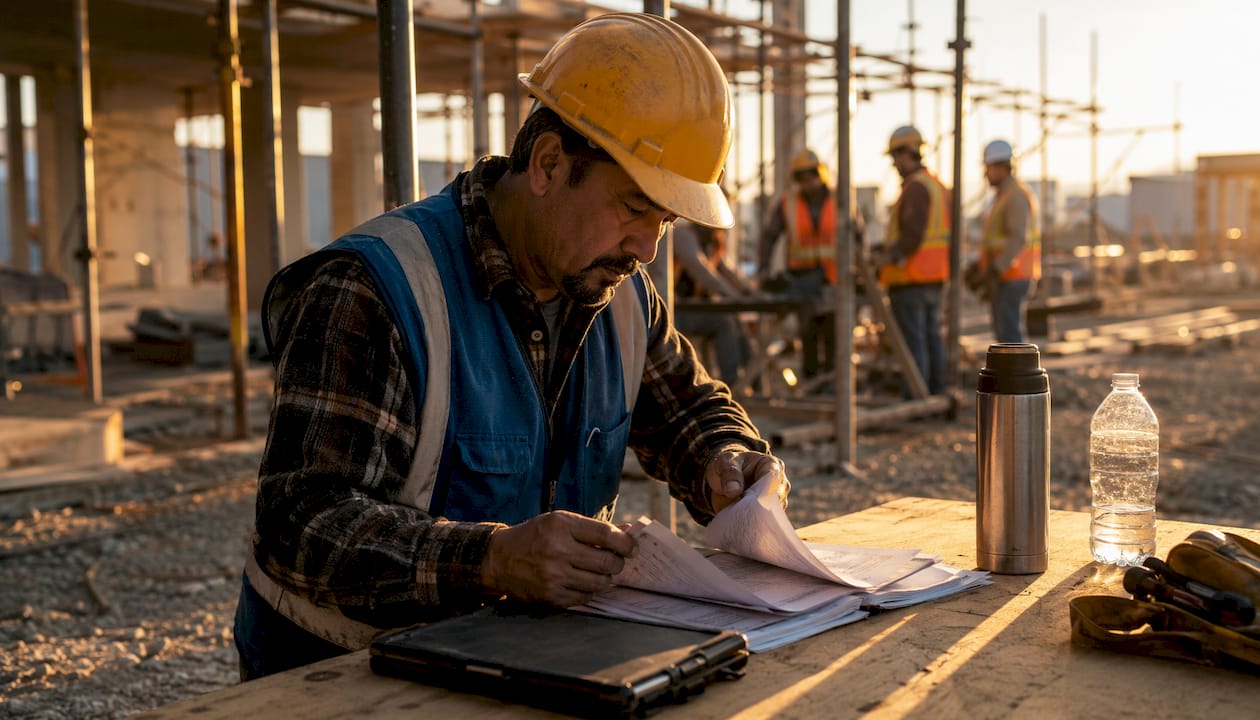
The right communication tools don’t just make a foreman’s job easier. They determine whether a crew finishes on time, stays safe, and actually understands what they’re supposed to be doing. When Mortenson Construction moved from emails and paper forms to a mobile-first platform, open rates jumped to 40%, far outperforming traditional methods. That gap tells you everything about the role of foreman communication tools on a modern jobsite.
Here’s what effective communication tools actually do for foremen:
- Centralize information flow so crews and management work from the same real-time data, not yesterday’s printout
- Speed up safety updates by pushing protocol changes and hazard alerts directly to workers’ phones before they step into a risk zone
- Cut down on miscommunication by replacing verbal chains and paper notes with documented, searchable records
- Give foremen a direct line to every crew member without hunting people down across a sprawling site
- Connect documentation to operations so daily logs, inspection forms, and schedule changes live in one place instead of scattered across three apps and a clipboard
What communication strategies actually work for foremen
Strong foremen don’t wing their communication. They build a system, and then they work it consistently. The strategies below separate foremen who keep crews aligned from those who spend half their day chasing down misunderstandings.
Build a shared language across trades. Every trade has its own jargon, and using the wrong term with the wrong crew creates real confusion. When you say “ponding” to a roofer, they picture water pooling on a flat surface. Say it to an electrician and you might get a blank stare. Using trade-specific language with the right audience keeps everyone on the same page and cuts down on repeat explanations.
Mix your formats deliberately. A morning huddle, a group message for urgent updates, and a documented daily log serve three different purposes. No single format covers everything. Foremen who rely only on in-person conversations miss workers who weren’t present. Those who rely only on digital messages miss the nuance that a face-to-face conversation carries.
Run regular check-ins, not just end-of-day reports. Mid-shift check-ins catch problems while there’s still time to fix them. They also give crew members a chance to flag issues they wouldn’t bring up in a group setting. Active listening during these moments, not just talking, is what separates a foreman who knows what’s happening from one who finds out after the fact.
Stop using five tools when one will do. Fragmented communication technology creates data silos that slow everyone down. When safety notices live in one app, schedules in another, and pay information in a third, workers stop checking all of them. A unified platform that handles messaging, documentation, and updates in one place gets used. Piecemeal setups get ignored.
Train your crew on every tool you introduce. A new app that nobody knows how to use is worse than no app at all. Ongoing training and quality checks on communication processes keep adoption consistent and prevent the slow drift back to old habits.
Use positive reinforcement, not just correction. Crews respond to recognition. Calling out good work publicly on a shared platform does more for morale than a dozen corrective conversations. Leadership experts consistently point to crew engagement and morale as outcomes of communication, not just byproducts of it.
Pro Tip: Set written rules for your communication platform before you roll it out. Decide what goes in group channels versus direct messages, how quickly workers are expected to respond, and what kinds of updates require documentation. Without those rules, even the best platform turns into noise.
To put these strategies into practice across multiple sites, the guide on how to coordinate crews across job sites covers the coordination layer that sits on top of these communication habits.
Which communication skills make the biggest difference on the jobsite
Tools amplify skills. A foreman with weak communication habits will use a great platform poorly. These are the skills worth developing, because they directly affect both crew performance and site safety.
Clear, concise instruction delivery. Vague directions cause rework. When a foreman says “get that framed up over there,” three workers might picture three different things. Specific instructions tied to drawings, measurements, or task numbers remove the guesswork. Clear communication directly reduces safety incidents, project delays, and equipment damage.
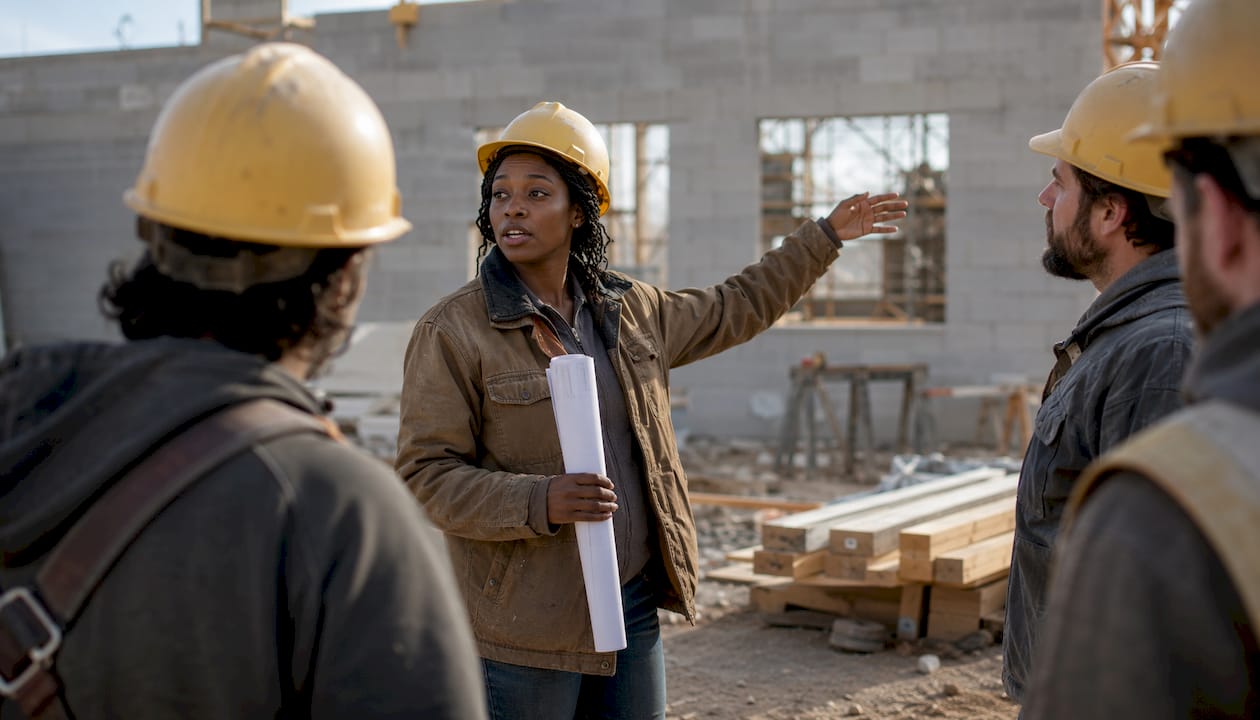
Cultural and language awareness. Construction crews in the United States are increasingly diverse. A significant portion of the construction workforce comes from outside the country, and foremen who can communicate across language barriers, or who use platforms with real-time translation, run safer and more productive sites. Wanzek’s adoption of a platform with inline translation across more than 100 languages is a practical example of what this looks like at scale.
Adapting your style to the person. A veteran carpenter and a first-week laborer need different levels of detail. A project manager and a subcontractor need different types of information. Foremen who communicate the same way with everyone waste time and create gaps. Adjusting your approach based on who you’re talking to is a skill, and it’s one that CMOE’s foreman leadership training consistently identifies as a differentiator.
Encouraging open dialogue. Workers who feel they can raise a concern without getting shut down will flag problems early. Workers who don’t will stay quiet until a small issue becomes a costly one. Two-way communication platforms that let crew members share feedback and safety notices directly change this dynamic.
Accurate, frequent documentation. Memory is unreliable. A foreman who documents daily, who logs what was discussed, what changed, and what was decided, has a record that protects the crew and the project. Frequency matters as much as accuracy. Sporadic documentation leaves gaps that become disputes.
Motivational communication. The people side of foreman leadership is often underestimated. Foremen who communicate in ways that build loyalty, who explain the “why” behind a task and recognize effort publicly, get better results than those who only issue directives. This is the core argument of The Five Minute Foreman, a leadership framework built specifically for field leaders in construction.
What types of communication tools do foremen actually use
The category of “communication tools” covers a wide range, from a whiteboard at the morning huddle to a fully integrated mobile platform. Here’s how the main types break down and what each one actually delivers.
| Tool Type | Primary Use | Key Benefit |
|---|---|---|
| Mobile-first frontline apps | Real-time messaging, safety alerts, company updates | Reaches every worker on their phone, no email required |
| Project management software | Task tracking, scheduling, document storage | Centralizes project info and reduces rework |
| Group messaging platforms | Quick crew updates, shift changes, urgent notices | Fast, informal, but needs clear protocols to avoid clutter |
| Document sharing systems | Plans, safety docs, pay records, inspection forms | Reduces paper, speeds up access, supports compliance |
| Integrated HR and payroll tools | Attendance, onboarding, pay stubs | Cuts admin time and keeps workers informed on pay and benefits |
Mobile-first apps built for frontline workers are the category that has changed the most in recent years. These aren’t general-purpose messaging apps repurposed for construction. They’re built around the reality that most crew members don’t have a company email address and spend their day away from a desk. Mortenson Construction’s experience shows what happens when you get this right: equipment inspections that once took twice as long now run at half the time, and company news reaches workers the same day it’s published.
Project management software handles the coordination layer. Centralized document storage with task assignments and real-time update sharing reduces the back-and-forth that eats up a foreman’s morning. When everyone pulls from the same source, version confusion drops. For a deeper look at what’s available across the jobsite, the guide on types of jobsite communication tools breaks down the full range.
Integration with HR and payroll systems is where platforms like these stop being just communication tools and start becoming operational infrastructure. When a platform connects to Oracle or ADP, workers can check their pay stubs, update direct deposit, and complete onboarding paperwork from the same app they use to read safety notices. That kind of integrated payroll and documentation access removes a whole category of questions that would otherwise land on a foreman’s plate.
Document sharing systems matter most when something goes wrong. When an inspector shows up, when a worker gets injured, when a subcontractor disputes a change order, the foreman who can pull up a timestamped record immediately is in a very different position than the one who has to dig through a filing cabinet. The guide on document sharing for construction teams covers how to set this up practically.
How to implement communication tools effectively on your jobsite
Picking the right tool is the easy part. Getting a crew of 30 people to actually use it consistently is where most rollouts fail. These steps address the real obstacles.
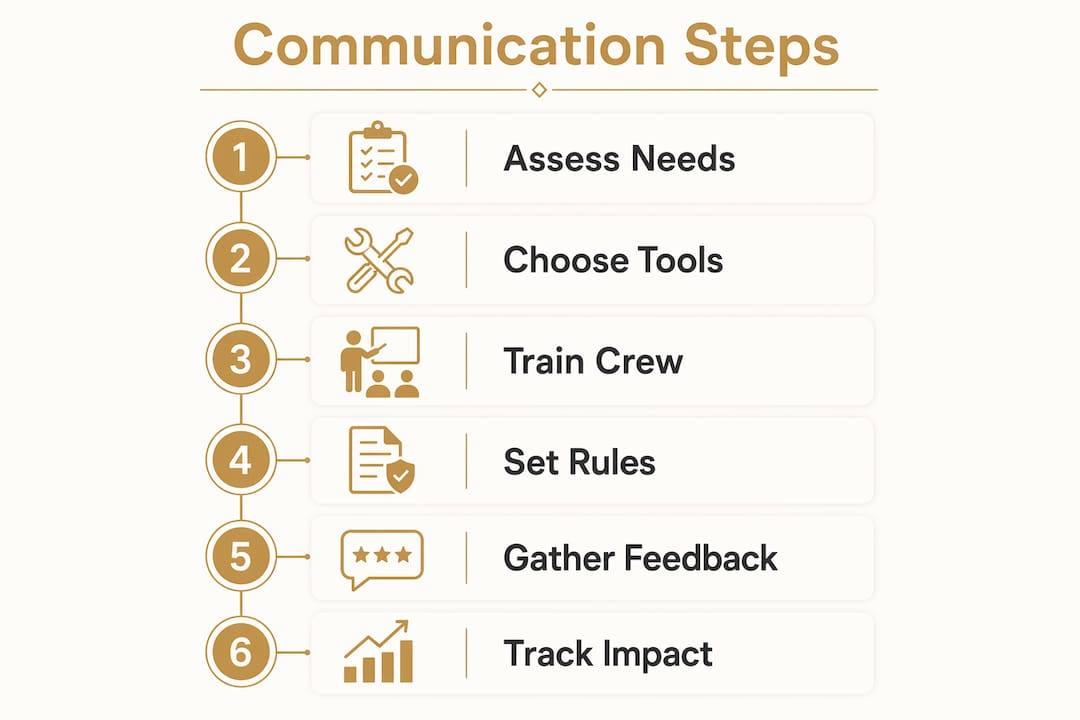
Start with a needs assessment, not a feature list. A five-person residential crew and a 200-person commercial site have different needs. Before you evaluate any platform, write down the three biggest communication problems you’re currently dealing with. Are updates not reaching workers in the field? Are safety incidents getting reported too slowly? Is documentation scattered across paper and three different apps? The answers tell you which features matter and which ones you’ll never use.
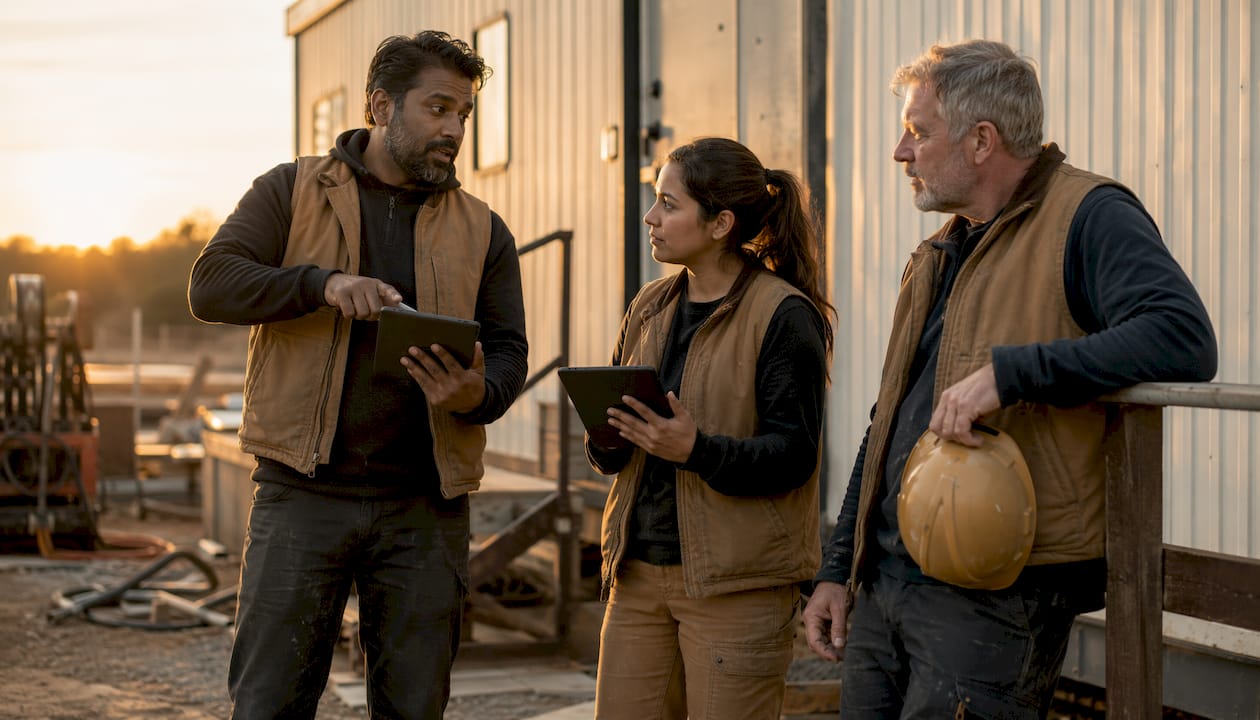
Onboard in phases, not all at once. Dropping a new platform on an entire crew on a Monday morning creates resistance. Start with a small group, usually your leads and most tech-comfortable workers, and let them become the internal experts. When a skeptical crew member hears “ask Carlos, he knows how it works” instead of “read the manual,” adoption accelerates.
Set communication rules before you go live. Clear protocols for language use and documentation prevent the most common failure mode: a platform that becomes a dumping ground for everything, where nothing is findable and workers stop checking it. Decide upfront what belongs in a group channel, what gets documented as a formal log entry, and what warrants a direct message.
Integrate with the systems you already use. A communication tool that sits outside your scheduling and reporting workflow creates extra steps instead of removing them. Harvard Business Review reports that 72% of companies see greater productivity when frontline workers have direct access to the information they need. That access only works when the tool connects to the systems that hold the information.
Build a feedback loop from day one. Ask your crew what’s working and what isn’t, and actually change things based on what they tell you. Workers who see their feedback acted on become advocates for the tool. Workers who feel ignored find workarounds and revert to old habits.
Track usage and measure impact. If safety incident reports are coming in faster, if rework is dropping, if the morning huddle is shorter because everyone already knows the plan, those are signals the tool is working. If nobody’s posting, nobody’s reading, and you’re still fielding the same questions you always did, something in the setup needs to change.
Pro Tip: Pair your digital platform with a brief weekly review of communication quality, not just project progress. Ask: Did the right people get the right information at the right time this week? That question surfaces gaps that metrics alone won’t catch.
For construction managers dealing with the downstream effects of poor information flow, the guide on reducing miscommunication on the jobsite covers the practical fixes in detail.
What a foreman’s communication responsibilities actually look like day to day
A foreman is the communication hub of a jobsite. Not the project manager, not the superintendent. The foreman. Every instruction, update, safety notice, and schedule change passes through this role before it reaches the crew, and every concern, delay, or problem that comes from the crew passes back up through it.
The core responsibilities break down into three directions: down to the crew, up to management, and across to other trades and subcontractors. Each direction requires a different approach. Talking to your crew about a task change is not the same conversation as reporting a delay to a project manager or coordinating a schedule conflict with an electrical sub.
Downward communication covers daily task assignments, safety briefings, toolbox talks, and real-time updates when conditions change. This is where clarity and consistency matter most. A foreman who gives different instructions to different crew members about the same task creates confusion that compounds through the day. Written documentation of what was communicated, and when, protects everyone when questions arise later.
Upward communication means keeping project managers and superintendents informed without burying them in detail. Foremen who report accurately and concisely, who flag problems early rather than hoping they’ll resolve themselves, build the kind of trust that gives them more autonomy on the site. Foremen who go quiet when things get difficult lose that trust fast.
Lateral communication across trades is where delays most often originate. When the concrete crew doesn’t know the electrical rough-in is running a day behind, they show up and wait. When the framing crew doesn’t know the inspection got moved, they’re standing around while the inspector is somewhere else. Foremen who communicate proactively across trade boundaries keep the schedule intact. Those who communicate only within their own crew create bottlenecks for everyone else.
Digital tools change all three of these communication directions. A unified platform means a foreman can push a safety update to the whole crew simultaneously, log a delay report that the project manager sees in real time, and send a schedule note to the electrical foreman without leaving the site. For construction admin workflows that connect to these communication layers, tools like lien waiver management integrate with the broader operational picture that foremen increasingly need to manage.
The foreman role also carries a responsibility that doesn’t show up in most job descriptions: building a communication culture on the site. When a foreman models clear, direct, respectful communication, the crew follows. When a foreman dismisses questions or communicates inconsistently, that behavior spreads too. The platform matters, but the person using it matters more.
Key Takeaways
Foremen who use unified, mobile-first communication tools consistently outperform those relying on fragmented methods, because real-time information access, clear protocols, and two-way feedback directly reduce delays, safety incidents, and rework.
| Point | Details |
|---|---|
| Unified platforms outperform fragmented tools | Piecemeal apps create data silos; a single mobile hub keeps every worker informed and reduces missed updates. |
| Open rates jump with mobile-first tools | Mortenson Construction’s first campaign on a frontline app saw open rates jump to 40%, outperforming old email and paper methods. |
| Protocols prevent digital clutter | Setting rules for channel use and documentation frequency before rollout stops platforms from becoming noise. |
| Two-way communication boosts safety | Platforms that let workers post hazard alerts and feedback create a proactive safety culture, not just a top-down one. |
| Foremen communicate in three directions | Downward to crews, upward to management, and laterally across trades, each requiring a different approach and tool use. |
How Debecorp’s CHERP and SiteComm support foremen on the jobsite

Debecorp built CHERP and SiteComm from the ground up with input from tradespeople who actually work in the field. That origin matters. Most field software is designed by people who have never run a crew, and it shows in the features that get prioritized and the ones that get missed.
CHERP handles the field operations layer: time and attendance, daily logs, safety compliance, and trade-specific workflows that generic platforms don’t account for. SiteComm handles the communication layer, giving foremen and crews a unified channel for updates, documentation, and coordination. Together, they cover the full range of what a foreman needs to manage a site without switching between tools.
If you’re evaluating what a purpose-built platform for skilled trades looks like in practice, the CHERP and SiteComm product page walks through both platforms in detail.