
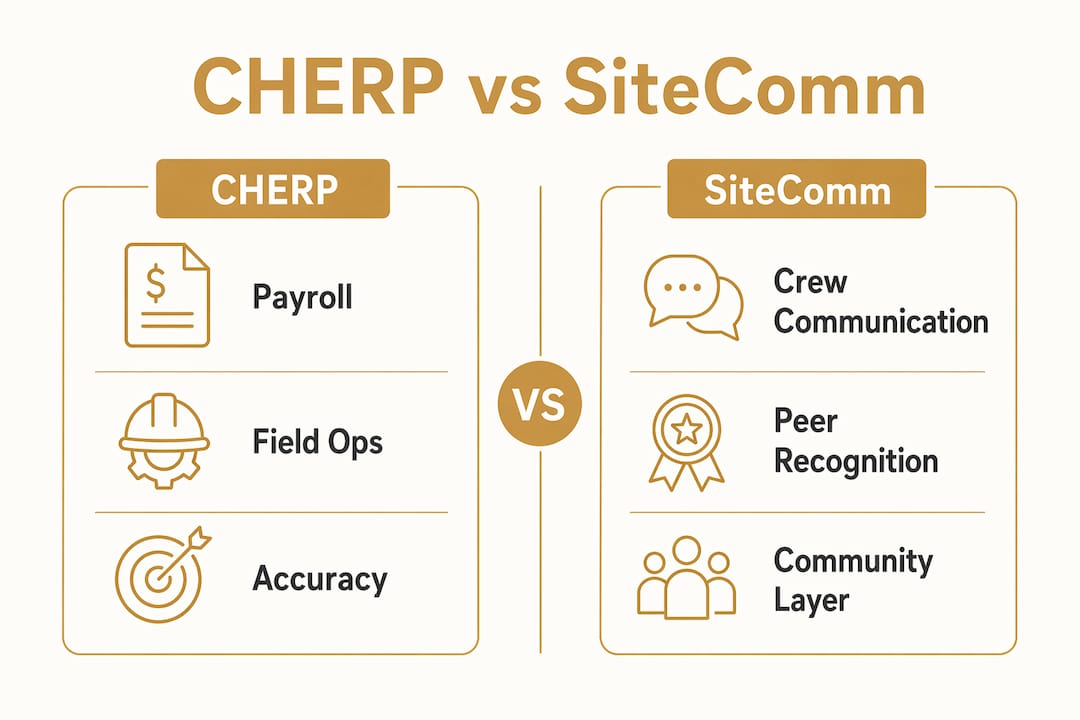
For trades-focused crews, CHERP and SiteComm by Debecorp are the two platforms built specifically for how skilled workers actually operate on a jobsite. If your primary need is payroll accuracy, time capture, and field operations, CHERP is the right starting point. If your crew needs a communication layer with worker-owned social features and jobsite chat, SiteComm fills that gap. Most organizational buyers, from GCs to subcontractors, end up running both together.
General contractors managing multiple subcontractors should pilot CHERP first, then layer in SiteComm once field ops are stable. Subcontractors with tight crews who need peer recognition and daily communication alongside time tracking benefit from deploying both from day one. Foremen get the most immediate value from CHERP’s role-based crew hierarchy and daily log tools.
Pro Tip: Before your first vendor demo, write down your single biggest daily pain point. Payroll reconciliation errors point to CHERP. Crew communication breakdowns point to SiteComm. Both problems together? That’s the case for the full Debecorp stack.
Table of Contents
- How do CHERP and SiteComm compare for construction teams?
- How do you evaluate construction collaboration tools before buying?
- What should you budget for deployment and onboarding?
- Which integrations and security practices should you verify?
- What ROI should you expect from field collaboration tools?
- Key Takeaways
- Why trade-built products change what’s possible on a jobsite
- CHERP and SiteComm cover the full field operations and crew communication stack
- Useful sources and further reading
How do CHERP and SiteComm compare for construction teams?
The table below maps both platforms against the dimensions that matter most to trades buyers. Descriptions follow.
| Dimension | CHERP | SiteComm |
|---|---|---|
| Best for | GCs and subcontractors prioritizing payroll accuracy and field ops | Teams needing worker-centric communication and crew engagement |
| Core features | Time & attendance, daily logs, safety compliance, per-trade calculators, role-based crew hierarchy | Jobsite chat, peer recognition, worker-owned social features, customizable trade profiles |
| Mobile & offline support | Android and web; offline-capable for field capture | Android and web; designed for low-connectivity jobsite environments |
| Deployment & onboarding | Pilot-ready; trade-specific configuration required | Fast onboarding; worker adoption driven by familiar social UX |
| Pricing/licensing | Subscription SaaS; per-seat organizational licensing | Subscription SaaS; per-seat organizational licensing |
| Integration capability | Payroll/HR export, scheduling, reporting connectors | Messaging and community layer; integrates alongside CHERP |
| Security & data privacy | Role-based access controls; privacy-focused deployment | Worker privacy controls; worker-owned data model |
| User adoption/training | Foreman-led onboarding; trade-specific workflows reduce learning curve | High adoption due to social-first UX familiar to field workers |
CHERP in practice. The platform handles the operational backbone: who showed up, what they did, and whether the site stayed compliant. Per-trade calculators mean an electrician’s workflow looks different from a pipefitter’s, which is exactly how it should work. Payroll export capability is the feature that gets finance teams on board fast, because it cuts the manual reconciliation that plagues most subcontractors.

SiteComm in practice. Think of it as the crew’s community layer. Peer recognition features matter more than they sound: crews that feel seen tend to show up and communicate better. The worker-owned social model also addresses a real concern on jobsites, where workers are often reluctant to use employer-controlled apps for anything personal. SiteComm’s privacy controls give workers a reason to actually engage.
Independent guides consistently recommend matching platform strengths to your primary workflow rather than chasing full-suite feature parity. CHERP and SiteComm are designed around that principle from the ground up.
Pro Tip: Run a two-week CHERP pilot with one foreman and five crew members before full rollout. Measure daily log completion rate and payroll export accuracy. Those two numbers tell you whether the platform fits your workflow before you commit seats.
How do you evaluate construction collaboration tools before buying?
Independent buyer guides stress matching platform strengths to the buyer’s primary need, whether that’s document control, field reporting, BIM coordination, or client communications. Use this checklist to score any platform you demo.
Decision checklist (prioritized):
- Jobsite-first UX: can a foreman complete a daily log in under two minutes on a phone?
- Offline support: does the app capture time and logs without a cell signal?
- Time & attendance accuracy: does it export directly to your payroll system without manual re-entry?
- Drawing and document version control: are issues traceable back to the original plan sheet?
- Safety and compliance workflows: are they trade-specific or generic?
- Crew and community features: do workers actually want to use it, or does it feel like surveillance?
- Total cost of ownership: include seats, integrations, training, and support, not just the license fee
Vendor questions to ask on every demo:
- What API connectors do you offer for payroll, HR, and accounting systems?
- Who owns the project data if we cancel, and in what format can we export it?
- What happens to time captures and daily logs when a device goes offline?
- What is your onboarding SLA, and do you assign a dedicated implementation contact?
- How do you handle seat counts versus active users for billing?
- Can you provide a reference from a subcontractor of similar size and trade mix?
Red flags to walk away from:
- No mobile offline mode, or offline mode that only syncs “when possible” with no conflict resolution
- Vague API documentation or “we can build a connector” answers with no timeline
- Onboarding described as “self-serve” with no pilot plan or measurable KPIs
- No pilot option before full contract commitment
Platforms that tether issues to specific drawing sheets reduce rework by keeping resolutions traceable to the original plan context. If a vendor can’t demonstrate that in a live demo, it probably doesn’t exist.
What should you budget for deployment and onboarding?
Vendor marketing often states rapid rollout, but buyers should ask for customer references and a concrete pilot plan with measurable KPIs before signing anything.
| Phase | Typical timeline | Key activities |
|---|---|---|
| Pilot (1 crew, 1 trade) | 2–4 weeks | Configure trade profiles, test time capture, measure daily log completion |
| Core rollout (1–3 projects) | 4 weeks | Integrate payroll/HR, train foremen, establish reporting cadence |
| Scale across crews | 8 weeks | Expand seats, add trades, refine compliance workflows |
What stretches timelines most: data migration from legacy spreadsheets, custom integrations with existing ERP or payroll systems, and multi-trade customization. Budget for those explicitly.
Pricing shapes to expect. Most field operations platforms use per-seat SaaS licensing. Watch for add-on costs on SMS notifications, premium integrations, and dedicated support tiers. Enterprise licensing (flat fee for unlimited seats on a project) can be more cost-effective for large subcontractors running 50-plus crew members across multiple sites simultaneously.
Pro Tip: Define two KPIs before your pilot starts: daily log completion rate and time capture accuracy versus your current payroll process. If both improve by the end of week two, you have your business case. If neither moves, the platform isn’t the right fit.
Which integrations and security practices should you verify?
For payroll and cost accuracy, treat open API access for ERP and accounting systems as a gating criterion. Lack of it creates persistent manual reconciliation that erodes the time savings the platform was supposed to deliver.
Integration checklist:
- Payroll and HR: direct export or API connector to your payroll system
- Accounting and ERP: field labor hours flowing into project financials without double entry
- Scheduling: two-way sync so field actuals update the project schedule
- Single sign-on (SSO): reduces friction for field workers logging in from shared devices
- Mobile attendance exports: mobile attendance tracking in formats your payroll team can actually use
Security checklist:
- Encryption at rest and in transit for all time, attendance, and daily log data
- Role-based access controls: foremen see their crew, not the whole company
- SOC 2 or equivalent certification, or a clear roadmap to it
- Mobile device controls for shared tablets or phones on site
- Worker privacy controls, especially for platforms with community or social features
Enterprise CDEs like Oracle Aconex provide strict version control and unalterable audit trails for large multi-organization projects. For trades-focused field software, the equivalent requirement is a clean audit log of every time entry, log submission, and compliance sign-off.
Pro Tip: Ask the vendor to show you the audit log for a deleted time entry. If they can’t produce one in the demo, assume it doesn’t exist.
What ROI should you expect from field collaboration tools?
Centralized digital daily logs with media attachments reduce back-office chasing and speed up approvals. Three use cases illustrate where the payback shows up fastest.
Time & attendance and payroll reconciliation. A subcontractor running 30 field workers across two sites typically spends several hours per week reconciling paper timesheets against payroll. Digital time capture with direct export cuts that process to a review-and-approve workflow. The hours recovered go back to the foreman and the office manager.
Daily log digitization and rework reduction. When daily logs include photos tied to specific work areas, disputes about what was completed and when become rare. The log becomes the evidence. Platforms that link issues to drawing sheets make this even stronger, because the resolution is traceable to the original plan context.
Crew communication and faster issue resolution. Structured jobsite chat, as opposed to a group text thread, keeps issues organized by project and trade. Foremen can flag a problem, attach a photo, and get a response from the GC without leaving the platform. That loop closes faster than email.
Adoption tips from field practitioners: align foremen incentives with the platform’s quick wins. If a foreman’s daily log takes 90 seconds instead of 15 minutes, they’ll use it. Schedule micro-training in 10-minute sessions at the start of a shift, not in a conference room. Surface the first win, whether that’s a payroll discrepancy caught early or a rework claim supported by a photo log, within the first 30 days. That one win does more for adoption than any training session.
Pro Tip: Track real-time jobsite updates during your pilot by comparing how many issues were resolved within 24 hours before and after deployment. That single metric is the clearest signal of whether the communication layer is working.
Key Takeaways
CHERP and SiteComm together give trades-focused organizations a complete field operations and crew communication stack built specifically for skilled workers, not adapted from generic project management software.
| Point | Details |
|---|---|
| Match platform to primary need | CHERP fits field ops and payroll accuracy; SiteComm fits crew communication and engagement. |
| Pilot before full commitment | A pilot of a few weeks with one crew and relevant KPIs validates fit before you scale seats. |
| Treat API access as a gating criterion | No ERP/payroll connector means persistent manual reconciliation that offsets platform savings. |
| Verify offline support in the demo | Ask the vendor to demonstrate offline time capture and log submission without a cell signal. |
| Debecorp’s trade-built approach | CHERP and SiteComm are built from tradesmen’s input, covering field ops through crew community in one stack. |
Why trade-built products change what’s possible on a jobsite
Most construction software is built by product teams who have never run a crew. The result is platforms that look complete in a demo and fall apart on a muddy jobsite at 6 AM when the foreman is trying to log attendance on a cracked Android screen with no signal.
What Debecorp got right with CHERP and SiteComm is the starting point: the platforms were designed from tradesmen’s direct input, not from a product manager’s interpretation of a workflow diagram. That difference shows up in specific places. Per-trade calculators mean the tool reflects how an electrician or pipefitter actually thinks about their work. Worker-owned social features in SiteComm mean crew members engage with the platform voluntarily, not because their employer mandated it.
The broader construction software market is moving toward BIM-linked, enterprise-grade platforms that serve GCs managing hundreds of subcontractors. Those tools have their place. But for a subcontractor running 20–80 skilled workers across active jobsites, the right tool is one that the foreman will actually use every single day. Complexity is the enemy of adoption in the field.
The change management required to roll out a trades-specific platform is also materially lighter than deploying a full construction ERP. That matters for organizations that can’t afford a six-month implementation project.
CHERP and SiteComm cover the full field operations and crew communication stack
If you’ve read this far, you know what to look for: offline-capable time capture, trade-specific workflows, payroll export, and a communication layer workers actually want to use. CHERP handles the operational side, from daily logs and safety compliance to role-based crew hierarchy and payroll-ready time exports. SiteComm handles the human side, peer recognition, jobsite chat, and worker privacy controls that drive real adoption.

A pilot with Debecorp is scoped to one crew, one trade, and two measurable KPIs. You’ll know within two to four weeks whether the platform fits your operation. No six-month implementation, no generic onboarding deck built for a different industry.
Visit the CHERP and SiteComm product page to compare features in detail and request a pilot. If you want to see how the platforms map to your specific trade, the trades overview shows per-trade configurations across 14 disciplines.
Useful sources and further reading
- Document Sharing for Construction Teams: 2026 Guide — DeBe Corp
- Types of Jobsite Communication Tools: 2026 Guide — DeBe Corp
- Construction Team Messaging Setup: 2026 Field Guide — DeBe Corp
- Change Management in Construction Tech: A 2026 Guide — DeBe Corp
- Mobile Attendance Tracking for Jobsites: 2026 Guide — DeBe Corp
- 10 Best Construction Collaboration Software Reviewed 2026 — The Digital Project Manager
- Best Construction Collaboration Software — Gitnux
- Construction ERP Integration — Autodesk
- Autodesk Construction Cloud — Vendor Overview
- The Platforms — CHERP & SiteComm by DeBe Corporation