
Centralizing construction team updates means creating a single, real-time source of truth that every stakeholder on a project can access, trust, and act on. Fragmented updates sent across email threads, text messages, and paper logs are the leading cause of miscommunication on jobsites. When you centralize construction team updates, you cut that fragmentation at the root. Construction teams using live, centralized AI dashboards reduced coordination meetings by 20–30%, shifting those meetings from information gathering to actual decision-making. That shift alone recovers hours of productive time every week.
How to centralize construction team updates effectively
Centralized update management, the recognized industry term for this practice, refers to routing all project status information through one shared system rather than letting it scatter across individuals. The goal is not just convenience. It is accuracy, speed, and accountability.
Manual reporting delays schedule variance detection by weeks. A centralized AI tracking system detects the same variance within hours. That difference determines whether a project manager has time to mobilize recovery resources or is left reacting to a crisis. The case for a single update hub is not theoretical. It is measurable.
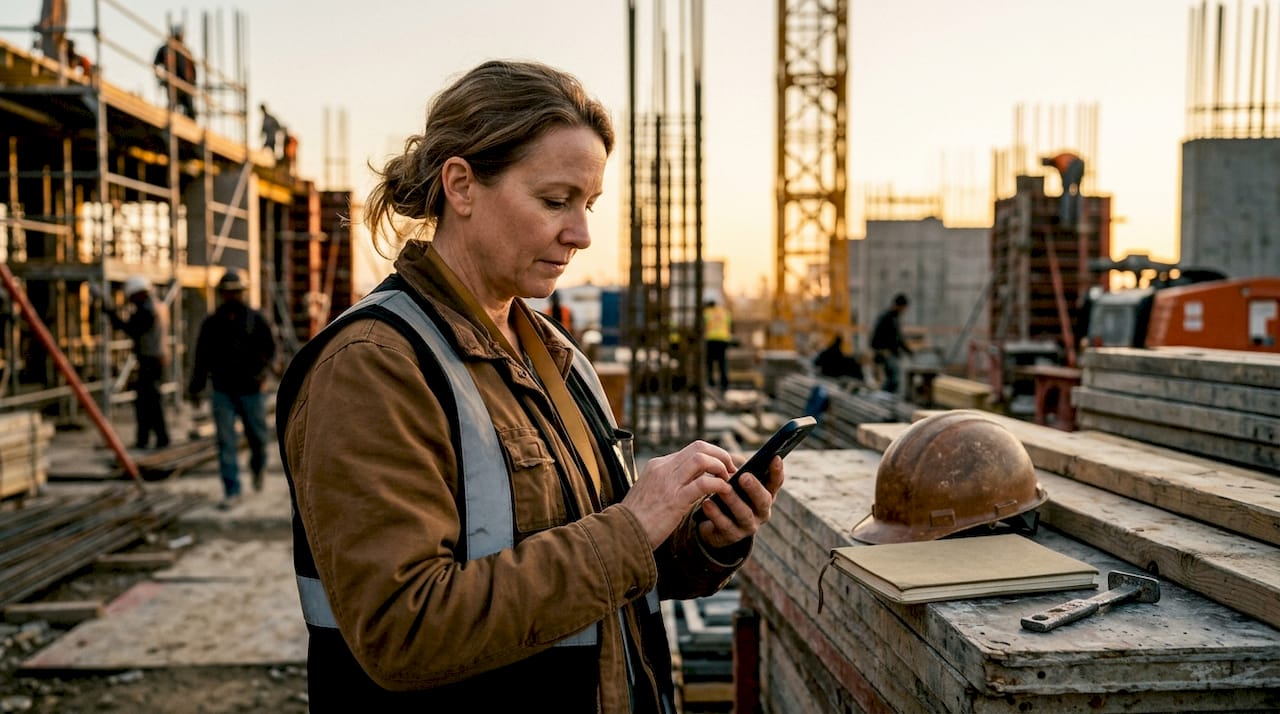
The industry standard approach combines three elements: a centralized project management platform, real-time data capture at the field level, and automated routing to the right stakeholders. Debecorp’s CHERP platform, built directly from tradesmen’s input, applies exactly this model to field operations.
What tools and systems do you need?
The right technology stack for centralized project tracking has four layers. Each layer handles a distinct function, and gaps in any one of them create the same fragmentation you are trying to eliminate.
Layer 1: The central platform. This is your single source of truth. It consolidates tasks, time logs, milestones, and budgets in one place. Moving from spreadsheets to a centralized project platform reduces admin time for weekly reporting by about 70%. That is not a marginal gain. It fundamentally changes how much time your team leads spend on paperwork versus field work.
Layer 2: Real-time dashboards. Dashboards pull data from multiple sources continuously. The best centralized update systems compile data automatically in real-time rather than relying on retrospective reporting. This means your dashboard reflects what is happening now, not what someone remembered to log yesterday.
Layer 3: Mobile and site-level entry tools. Field teams need to submit updates from where they work. A platform that requires a desktop login will not get used on a jobsite. Mobile-first entry tools, like those built into Debecorp’s SiteComm platform, allow site supervisors to log daily reports, safety checks, and progress notes directly from the field.
Layer 4: Integration and automation. Your central platform must connect with the tools your teams already use. API integrations with existing systems allow data to flow without manual re-entry. Automated update reminders and channel routing ensure that updates reach stakeholders on the platforms where they already work, without requiring a separate login.
The table below compares the key feature categories to evaluate when selecting a centralized update platform.
| Feature category | What to look for |
|---|---|
| Data consolidation | Single dashboard pulling tasks, budgets, and schedules |
| Real-time alerting | Automated flags for schedule variance or safety incidents |
| Mobile accessibility | Native mobile app with offline capability |
| Integration support | API connections to existing field and finance tools |
| Update routing | Automated delivery to stakeholders by role or preference |
How do you implement a centralized update workflow?
A phased rollout is the only reliable way to build trust in a new system. Dropping a new platform on an entire project portfolio at once creates resistance and data chaos.
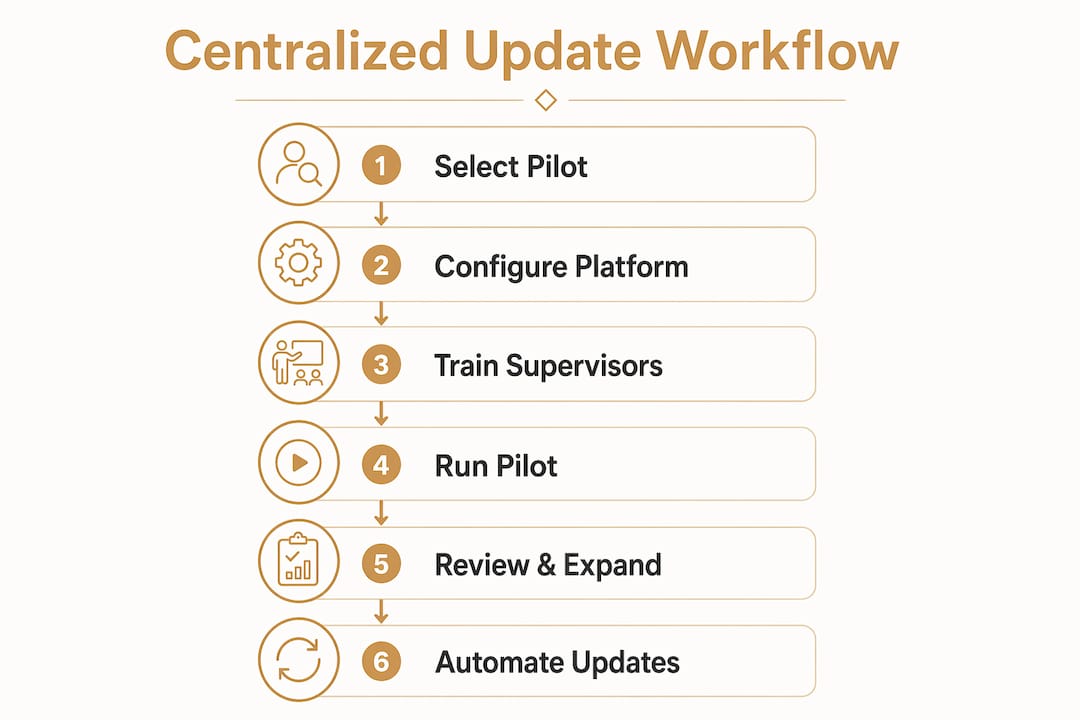
Step 1: Select a pilot project (weeks 1–2). Choose one active project with a cooperative site supervisor. This project becomes your proof of concept. Run the new system in parallel with your existing reporting during this phase.
Step 2: Configure your platform (weeks 2–3). Set up your dashboard, define update templates, and connect integrations. Establish clear update categories: what shipped, what is at risk, and what needs a decision.
Step 3: Train site supervisors and team leads (weeks 3–4). Training should focus on the mobile entry workflow, not the full platform. Field teams do not need to understand every feature. They need to know how to log a daily update in under three minutes.
Step 4: Run the pilot for eight weeks. Phased implementation starting with one active project for eight weeks reduces risk and builds trust in centralized data. Use this period to identify gaps in your update template and refine your routing rules.
Step 5: Review and expand. After the pilot, hold a structured review with your site supervisor and project manager. Document what worked and what did not. Then roll out to the next two or three projects before going platform-wide.
Step 6: Replace status meetings with routed updates. Automated update reminders tied with channel routing allow teams to replace status meetings entirely, posting health status where stakeholders already work. This is the step most managers delay. Do not delay it. It is where the time savings actually materialize.
Pro Tip: Set a hard rule that no project status question gets answered by phone or text if the answer exists in the central platform. This single policy drives adoption faster than any training session.
What best practices keep centralized updates working?
The most common failure in construction update management is not technical. It is behavioral. Teams write updates for their own comfort instead of the reader’s needs, burying critical information in lengthy narratives. That habit survives the switch to a new platform unless you address it directly.
Effective updates answer three questions in the first five lines: what shipped, what is at risk, and what needs a decision. A well-structured 200-word update takes under two minutes to process. Writing for the reader’s questions, not the sender’s convenience, is the single biggest improvement most construction teams can make to their update quality.
Use clear health indicators on every update. High-performing teams use three status labels: On track, At risk, and Needs decision. These labels let a project manager scan ten project updates in two minutes and know exactly where to focus. Adding a progress percentage alongside the label removes ambiguity entirely.
Separate internal team updates from client-facing updates. Mixing field-level issues into a client report creates confusion and erodes trust. Your central platform should support at least two update tracks: one for internal coordination and one for external stakeholders.
Maintain a consistent cadence. Daily field logs, weekly project summaries, and milestone reports serve different audiences at different frequencies. Define each cadence in your platform and automate the reminders. Inconsistent updates are the fastest way to lose stakeholder confidence in the system.
Pro Tip: Assign one person per project as the “update owner.” This person does not write every update. They are responsible for making sure updates are submitted on time and meet the format standard. Accountability by name works better than a general team reminder.
Reducing information silos in construction teams is a direct result of consistent update discipline. The platform enables it. The discipline sustains it.
How do you troubleshoot common challenges?
Field team resistance is the most predictable obstacle in any centralized update rollout. It does not come from laziness. It comes from distrust. Field workers have seen software platforms come and go, and they have learned that new systems often create more work, not less.
The solution is to show value before demanding compliance. During your pilot phase, share the dashboard with the site supervisor and let them see their own data reflected accurately. When field teams see that their logs are being used to make decisions, not just filed away, adoption follows naturally.
Data accuracy concerns are the second most common challenge. A gradual phased implementation pilot reduces disruptions and helps build trust in automated update accuracy among field teams. Running parallel reporting during the pilot phase lets you catch discrepancies before they affect real decisions.
The table below summarizes the most common issues and their solutions.
| Challenge | Root cause | Recommended fix |
|---|---|---|
| Field team resistance | Distrust of new systems | Show data value during pilot; involve supervisors early |
| Inconsistent update submissions | No clear ownership | Assign an update owner per project |
| Data accuracy gaps | Manual entry errors | Use mobile tools with auto-populated fields |
| Stakeholder disengagement | Updates too long or unclear | Enforce the three-question format with health indicators |
| Slow adoption across projects | Big-bang rollout | Use phased expansion after a successful eight-week pilot |
Measure success with three metrics: schedule variance detection time, the frequency of unplanned status meetings, and the time your team leads spend on weekly reporting. All three should improve within the first pilot cycle. If they do not, the problem is in your update template or your routing rules, not the platform itself. For a deeper look at real-time jobsite reporting, the principles of accurate field data capture apply directly here.
Key Takeaways
Centralizing construction team updates requires a centralized platform, real-time field data capture, automated routing, and a consistent update format built around the reader’s critical questions.
| Point | Details |
|---|---|
| Single source of truth | Route all project status through one platform to eliminate fragmentation and miscommunication. |
| Real-time data capture | Use mobile-first tools so field teams log updates where they work, not after the fact. |
| Three-question update format | Every update must answer what shipped, what is at risk, and what needs a decision. |
| Phased rollout | Start with one pilot project for eight weeks before expanding to the full portfolio. |
| Assign update ownership | Name one person per project responsible for update quality and submission timing. |
What I’ve learned from watching teams get this wrong
I have watched construction managers invest in a centralized platform and then wonder why nothing changed six months later. The platform was not the problem. The behavior was.
The cultural shift required for centralized updates is real and it is underestimated. Field teams and office teams have operated in separate information worlds for decades. A new platform does not dissolve that divide on its own. Leadership has to model the behavior. When a project manager stops asking for status by phone and starts pointing to the dashboard instead, the team follows.
The other thing I have seen consistently is that managers wait too long to replace meetings with routed updates. Replacing meetings with automated, routed updates increases time spent on decision-making instead of information gathering. That is the payoff. But it requires the discipline to stop calling a meeting every time you want a status check.
Start small, measure the right things, and protect the format standard. The teams that do those three things see results within the first pilot cycle. The teams that skip the pilot and roll out platform-wide first spend months cleaning up inconsistent data instead.
— SEAN
How Debecorp supports centralized construction updates
Debecorp built CHERP and SiteComm from the ground up with input from tradesmen who live the jobsite reality every day. CHERP handles field operations including time and attendance, daily logs, and safety compliance, all in one place. SiteComm connects field teams to the office with real-time update sharing that does not require a desktop or a separate login.

Both platforms are designed for the trades, which means the update workflows match how construction teams actually work, not how software engineers imagined they might. If you are ready to move from scattered updates to a single, reliable system, the CHERP and SiteComm platforms are built for exactly that. You can also explore how Debecorp’s tools are tailored to specific trades and workflows across 14 trade categories.
FAQ
What does it mean to centralize construction team updates?
Centralizing construction team updates means routing all project status information through one shared platform that every stakeholder can access in real time. It replaces scattered emails, texts, and paper logs with a single source of truth.
How much time can centralized updates save?
Moving from spreadsheets to a centralized platform reduces weekly reporting admin time by about 70%. Teams also recover hours previously spent in status meetings that can be replaced with automated routed updates.
What is the best format for a construction project update?
The most effective updates answer three questions in the first five lines: what shipped, what is at risk, and what needs a decision. Adding a health indicator (On track, At risk, or Needs decision) alongside a progress percentage keeps updates scannable and clear.
How do you get field teams to adopt a new update system?
Start with a pilot project and show field teams how their logged data is being used to make real decisions. Phased implementation over eight weeks builds trust before you require full adoption. Assign an update owner per project to maintain accountability.
How do centralized updates reduce miscommunication on jobsites?
Centralized updates eliminate the version control problem where different team members hold different information. When all updates flow through one platform, every stakeholder sees the same data at the same time, which cuts the root cause of most jobsite miscommunication between field and office teams.