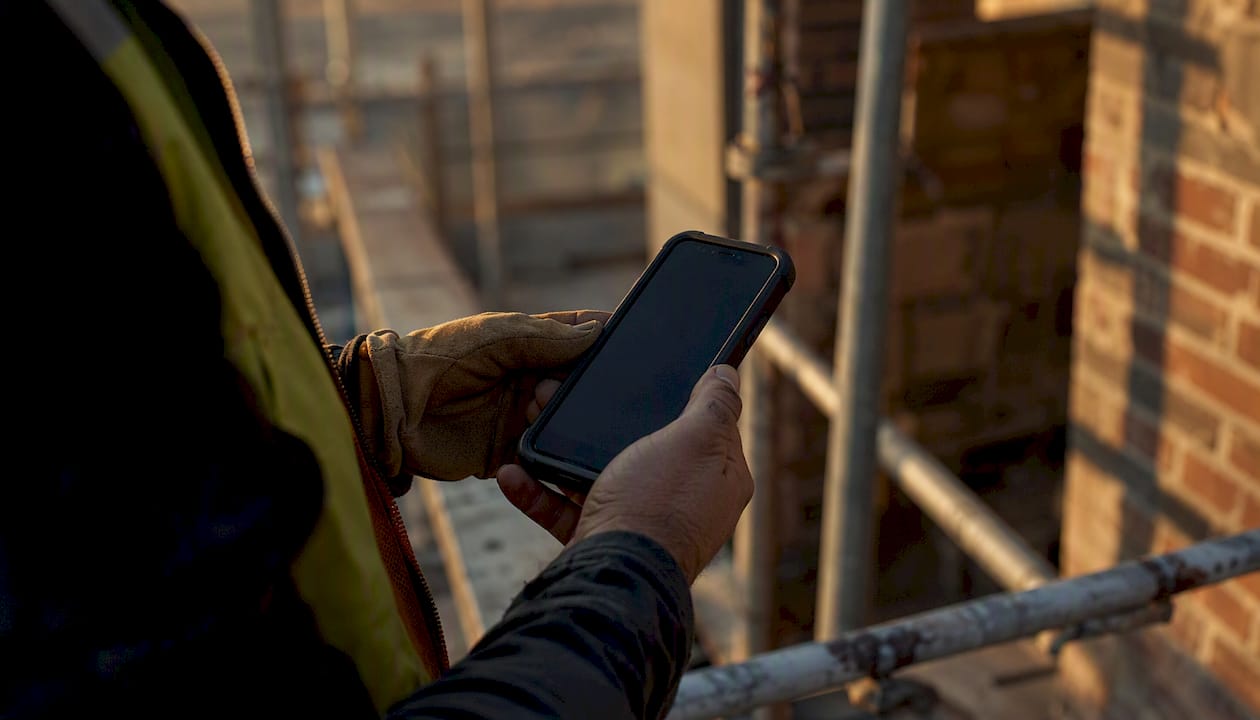
A complete mobile safety checklist for field workers must cover five areas before work begins: pre-shift vehicle and PPE checks, site-entry hazard assessment, equipment pre-use inspections, communication and emergency readiness, and documentation. Every item on that checklist should work offline, enforce required fields, and capture photo evidence. Copy the template below into your mobile checklist app now, then push it to crew devices before the next shift.
TL;DR: Core mobile checklist for field operations
- PPE: verification for all crew and condition check
- Hazard identification: perimeter check, hazard scan at site entry
- Equipment: pre-use inspection complete, guards in place, LOTO confirmed where applicable
- Emergency equipment review: first aid kit, recovery gear, evacuation route walked
- Communication: radios charged, emergency contacts loaded offline, check-in cadence set
- Job-specific risk checks: buddy system confirmed, JSA attached, supervisor sign-off as required
- Documentation: daily log open, incident form accessible, supervisor notified of any flags
Two fields you should always mark as required: PPE verification and permit-to-work confirmation. Without those locked, crews cannot submit a checklist with both boxes blank. Add a photo-capture step at equipment inspection and site entry. A timestamped photo takes ten seconds and eliminates most “he said, she said” disputes after an incident.
Safety-first checklists for field teams consistently identify six core areas that mobile checklists must address: PPE, hazard identification, equipment pre-use inspections, emergency equipment review, communication readiness, and job-specific risk checks. OSHA’s general industry and construction standards underpin all six. DeBe Corporation’s CHERP platform builds those six areas directly into trade-specific mobile workflows.
Table of Contents
- What should a pre-shift mobile checklist cover?
- How do you run a site-entry hazard assessment on arrival?
- Equipment and PPE pre-use inspections
- Are your crews ready for an emergency before the shift starts?
- Documentation, daily logs, and incident reporting
- What makes a mobile-first safety checklist actually work in the field?
- How to roll out mobile checklists with your crew
- Copyable mobile checklist templates (ready to paste)
- Key Takeaways
- Why paper checklists keep failing field crews
- Useful authoritative sources and further reading
What should a pre-shift mobile checklist cover?
The pre-shift check is the last gate before a crew leaves the yard or starts a shift on-site. Miss it, and you’re troubleshooting in the field instead of at the office.
Vehicle checks
- Fuel level, tire pressure and condition, lights (head, brake, reverse), windshield and wipers
- Recovery gear present: tow strap, jumper cables or jump pack, warning triangles
- First aid kit stocked and within expiry (check kit contents, not just the bag)
- Supervisor or lead signs off on vehicle condition before departure
The Portland State University Field Work Safety Manual requires supervisors to inspect vehicles and equipment before field travel and recommends having multiple trained operators for any vehicle used in field operations. That standard applies equally to construction and trade crews.
PPE verification
- Hard hat: no cracks, suspension intact, correct class for the task
- Safety glasses or face shield: no scratches that impair vision, correct ANSI rating
- High-visibility vest: correct class for traffic exposure
- Gloves, boots, hearing protection: condition check, right type for the hazard
- Fall protection: harness inspected, D-ring and buckles functional, lanyard within service life
Permits, certifications, and device readiness
- Permit-to-work logged and accessible in the app
- JSA completed or carried over from prior shift with updates noted
- Training and certifications verified: first aid/CPR current, equipment-specific certs on file
- Mobile device: battery above 80%, offline mode tested, app updated, portable charger packed
The University of Houston Field Research Safety Guide recommends assembling a written safety plan, confirming first aid/CPR-trained members on every team, and running a pre-trip checklist before any field departure. Treat that as your minimum bar, not your ceiling.
Pro Tip: Set PPE verification and permit-to-work as required fields in your mobile checklist app. If either is blank, the form cannot be submitted. That single configuration change eliminates the most common audit gap.
How do you run a site-entry hazard assessment on arrival?
Arriving on-site is not the same as being ready to work. A five-minute site-entry sequence catches the hazards that weren’t there yesterday.
Perimeter and access
- Signage posted and visible from all entry points
- Barriers and exclusion zones intact, no unauthorized access points
- Overhead work zones identified and marked before ground crews enter below
Immediate hazard scan
- Slips, trips, and falls: wet surfaces, uneven ground, open excavations
- Utilities: overhead lines, buried services, gas and water shutoffs located
- Environmental: wind speed, lightning risk, extreme heat or cold, standing water
- Wildlife or biological hazards where the site warrants it (rural, coastal, or forested sites)
Buddy system and check-in
Confirm the buddy system before anyone moves to a solo task. For remote or low-signal sites, set a check-in frequency at the start of the shift: every two hours is a reasonable default, but tighten it to every 30–60 minutes for lone workers or high-hazard tasks. The Texas A&M University–Corpus Christi Fieldwork Safety Manual requires a Fieldwork Safety Plan that captures check-in and check-out arrangements, local emergency contacts, and a risk assessment before work begins.
JSA prompt
Open the JSA form in the app at site entry. Minimum fields: task description, identified hazards, controls in place, permit number (if applicable), and crew sign-off. Attach the completed JSA to the day’s task record before the first tool is picked up.
Stop-work authority
Every crew member has the right to stop work when a red-flag condition appears: an uncontrolled energy source, a structural instability, a missing permit, or any condition that wasn’t in the pre-shift plan. The crew lead or supervisor holds authority to formally suspend work and notify the project manager. That authority should be written into the checklist as a visible reminder, not buried in a policy manual.
Equipment and PPE pre-use inspections
A pre-use inspection takes two minutes. Skipping it takes two minutes too, until something fails mid-task.
Handheld and power tools
- Cords and plugs: no fraying, no taped repairs, ground prong intact
- Guards: blade guards, chuck keys removed before power-on, disc guards in place
- Controls: on/off switch functions, trigger lock works as designed
- Condition: no visible cracks in housing, no fluid leaks on hydraulic tools
Heavy equipment
- Walk-around: fluid levels (oil, hydraulic, coolant), tire or track condition, lights
- Controls: horn, reverse alarm, seat belt, mirrors adjusted
- Attachments: pins secured, quick-couplers locked, bucket or blade condition checked
PPE condition
- Wear and damage: cuts, abrasions, chemical staining, UV degradation on plastics
- Fit: harness adjusted to the wearer, not left at a prior user’s settings
- Expiry: check manufacture date on hard hats (replace after 5 years from manufacture, or per manufacturer guidance), self-contained breathing apparatus cylinders within hydrostatic test date
Lockout/tagout (LOTO)
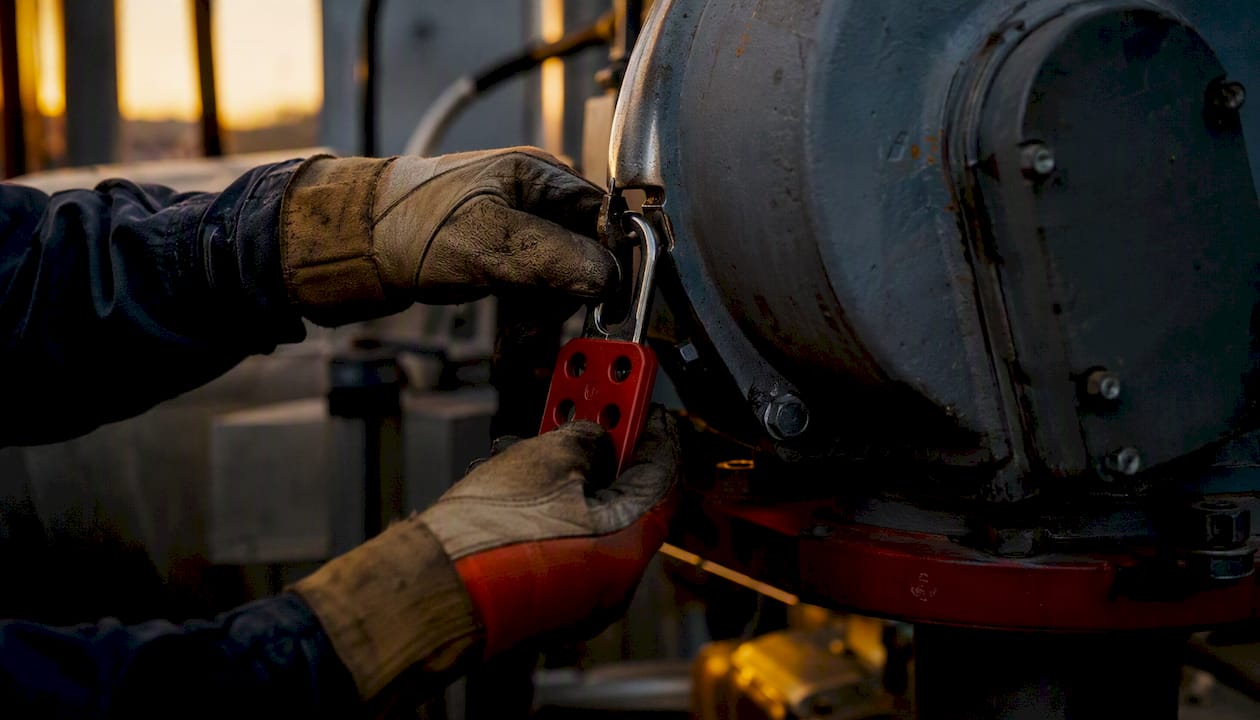
Before any maintenance, cleaning, or unjamming task on powered equipment, the LOTO sequence applies. Minimum mobile checklist fields for LOTO: energy source identified, isolation point locked, lock and tag applied, stored energy released (bleed-down or block), and zero-energy state verified by the worker performing the task. Photo capture of the lock-and-tag applied is the fastest way to close an audit gap.
Supervisors should be able to view completed inspection records from a dashboard without asking the crew to resend anything. The University of Montana Field Placement Safety Checklist demonstrates how short-form checklists with clear sign-off fields create a paper trail that holds up under review. The same logic applies to equipment inspections: the record is only useful if it’s stored where a supervisor can find it without a phone call.
Pro Tip: Require a photo at the equipment inspection step. A timestamped image of the inspected item, with the date visible, is worth more in an incident investigation than a checked box.
Are your crews ready for an emergency before the shift starts?
Communication failures are the most preventable cause of delayed emergency response on jobsites. Run this sequence at the start of every shift.
- Confirm radio and device charge. All radios at full charge or above 50% at shift start. Every crew member’s phone above 50%, power bank in the kit.
- Load emergency contacts offline. 911, site supervisor, project manager, nearest hospital or urgent care, and poison control (1-800-222-1222) saved in the device and accessible without cell signal.
- Verify the signal plan. For low or no-cell areas: identify the radio frequency in use, the scheduled check-in times, and the location of the nearest satellite communicator or fixed radio.
- Walk the evacuation route. Every crew member on a new site should physically walk the primary and secondary exit routes on day one. Confirm muster point and headcount procedure.
- Assign emergency roles. Who calls 911? Who performs first aid? Who accounts for the crew at the muster point? Who notifies the project manager? Assign before work starts, not during an incident.
- Confirm first aid kit location and contents. Kit accessible, stocked, and within expiry. At least one crew member holds a current first aid/CPR certification.
Emergency contact template (copy into your mobile checklist):
- Site address and GPS coordinates: ___
- Nearest hospital: ___ / Phone: ___
- Site supervisor: ___ / Phone: ___
- Project manager: ___ / Phone: ___
- Poison control: 1-800-222-1222
- Utility emergency (gas/electric): ___
For construction team messaging in areas with poor cell coverage, a scheduled check-in protocol is more reliable than assuming someone will call if something goes wrong. Set the check-in cadence in the checklist itself so it’s visible to every crew member, not just the supervisor.
Documentation, daily logs, and incident reporting
A daily log that takes three minutes to complete is one that actually gets completed. Keep the fields tight.
Minimum daily log fields
- Date, site name, crew roster (names and roles)
- Tasks performed and location on site
- Hazards identified during the shift
- Controls implemented or escalated
- Equipment used and condition notes
- Supervisor sign-off
Incident report structure
When something goes wrong, the report needs to capture: who was involved, what happened, when and where, what immediate corrective action was taken, whether medical care was required, witness names, and photos with timestamps. That structure maps directly to OSHA’s recordkeeping requirements under 29 CFR 1904 and to most insurers’ first-report-of-injury forms.
Incident form template (copy into your mobile form builder):
- Incident date and time: ___
- Location (address + GPS): ___
- Person(s) involved: ___
- Description of incident: ___
- Immediate corrective action taken: ___
- Medical care required? Yes / No / Pending
- Witnesses: ___
- Photos attached: Yes / No
- Supervisor notified: Yes / No / Time: ___
- Follow-up action required: ___
Retention and export
Keep daily logs and incident reports for at least the period your organization’s policy requires, and no less than five years for OSHA-recordable incidents. Mobile systems should export to PDF or CSV on demand. That export capability matters when an auditor or attorney asks for records from 18 months ago.
Real-time jobsite updates flowing from mobile checklists to a supervisor dashboard reduce the lag between an incident and a corrective action. When the log syncs automatically, the supervisor sees the flag before the end of the shift, not the next morning.
What makes a mobile-first safety checklist actually work in the field?
The difference between a checklist that gets used and one that gets ignored is almost always design, not content.
Required fields and conditional logic
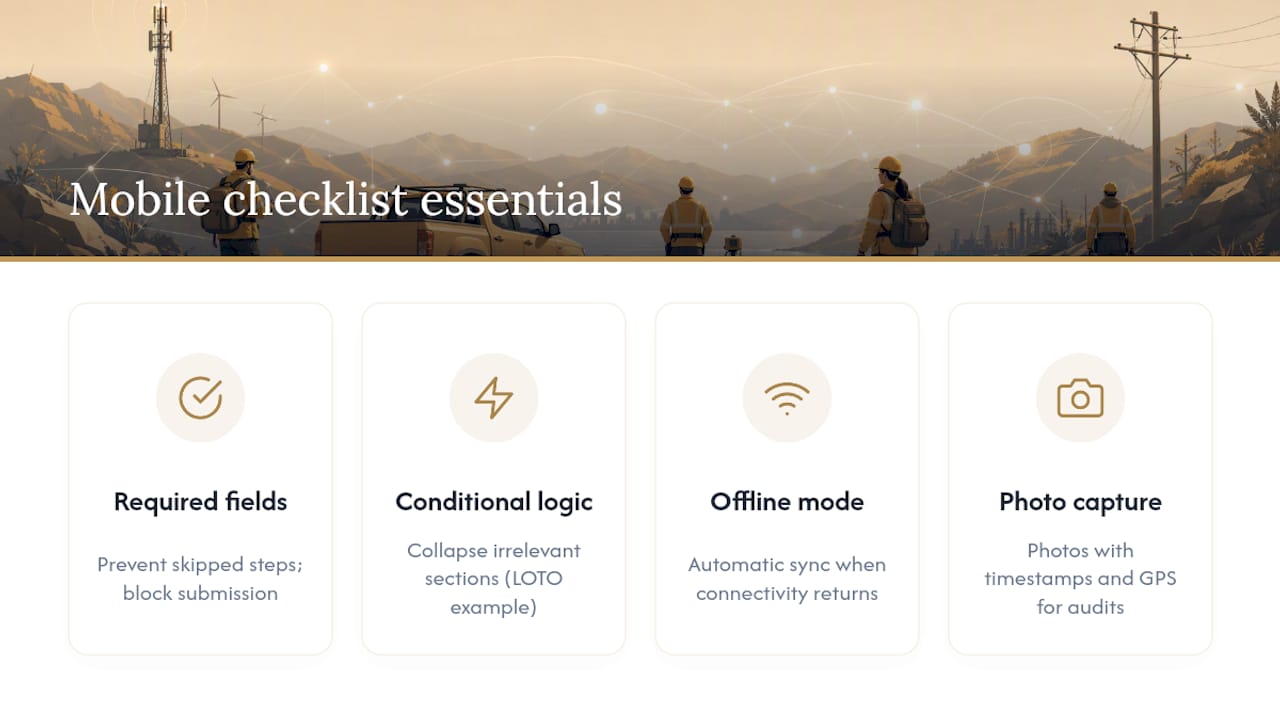
Required fields prevent skipped steps. Conditional logic keeps the form short: if a worker answers “No” to “Is powered equipment in use today?”, the LOTO section collapses and doesn’t waste their time. Show only what’s relevant to the task at hand.
Offline mode
Cell coverage on construction sites is unreliable. A checklist that requires a live connection will be skipped or faked when signal drops. Offline mode with automatic sync when connectivity returns is a non-negotiable feature for any mobile safety app for workers deployed in the field.
Photo and geotag capture
Photo attachments with timestamps and GPS coordinates create audit-ready evidence. They reduce ambiguity in incident follow-up and give supervisors visual confirmation that an inspection actually happened at the right location. The FieldEagle safety checklist guide identifies photo uploads as one of the core benefits of digital checklists over paper, alongside required fields and automated reporting.
Signatures and audit trails
Require a digital signature at the end of each checklist submission. That signature timestamps the completion and creates a chain of accountability. Audit trails should be immutable: no editing a submitted record without a logged amendment note.
Accessibility for field conditions
Large touch targets (minimum 44x44 pixels per WCAG guidelines), high-contrast text, clear yes/no toggles, and minimal free-text entry. Crews wearing gloves in bright sunlight should be able to complete a checklist without removing their PPE. Voice-to-text input is a useful fallback for longer description fields.
Data security basics
Encryption at rest and in transit, role-based access (a crew member sees their own records; a supervisor sees the crew’s records; an admin sees everything), and device PIN or biometric lock. For organizations subject to state privacy laws, confirm that your mobile checklist vendor stores data on U.S. servers and has a data processing agreement in place.
Pro Tip: Treat your checklist as a living document. The Texas A&M Fieldwork Safety Manual recommends revising safety plans whenever location, team, or scope changes. Apply the same rule to your mobile checklist: version-control every update and require crew members to accept the new version on their device before they can submit.
Linking mobile attendance tracking to checklist completion gives supervisors a single dashboard view: who’s on-site, who’s completed their pre-shift check, and who hasn’t. That connection between attendance and checklist compliance is where most safety management systems still have a gap.
How to roll out mobile checklists with your crew
A checklist that lives only on the safety manager’s laptop is not a field tool. Rollout is where most programs succeed or fail.
Suggested rollout sequence
- Pilot with one crew for two weeks. Choose a crew that’s open to feedback. Run the checklist alongside your existing paper process, not instead of it, so you can compare.
- Gather feedback from the crew. Ask what fields felt redundant, what was missing, and where the app slowed them down. Use a short digital feedback form, not a meeting.
- Train supervisors first. Supervisors need to know how to review submissions, flag incomplete records, and close corrective actions from the dashboard before the crew goes live.
- Full deployment with a one-page quick-start card. One page, printed and laminated, showing how to open the app, complete the pre-shift check, and attach a photo. No manual.
- Monitor for 30–60 days. Track compliance rate, average completion time, and corrective-action close rate. If completion time is above five minutes for a pre-shift check, the form is too long.
- Iterate quarterly. Review the checklist after any significant scope or site change, and immediately after any near-miss or incident.
Training elements that actually work
- Short on-device modules (under five minutes) covering one checklist type at a time
- Hands-on role-play: one person plays the crew member, one plays the supervisor reviewing the submission
- A live run-through of the incident reporting flow, including photo capture and supervisor notification
Metrics to track
- Checklist completion rate by crew and by shift
- Missed-step frequency (which required fields get skipped most often)
- Average time from incident report submission to corrective action closed
- Supervisor sign-off rate on daily logs
The University of Texas Field Researchers Safety Guidelines emphasize that written safety plans must be updated whenever team composition, location, or scope changes. That same trigger applies to mobile checklists: a new site, a new trade, or a new hazard category means a checklist review, not a wait until the next quarterly cycle.
For gathering crew feedback during and after the pilot, a short in-app survey tied to checklist submission is more likely to get responses than an email sent a week later.
Copyable mobile checklist templates (ready to paste)
Four short templates. Copy the fields into your mobile form builder or distribute as PDFs. Required fields are marked with an asterisk (*).
Pre-shift / vehicle checklist
| Field | Type | Required |
|---|---|---|
| Date and shift start time | Date/time | * |
| Crew lead name | Text | * |
| Vehicle ID / plate | Text | * |
| Fuel level adequate | Yes/No | * |
| Tires, lights, wipers OK | Yes/No | * |
| First aid kit stocked | Yes/No | * |
| PPE verified for all crew | Yes/No | * |
| Permit-to-work logged | Yes/No | * |
| Device battery above 80% | Yes/No | * |
| Offline mode active | Yes/No | |
| Photo of vehicle condition | Photo | |
| Supervisor sign-off | Signature | * |
Site entry / JSA checklist
| Field | Type | Required |
|---|---|---|
| Site name and address | Text | * |
| Arrival time | Time | * |
| Perimeter and signage intact | Yes/No | * |
| Overhead hazards identified | Yes/No | * |
| Utilities located | Yes/No | * |
| Buddy system confirmed | Yes/No | * |
| JSA completed and attached | File/Yes/No | * |
| Permit number | Text | |
| Photo of site entry condition | Photo | |
| Crew sign-off | Signature | * |
Equipment start-up / LOTO checklist
| Field | Type | Required |
|---|---|---|
| Equipment ID / description | Text | * |
| Pre-use inspection passed | Yes/No | * |
| Guards in place | Yes/No | * |
| LOTO required for this task? | Yes/No | * |
| Energy source isolated | Yes/No | Conditional* |
| Lock and tag applied | Yes/No | Conditional* |
| Zero-energy state verified | Yes/No | Conditional* |
| Photo of lock-and-tag applied | Photo | Conditional |
| Inspector name | Text | * |
| Supervisor notified of defects | Yes/No |
*Conditional fields appear only when LOTO is marked “Yes.”
Lone-worker check-in checklist
| Field | Type | Required |
|---|---|---|
| Worker name | Text | * |
| Current location (GPS) | Location | * |
| Check-in time | Time | * |
| Task in progress | Text | * |
| Any hazards encountered? | Yes/No | * |
| Hazard description (if Yes) | Text | Conditional* |
| Next scheduled check-in | Time | * |
| Device battery level | % or text | |
| Supervisor acknowledged | Yes/No | * |
These templates align with the short-form checklist approach demonstrated by the University of Montana Field Placement Safety Checklist, which shows how concise, field-ready forms create usable records without overwhelming crews.
Key Takeaways
A mobile safety checklist for field workers works only when it enforces required fields, captures photo evidence, runs offline, and gets updated every time the site, team, or scope changes.
| Point | Details |
|---|---|
| Required fields block skipped steps | Mark PPE verification and permit-to-work as required so crews cannot submit incomplete checklists. |
| Offline mode is non-negotiable | Cell coverage on construction sites is unreliable; any mobile safety app must queue and sync when signal returns. |
| Photo and geotag evidence | Timestamped, geotagged photos at equipment inspection and site entry create audit-ready records that hold up in investigations. |
| Living-document discipline | Revise the checklist after any scope, site, or team change; require crew members to accept the updated version on-device before submitting. |
| Debecorp CHERP and SiteComm | Debecorp’s platforms deliver trade-specific mobile checklists with offline sync, required fields, photo capture, and supervisor dashboards built in. |
Why paper checklists keep failing field crews
The conventional wisdom in safety management is that the checklist is the problem: too long, wrong format, wrong language. So teams redesign the form. Then they redesign it again. The form isn’t the problem. The delivery mechanism is.
Paper checklists fail in the field for one structural reason: there is no enforcement layer. A worker under time pressure can check every box in 30 seconds without reading a single item. A mobile checklist with required fields, conditional logic, and a mandatory photo step cannot be completed that way. The technology doesn’t make workers more conscientious. It makes shortcuts structurally harder than compliance.
The second thing most safety programs underestimate is the gap between “the checklist exists” and “the checklist is current.” A form printed in January and still in use in October, after two scope changes and a new subcontractor on-site, is worse than no checklist. It gives supervisors false confidence that hazards are being assessed when the form doesn’t reflect the current site conditions. The living-document principle, which Texas A&M’s fieldwork manual applies to academic field research, is just as applicable to a construction crew running a 90-day commercial fit-out. Version control and on-device update acceptance are not nice features. They’re the difference between a checklist program and a compliance theater exercise.
The third gap: most rollout plans train the crew and forget the supervisors. A crew that submits a checklist and never sees a supervisor respond to a flagged hazard will stop flagging hazards. The feedback loop from submission to corrective action to crew notification is what sustains the program past the first 60 days. Build that loop before you go live, not after you notice the completion rate dropping.
Useful authoritative sources and further reading
These sources back the guidance in this article and give safety managers ready-to-use templates, regulatory context, and deeper field-specific guidance.
-
Portland State University Field Work Safety Manual — Detailed vehicle and equipment inspection requirements, accessibility guidance, and supervisor pre-departure review standards. Use for pre-shift and equipment checklist content.
-
University of Texas Field Researchers Safety Guidelines — Training requirements, written plan review processes, and triggers for updating safety plans. Useful for implementation and audit cadence guidance.
-
FieldEagle: Safety-First Checklist for Field Teams — Practical framing of the six core checklist areas and a clear explanation of how mobile features like required fields and photo uploads reduce human error.
-
University of Montana Field Placement Safety Checklist — Short-form vehicle and safety-bag checklist. A clean example of a concise, field-ready form that crews can complete quickly.
Combine these templates with OSHA’s construction standards (29 CFR 1926) and your organization’s site-specific hazard assessments for a checklist program that holds up under regulatory review.
This article provides general safety guidance for informational purposes. Confirm current OSHA requirements and applicable state regulations with a qualified EHS professional before deploying site-specific safety programs.