
Mobile attendance tracking for jobsites is the real-time system that captures verified proof of worker presence using GPS geofencing, biometric checks, and mobile devices. Construction managers who rely on paper sign-in sheets or manual punch clocks face payroll errors, compliance gaps, and zero visibility into who is actually on site. A field attendance app closes those gaps by tying clock-ins to a specific location, a confirmed identity, and a timestamp that holds up in any audit. This guide covers how the technology works, how to prevent fraud, and how to choose the right attendance management solution for your crew in 2026.
How does mobile attendance tracking work on a jobsite?
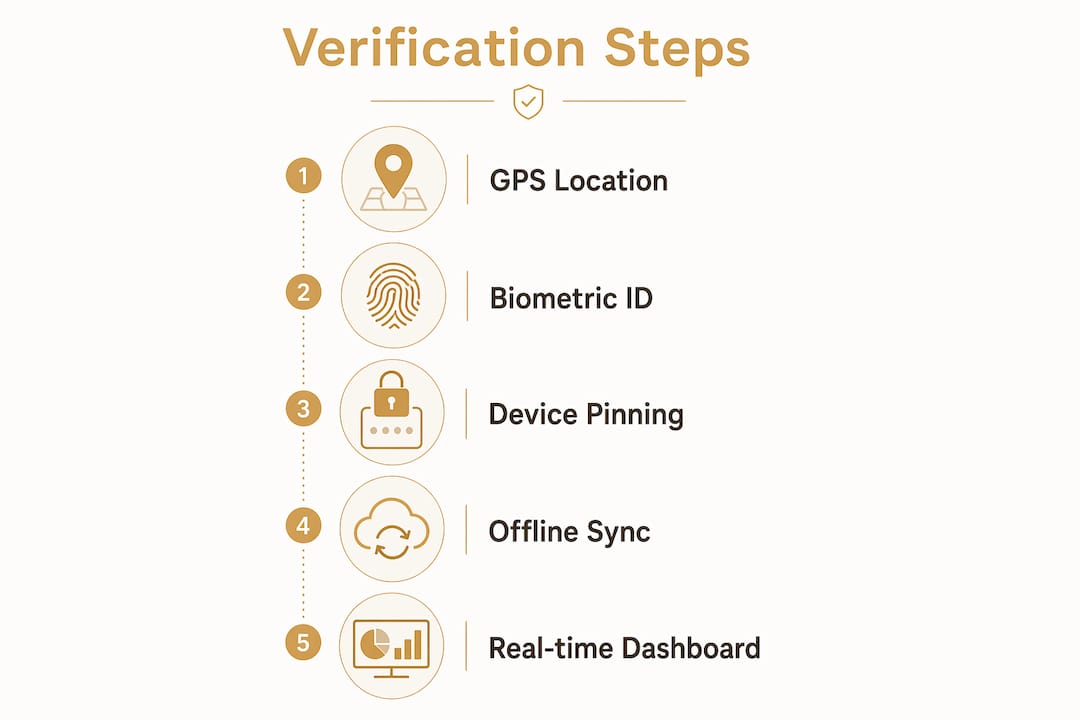
Mobile attendance tracking combines three layers of verification: location, identity, and device. Each layer closes a different loophole that manual systems leave open.
Location verification with GPS and geofencing
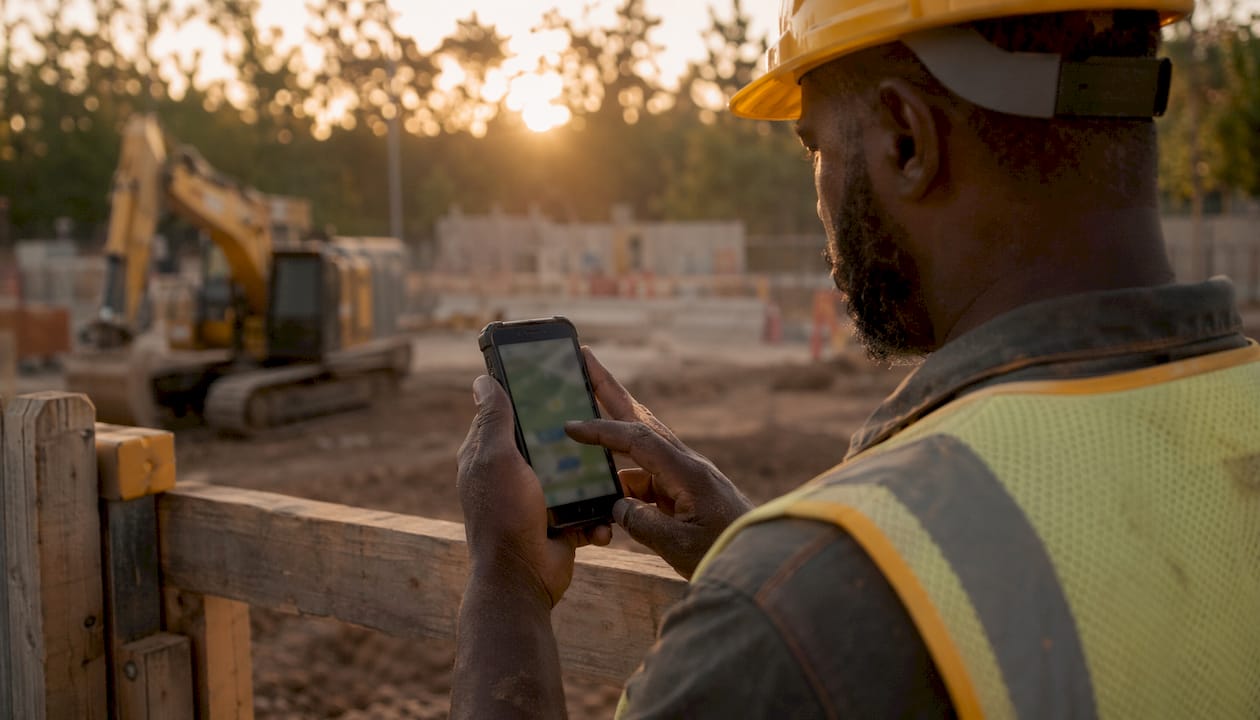
GPS geofencing restricts clock-ins to a defined site boundary. Geofencing accuracy typically reaches within 5 meters outdoors, which is tight enough to confirm a worker is inside the gate, not in the parking lot. The system triggers an automatic ON-duty event when a worker enters the boundary and an OFF-duty event when they leave. That automation removes the need for a supervisor to manually record arrivals.
Identity verification with biometrics
GPS alone confirms location, not identity. Biometric facial recognition at check-in confirms the person holding the phone is the registered worker. Selfie verification or face unlock options take less than five seconds. That speed matters on a busy jobsite where crews arrive in waves at 6:00 AM.
Device pinning and anti-spoofing
Device ID ties a specific phone to a specific worker account. The system flags any check-in attempt from an unregistered device. Combined with GPS and biometrics, this three-factor approach blocks the most common fraud methods before they reach your payroll.
Offline data capture
Signal coverage on active construction sites is often unreliable. Offline-first data caching stores attendance records locally on the device and uploads them once connectivity returns. No check-in is lost because of a dead zone near a concrete pour or a basement excavation.
Pro Tip: Set your geofence boundary 10–15 meters inside the actual site perimeter. That buffer prevents false clock-outs triggered by workers standing near the fence line during breaks.
Real-time dashboards give supervisors a live count of workers on site, flagged absences, and task completion status in one view. That single screen replaces the morning headcount walk and the end-of-day sign-out sheet.
How do you prevent fraud in construction site attendance?
Fraud in construction attendance falls into two categories: location spoofing and buddy punching. Both are preventable with the right verification stack.
The limits of GPS alone
Basic GPS tracking is the most common starting point for digitally tracking workers, but it is also the easiest to defeat. Mock-location apps available on Android let a worker broadcast a fake GPS coordinate from anywhere. Developer mode on most smartphones enables this in under two minutes. A system that relies only on GPS will accept those fake coordinates as valid check-ins.
A multi-factor verification approach
The solution is layering verification methods so that defeating one factor does not defeat the system. Here is how a complete fraud-prevention stack works:
- GPS geofencing confirms the device is within the authorized site boundary at the moment of check-in.
- Biometric selfie verification confirms the registered worker is holding the device, blocking buddy punching where one worker clocks in for another.
- Device ID pinning rejects check-ins from unregistered phones, even if the GPS and face match.
- Mock-location detection flags or blocks check-ins where the device is running a location-spoofing app.
- Automated alerts notify supervisors immediately when a suspicious check-in pattern appears, such as a worker clocking in from outside the geofence or attempting an offline check-in during normal hours.
Multi-factor verification combining GPS, biometric facial recognition, and device ID ensures the person checking in is physically present. That combination makes fraud practically impossible without physical access to the registered device and the registered worker’s face.
Photo timestamps and route tracking for audits
Photo timestamps attach a geotagged image to every check-in record. If a payroll dispute arises weeks later, you have a time-stamped photo showing the worker on site. Route tracking logs movement within the site boundary throughout the shift. That data supports both compliance audits and productivity reviews. GPS accuracy outdoors typically falls within 5–10 meters, but can degrade to 30–50 meters indoors or in dense urban areas. That is why combining geofencing with biometric verification is the standard for reliable construction site attendance.
Pro Tip: Enable automated alerts for any check-in attempt that occurs more than 50 meters outside the geofence boundary. Catching one fraudulent check-in early prevents a pattern from developing across the crew.
What are the key benefits for construction managers?
Adopting a mobile attendance tracking system delivers measurable gains across payroll, compliance, and workforce management. The benefits compound quickly once the system is running.
- Accurate payroll and labor cost control. Verifiable attendance records reduce payroll disputes by providing auditable proof of hours worked. That evidence protects both the employer and the worker when a discrepancy appears. Managers who track labor productivity alongside attendance gain a complete picture of where labor costs are going.
- Reduced workforce disputes. When every clock-in carries a GPS coordinate, a biometric confirmation, and a timestamp, there is no room for “I was here” arguments. The data settles disputes before they reach HR.
- Real-time workforce visibility. Supervisors see a live headcount by site zone at any moment. That visibility is critical for safety compliance, especially during emergency evacuations where an accurate headcount can be a life-or-death requirement.
- Simplified compliance and audit readiness. 90-day data retention for attendance records meets the documentation requirements of most labor regulations and project owner contracts. Pulling an audit report takes minutes, not hours of manual record searching.
- Shift management and overtime control. Integrations with payroll and workforce management tools automate overtime calculations and shift planning. That removes a major source of manual entry errors and keeps labor costs within budget.
The shift from paper logs to a field attendance app also changes how supervisors spend their mornings. Instead of walking the site for a headcount, they check a dashboard. That time goes back into actual supervision.
How do you choose and implement a mobile attendance system?
Choosing the right system starts with understanding your site’s specific constraints. A system that works perfectly on a high-rise with strong LTE coverage may fail on a remote infrastructure project with no signal.
Evaluating your site’s technical needs
Assess network coverage across all active work zones before selecting a platform. If any zone has unreliable signal, offline functionality is not optional. It is a baseline requirement. Entry-level field apps often skip offline caching to reduce development cost. Enterprise platforms built for construction include it as a standard feature.
Integration with existing software
A mobile time tracking system that does not connect to your payroll software creates a second data entry step. That step reintroduces the manual errors you were trying to eliminate. Confirm that any platform you evaluate exports directly to your payroll system or connects through a standard API. The same applies to project management software. Real-time jobsite updates become far more useful when attendance data feeds directly into project progress reports.
Setting up geofences for multiple site areas
Large jobsites often have multiple work zones with different crews and different shift times. Set up individual geofences for each zone rather than one large boundary for the whole site. That granularity lets you track which crew is in which area and flag when workers are in unauthorized zones.
Training and worker adoption
Training takes one session of 15–20 minutes for most crews. The bigger challenge is acceptance, not technical skill. Workers accept tracking at much higher rates when it is framed as protection for their own hours rather than surveillance. Explain that the system records their time accurately so they get paid for every minute they work. That framing shifts the conversation from monitoring to fairness.
Privacy and consent
Collect written consent from every worker before activating tracking. Clearly state what data is collected, how long it is retained, and who can access it. Limiting tracking to site hours only, rather than 24/7 location monitoring, removes the most common objection workers raise. Centralizing team updates through a single platform also reduces the number of separate apps workers need to manage, which increases adoption.
| Evaluation factor | What to check |
|---|---|
| Offline functionality | Does the app cache data locally and sync automatically? |
| Geofence granularity | Can you set multiple zones within one site? |
| Biometric options | Does it support facial recognition or face unlock? |
| Payroll integration | Does it export to your existing payroll system? |
| Data retention | Does it store records for at least 90 days? |
Key Takeaways
Mobile attendance tracking for jobsites requires GPS geofencing, biometric verification, and device ID together to deliver fraud-proof, audit-ready attendance records that protect both labor costs and worker rights.
| Point | Details |
|---|---|
| Multi-factor verification is non-negotiable | GPS alone is defeatable; combine it with biometrics and device ID to block spoofing. |
| Offline caching protects complete records | Choose a system that stores check-ins locally and syncs when signal returns. |
| Geofences should match work zones | Set individual boundaries per zone, not one large perimeter for the whole site. |
| Worker framing drives adoption | Present tracking as proof of hours worked, not surveillance, to increase acceptance. |
| Payroll integration removes manual errors | Direct export to payroll software eliminates the double-entry that reintroduces mistakes. |
What I’ve learned about mobile attendance tracking the hard way
Construction managers often assume the hardest part of rolling out a field attendance app is the technology. It is not. The technology is the easy part. The hard part is the first conversation with a crew foreman who has been running paper sign-ins for 20 years and sees a phone-based system as a vote of no confidence in his management.
The framing matters more than the features. I have watched identical systems get embraced on one site and quietly sabotaged on another. The difference was always how the rollout was communicated. On the site where it worked, the superintendent stood in front of the crew and said, “This system makes sure every one of you gets paid for every hour you’re here.” On the site where it failed, the message was, “Management needs to know where you are at all times.” Same technology. Completely different outcomes.
The other thing most articles skip is the network reality check. Geofencing and biometric verification are only as good as the data that reaches the server. On a site with patchy LTE and no Wi-Fi, a system without solid offline caching will produce gaps in the attendance record. Those gaps create exactly the disputes the system was supposed to prevent. Test offline behavior before you commit to any platform.
Finally, do not underestimate the audit value of photo timestamps. I have seen payroll disputes resolved in under 10 minutes because the system had a geotagged photo of the worker on site at the exact time in question. That is the kind of evidence that closes a dispute before it becomes a legal issue. Build that capability into your requirements from day one.
— SEAN
Debecorp’s field platforms for jobsite attendance
Construction managers who need verified attendance records, real-time workforce visibility, and payroll-ready data in one place have a direct path forward with Debecorp.

Debecorp’s CHERP and SiteComm platforms are built from the ground up by tradespeople who understand what construction sites actually look like. CHERP handles time and attendance alongside daily logs and safety compliance, all within a single field operations platform. SiteComm keeps crews connected and supervisors informed in real time. Both platforms support offline functionality, biometric verification, and direct integration with payroll workflows. If you manage multiple crews across multiple sites and need attendance data that holds up under audit, the CHERP and SiteComm platforms are worth a close look.
FAQ
What is mobile attendance tracking on a jobsite?
Mobile attendance tracking is a system that records worker check-ins and check-outs using GPS geofencing, biometric verification, and mobile devices tied to specific site boundaries. It replaces paper sign-in sheets with auditable, time-stamped digital records.
How accurate is GPS-based jobsite attendance tracking?
GPS accuracy outdoors typically falls within 5–10 meters, which is sufficient for geofencing on most construction sites. Accuracy can degrade to 30–50 meters indoors, which is why combining GPS with biometric verification is the standard practice.
How do mobile attendance systems prevent buddy punching?
Biometric facial recognition at check-in confirms the registered worker is physically holding the device. Combined with device ID pinning, the system rejects any attempt by one worker to clock in on behalf of another.
Can a field attendance app work without cell signal?
Yes. Systems with offline-first data caching store attendance records locally on the device and upload them automatically once connectivity is restored. This keeps records complete even in areas with no LTE or Wi-Fi coverage.
How long should attendance records be retained for compliance?
Attendance management systems built for construction typically retain records for at least 90 days, which meets the documentation requirements of most labor regulations and project owner contracts.