
To onboard field workers effectively, use a six-step, field-first checklist that parallelizes paperwork, delivers short task-anchored training at the point of work, and verifies competency through structured on-the-job observation. CHERP and SiteComm by Debecorp are built to automate exactly this workflow.
Your six-step field-first checklist:
- Step 1 — Preboarding paperwork: Collect and verify documents digitally before the first shift. Certifications, IDs, and signed contracts should be in the system before anyone sets foot on site.
- Step 2 — Access and gear: Provision system credentials, PPE, tools, and site access on or before Day 0. Waiting until Day 1 burns the most productive hours of the week.
- Step 3 — Short safety microlearning: Deliver a 3–7 minute, offline-capable safety module specific to the site, followed by a brief in-person walkthrough. No hour-long slide decks.
- Step 4 — Mentor assignment with an OJT checklist: Pair each new hire with a named mentor who has a written teaching checklist, defined review points, and allocated time for the role.
- Step 5 — Scheduling and first-task activation: Add the worker to the roster, confirm availability, and assign a supervised first task within the first 72 hours.
- Step 6 — Measurement and follow-up: Track time-to-productivity, safety incident rate, and paperwork completion. Run short weekly check-ins throughout the first month.
Your next 24 hours: (1) Build or download a digital document intake form and send it to every incoming hire before their start date. (2) Write a one-page mentor checklist for whoever will supervise new hires this week. (3) Confirm that system access and PPE are ready to issue on Day 0, not Day 2.
Pro Tip: High-growth field operations finish onboarding rapidly by running document verification, training, and scheduling in parallel rather than in sequence. If your process is still linear, that single change cuts ramp time faster than any other.
Table of Contents
- Why field-worker onboarding is different from office onboarding
- How to onboard field workers effectively: the step-by-step workflow
- What tools and templates actually speed up field onboarding
- The 3-week onboarding roadmap for skilled trades
- Which KPIs tell you if your onboarding is actually working?
- Key Takeaways
- What actually works on jobsites, and what just sounds good in theory
- CHERP and SiteComm give you a system, not just a checklist
- Useful sources for implementation and compliance
Why field-worker onboarding is different from office onboarding
Office onboarding assumes a desk, a reliable internet connection, and a few hours of uninterrupted attention. Field crews get none of that. A new carpenter on a commercial build site or a seasonal farmworker arriving at harvest has maybe 20 minutes before the crew is moving, connectivity is spotty at best, and the cost of a safety mistake is measured in injuries, not missed deadlines.
The operational realities that separate field onboarding from its office counterpart:
- Intermittent or zero connectivity: Many sites, especially in agriculture and remote construction, have no reliable cell signal. Any digital tool that requires a live connection fails at the point of work.
- Time pressure from Day 1: Field crews are scheduled against production targets. A new hire who is not productive by Day 3 is a cost, not an investment.
- Safety and regulatory stakes: OSHA training guidance is explicit: quality training must enable workers to identify hazards, use participatory methods, and demonstrate competency through performance-based evaluation, not just coursework completion. A signature on a form is not evidence of competency.
- Multilingual and variable-literacy populations: Construction and agriculture both draw workers across a wide range of English proficiency levels. Text-heavy eLearning modules fail these workers before the first module ends.
- Variable equipment and site access: Unlike an office where everyone gets the same laptop setup, field workers may need trade-specific tools, PPE sized to the individual, and site-specific access credentials that differ from project to project.
The most common mistake managers make is importing office-style onboarding wholesale: a long eLearning course that requires Wi-Fi, a PDF handbook nobody reads, and an informal “shadow someone for a few days” arrangement with no structure. Standardizing onboarding with written expectations, mentor assignment, and short regular check-ins is what actually reduces uncertainty and builds competence faster in field crews. The informal buddy system, without a checklist, produces inconsistent results every time.
How to onboard field workers effectively: the step-by-step workflow
Think of field onboarding in three phases: preboarding, the first 72 hours, and the first 30 days. Running these phases in parallel, rather than waiting for one to finish before starting the next, is what separates a 3-day ramp from a 3-week one.
Preboarding: before the first shift
- Send a digital document intake form at least 48 hours before the start date. Collect government-issued ID, trade certifications, emergency contacts, and any required safety cards. Automated verification checks can flag missing or expired documents without a single phone call.
- Issue the employment contract digitally and confirm receipt. Do not wait for Day 1 to handle paperwork that can be signed on a phone.
- Provision system access before the worker arrives. Login credentials, scheduling app access, and any site-specific digital tools should be ready to hand over on arrival.
- Confirm PPE and equipment availability. Check sizes, quantities, and condition. A new hire who waits two hours for a hard hat on Day 1 starts with a poor impression of your operation.
- Add the worker to the roster and scheduling system. Confirm their availability, assign them to a crew, and flag any conflicts before Day 0.
Automating verification and running checks in parallel reduces manual chasing while enforcing policy-aligned workflows. The compliance does not get cut; it gets faster.
Day 0–3: site induction and first-task activation
- Deliver the site-specific safety induction as a short microlearning module (3–7 minutes, offline-capable), followed by a 10–15 minute in-person walkthrough of the site. The digital module primes the worker; the walkthrough confirms they understood it.
- Issue PPE, tools, and access credentials at the start of Day 1. Have the supervisor sign off on the equipment log.
- Assign a named mentor and hand over the OJT checklist. The mentor should know what to teach, when to review it, and how to verify the worker is ready to progress.
- Activate the first supervised task by the end of Day 1 or early Day 2. Sitting idle is demoralizing and wastes the window when new hires are most motivated to prove themselves.
- Supervisor confirmation: at the end of Day 3, the foreman or site lead should verify that the worker has completed the safety induction, received all gear, and completed at least one supervised task.
Week 1–4: structured progression
Week 1 focuses on familiarization. The mentor works alongside the new hire, using the OJT checklist to track which tasks have been observed, practiced, and verified. Daily check-ins (5 minutes, end of shift) catch problems before they compound.

Week 2 increases task complexity. The worker takes the lead on familiar tasks while the mentor observes. A mid-point assessment, either a short skills demonstration or a checklist review, confirms readiness to progress.
Week 3 and 4 move toward independence. The worker completes tasks without direct supervision, with the mentor available for questions. Final mentor verification at the end of Week 3 clears the worker for solo task assignment.
Pro Tip: Before writing any digital learning module, design the OJT observation checklist first. That way, the microlearning maps exactly to observable, assessable tasks, and both evidence types live in one qualification record. It sounds backwards, but it prevents the common failure where the eLearning covers things nobody can actually verify on site.
Practical templates to build or adapt:
- Arrival script: A one-page guide for the foreman covering what to say, show, and hand over in the first 30 minutes.
- First-shift checklist: Gear issued, credentials confirmed, safety induction completed, mentor introduced, first task assigned.
- Mentor teaching checklist: Task list, review schedule, verification criteria, and a space for the mentor’s sign-off at each stage.
- Access credential template: System login, site gate code, scheduling app, and any trade-specific tool access, all in one document.
What tools and templates actually speed up field onboarding
The right tool for field onboarding is not the one with the most features. It is the one that works offline, fits in a pocket, and does not require a training session to use. Here is how specific capabilities map to each onboarding step.

| Onboarding step | Required tool capability | Why it matters for field crews |
|---|---|---|
| Digital document capture | Mobile-friendly form with file upload | Workers complete intake on a phone, not a desktop |
| ID and certification verification | Automated check with exception alerts | Flags expired certs without manual review |
| Offline safety microlearning | Offline-capable module delivery with sync | Works on remote sites with no cell signal |
| OJT checklist recording | Mobile checklist with mentor sign-off | Creates a verifiable competency record |
| Roster and scheduling | Integrated scheduling with availability confirmation | Eliminates double-booking and missed activations |
| PPE and equipment tracking | Equipment assignment log with supervisor sign-off | Auditable record for safety compliance |
| In-field communications | Crew chat with daily log capability | Replaces informal text chains with a structured record |
Field blended learning performs best when modules are short (3–7 minutes), work offline, are task-anchored, and pair with an on-the-job observation checklist that defines competency. Any platform you evaluate should clear those four bars before anything else.
Why offline capability is non-optional for field crews:
- A module that requires connectivity fails the moment a crew moves to a basement, a rural field, or a site with a jammed cell tower.
- Field-first design means every digital asset should be testable offline before deployment so workers can access job aids at the point of work, not back at the trailer.
- Role-based access matters because a new apprentice and a journeyman foreman need different views of the same system. Giving everyone the same dashboard creates noise and slows adoption.
How CHERP and SiteComm map to these requirements:
CHERP, Debecorp’s field operations platform, handles time and attendance, daily logs, safety compliance, equipment tracking, and crew hierarchy in one place. It is built trade-by-trade, so the fields and workflows match what a plumber or an ironworker actually does, rather than a generic “employee” profile. SiteComm adds the jobsite community layer: crew chat, peer recognition, and worker-owned social features that give new hires a sense of belonging from Day 1. Together, they cover every column in the table above. For mobile attendance tracking and rostering, CHERP’s time and attendance module handles new-hire activation without a separate HR system.
Pro Tip: Build your OJT observation checklist in the same platform you use for daily logs. When the mentor’s sign-off lives next to the daily production record, auditing competency during a safety inspection takes minutes instead of a file-cabinet search.
The 3-week onboarding roadmap for skilled trades
This schedule works for construction, agriculture, and skilled trades. Adapt the task complexity to the trade; keep the structure intact.
| Week | Focus | Daily activities | Success criteria |
|---|---|---|---|
| Week 1 | Familiarization and safety basics | Safety induction, site walkthrough, equipment overview, first supervised tasks with mentor present | Safety induction completed; all gear issued; several supervised tasks logged |
| Week 2 | Supervised hands-on work | Worker leads on familiar tasks; mentor observes and records; mid-point skills assessment | Mid-point checklist passed; worker completes familiar tasks without prompting |
| Week 3 | Task independence and verification | Worker completes tasks independently; mentor available for questions; final verification assessment | Mentor sign-off on OJT checklist; cleared for solo task assignment |
Week 1 in practice: The goal is not speed; it is orientation. New hires who feel lost in Week 1 disengage or make safety errors. Keep the task list short and the mentor close. A daily 5-minute end-of-shift check-in, asking what went well and what was confusing, surfaces problems before they become incidents.
Week 2 is where most programs stall. The worker is past the induction but not yet independent, and mentors often pull back too early because production pressure picks up. The structured OJT checklist is what keeps the mentor accountable during this window. Without it, “supervised” becomes “nearby.”
Week 3 verification should be a real assessment, not a formality. The mentor signs off only when the worker can complete the defined task list without prompting. If the worker is not ready, extend by a week rather than clearing them prematurely.
Implementation tips for distributed and remote crews:
- Pre-load all microlearning modules on devices before workers travel to remote sites.
- Use offline checklists that sync when connectivity returns, so records are complete even when the site has no signal.
- For multi-site crews, assign a site-level lead as the local mentor contact and a central coordinator who tracks completion across all sites.
- Spot assessments (a foreman observing one task unannounced) are more reliable than scheduled evaluations for verifying real competency.
Which KPIs tell you if your onboarding is actually working?
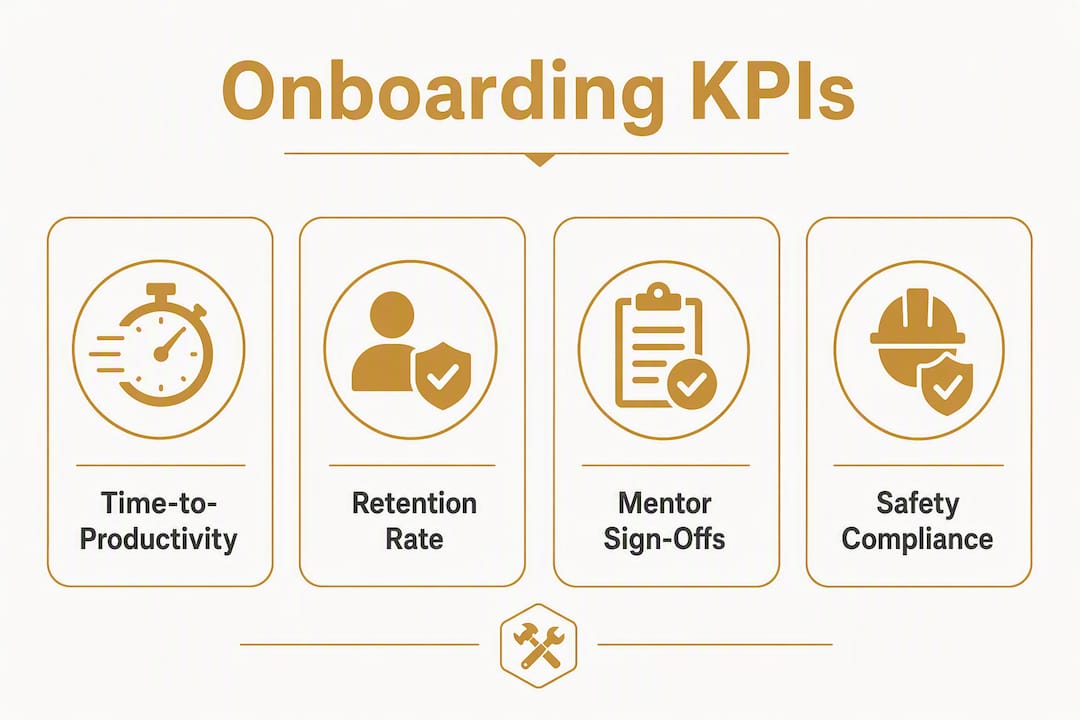
Measuring onboarding effectiveness does not require a dedicated analytics team. Five metrics, collected with minimal overhead, tell you almost everything you need to know.
| KPI | Definition | How to measure | Desired outcome |
|---|---|---|---|
| Time-to-productivity | Days from start date to first solo task completion | Roster timestamp vs. first unassisted task log | Typically within a few weeks for trades |
| Safety incident rate (new hires) | Incidents per new hire in first 30 days | Safety log filtered by hire date | Maintain a low incident rate among new hires |
| Paperwork completion rate | Portion of required documents received before Day 1 | Document intake system completion flag | Complete all necessary documents before first shift |
| Mentor verification pass rate | Portion of workers who pass OJT checklist on first attempt | OJT checklist sign-off records | High initial pass rates on first attempt |
| First-time quality / callback rate | Portion of tasks requiring rework or supervisor correction | Daily log or job completion records | Minimize rework and callbacks during initial period |
Breaking jobs into clear SOPs, assigning by role, and tracking completion and sign-offs reduces rework and manager overhead. The metrics above are only useful if someone owns them. Assign the paperwork completion rate to HR, the safety incident rate to the foreman, and the time-to-productivity metric to the site lead. Diffuse ownership means nobody checks.
Common pitfalls and how to avoid them:
- Offline-unfriendly content: If your safety module requires Wi-Fi, it will not get completed on site. Test every digital asset offline before deployment.
- Informal mentorship without a checklist: A mentor who “just shows them the ropes” produces inconsistent results. The checklist is what makes mentorship auditable and repeatable.
- Delayed system access: Workers who cannot log in on Day 1 cannot complete digital tasks, cannot be tracked, and cannot communicate through official channels. Provision access before the start date.
- Overloaded mentors: A mentor managing five new hires simultaneously is not mentoring anyone. Keep the ratio manageable, and recognize mentors formally for the time they invest.
- No measurement: If you are not tracking time-to-productivity and safety incidents by hire cohort, you cannot tell whether your onboarding is improving or degrading over time. Labor productivity tracking gives site leads the visibility to catch problems early.
Pro Tip: Run a short weekly check-in with new hires during their first month, asking one question: “What was hard today?” The answers surface safety gaps and competency holes weeks before a formal performance review would catch them. Keep it under 10 minutes and write down what you hear.
Key Takeaways
Onboarding field workers effectively requires parallelizing document verification, safety training, and scheduling before Day 1, then verifying competency through structured on-the-job observation across a 3-week roadmap.
| Point | Details |
|---|---|
| Parallelize from the start | Run document capture, verification, and scheduling simultaneously to hit a 24–72 hour activation window. |
| Offline-first training | Every microlearning module must work without connectivity; 3–7 minutes is the right length for field crews. |
| Mentor accountability | Assign a named mentor with a written OJT checklist, defined review points, and formal recognition for the role. |
| Five core KPIs | Track time-to-productivity, safety incident rate, paperwork completion, mentor pass rate, and callback rate from Day 1. |
| Debecorp’s CHERP and SiteComm | Map directly to the six-step checklist: document capture, offline training, OJT recording, rostering, equipment logs, and crew chat. |
What actually works on jobsites, and what just sounds good in theory
There is a gap between how onboarding gets designed in a conference room and how it lands on a jobsite at 6:00 AM. Most programs fail not because the content is wrong, but because the delivery assumes conditions that do not exist: a quiet room, a charged device, a patient supervisor with nothing else to do.
The staged mentor checklist is the single most underrated tool in field onboarding. When a mentor has a written list of tasks to teach, review dates, and a sign-off column, the relationship stops being informal and starts being accountable. New hires know what they are working toward. Mentors know what they are responsible for. Foremen can audit progress without interrupting either person. The checklist does not add bureaucracy; it replaces the ambiguity that causes rework and safety incidents.
Offline microlearning is the other piece that gets dismissed as a nice-to-have until a crew is remobilized to a remote site with no signal and the safety induction cannot be completed. Pre-loading modules on devices before deployment is a 10-minute task that prevents a half-day delay. The crews that do it consistently are the ones who hit their activation windows.
For multi-site operations, the practical rule of thumb is one active mentor per two to three new hires, with a site-level lead who owns the weekly check-in. Spreading one mentor across five new hires is how you get five workers who think they are being mentored but are actually just being watched. The skill development structure that works for ongoing crew capability is the same one that works for onboarding: clear expectations, regular feedback, and someone who is accountable for the outcome.
The managers who get onboarding right are not the ones with the most sophisticated platforms. They are the ones who write things down, assign ownership, and check in weekly. The platform matters because it makes those habits easier to maintain at scale, not because it replaces the habits.
CHERP and SiteComm give you a system, not just a checklist
Running the six-step playbook above manually is possible for one or two new hires. At five, ten, or fifty, the paperwork, the mentor tracking, and the scheduling conflicts become a full-time job on their own.

CHERP and SiteComm by Debecorp are built specifically for this problem, and specifically for the trades. CHERP handles digital document capture, time and attendance, daily logs, equipment tracking, safety compliance, and crew hierarchy in one mobile platform that works on Android and on the web. SiteComm adds jobsite chat, peer recognition, and worker-owned community features that reduce the isolation new hires feel on large or distributed sites. Both platforms are built trade-by-trade, informed by tradespeople who know what a field workflow actually looks like at 6:00 AM.
Getting started takes three steps: identify your biggest onboarding gap (paperwork delays, mentor accountability, or scheduling conflicts), then review the CHERP and SiteComm platform to see how the features map to your specific workflow. From there, pilot the system with one crew through the 3-week roadmap above. Most crews see measurable improvement in paperwork completion and time-to-productivity within the first pilot cycle. Request a demo at debecorp.com to see the platform configured for your trade.
Useful sources for implementation and compliance
These resources cover the three areas managers need most: regulatory compliance, training design, and operational speed.
Compliance and safety:
- OSHA Training Resource Guide — The primary federal reference for participatory training methods and competency-based evaluation. Use this when designing your safety induction and OJT verification process.
- Cornell AgriWorkforce: Onboarding Farm Employees — Practical onboarding guidance for agricultural employers, including a welcome letter template and documentation checklist.
- OSHA Common Statistics — Injury and illness data by industry; useful for benchmarking your safety incident rate against sector averages.
Training design:
Operational speed and standardization:
- Pumper: Standardizing Onboarding for Field Crews — Practical crew-level tactics for written expectations, mentor assignment, and check-in cadence.