
Use barcodes or QR codes for low-cost, high-volume inventory where line-of-sight scanning is realistic. Add RFID when materials pass through non-line-of-sight bottlenecks or need high-throughput reads, like a gate where dozens of pallets move per hour. Use GPS for anything in transit between yards or sites. Bring in machine vision and AI when you need automated visual reconciliation instead of manual counts.
None of that matters much, though, if your paper trail is broken. The single highest-ROI move most operations can make this month is switching to photo-verified goods received notes (GRN), because it fixes the most common source of bad data before you spend a dollar on hardware.
- Barcodes/QR: batch tracking, low unit cost, requires direct scan access
- RFID: high-throughput yards, gates, or racking where line-of-sight is impractical
- GPS: in-transit visibility across sites, yards, and delivery trucks
- Machine vision/AI: automated receipt reconciliation and anomaly flagging
Pro Tip: Before buying any tags or scanners, spend one day auditing your current material flow and start a photo-verified GRN pilot at your busiest gate. It costs nothing and immediately exposes where your paper trail breaks down.
Key Takeaways
Effective materials tracking combines low-cost identification (barcodes, QR, RFID) with event-driven workflows like photo-verified GRNs and daily BOQ reconciliation to close data gaps before they become cost overruns.
| Point | Details |
|---|---|
| Match method to use case | Barcodes/QR for batch tracking, RFID for high-throughput or non-line-of-sight needs, GPS for transit. |
| Fix the paper trail first | Photo-verified GRNs deliver the fastest ROI, often before any hardware investment pays off. |
| Reconcile daily, not quarterly | BOQ variance checks run daily catch theft and over-consumption while they’re still fixable. |
| Pilot before scaling | Test one site or item category for 2 to 6 weeks with clear acceptance criteria before wider rollout. |
| Choose field-built software | Platforms like CHERP and SiteComm from Debecorp connect photo-verified intake and reconciliation directly to daily crew workflows. |
Table of Contents
- What Material Tracking Actually Covers
- Why Accurate Materials Tracking Matters More Than Most Managers Assume
- Comparing Material Tracking Methods and Technologies
- How to Choose the Right Method for Your Operation
- Rolling Out Materials Tracking: Audit, Pilot, Scale
- Common Challenges and How Teams Actually Overcome Them
- Building the Software Stack: What Actually Connects to What
- Where Materials Tracking Is Headed
- A Field-Proven SOP: BOQ Reconciliation and Photo-Verified Receiving
- Frequently Asked Questions
- Sources
What Material Tracking Actually Covers
Material tracking is the discipline of knowing where every unit of material sits across its entire lifecycle: requisition, purchase order, receiving, storage, consumption, and reconciliation. Each stage generates an event, and each event should update one shared source of truth rather than a spreadsheet buried on someone’s desktop.
A tracking system depends on unique identifiers. That might be a barcode on a pallet, a QR code on a bundle of rebar, an RFID tag embedded in a tool crib bin, or a lot number stamped on a batch of resin. Whatever the identifier, it needs to persist through handling, weather, and storage, because a reliable audit trail depends on that identifier surviving the full trip from delivery truck to installed component.
A functioning system captures, at minimum:
- Timestamp of every scan or entry
- User or crew member who logged the event
- Location (site, zone, storage bin)
- Photo or scan confirmation tied to the record
Picture a delivery of structural steel: it arrives, gets photographed and matched to its purchase order, moves into laydown, transfers to a specific work zone, and finally gets logged as consumed against a work order. Each handoff updates inventory in real time instead of waiting for someone to reconcile a clipboard three weeks later.
Why Accurate Materials Tracking Matters More Than Most Managers Assume
Bad material data doesn’t just cost money on paper. It costs schedule, crew morale, and leverage with suppliers.
Start with the direct financial hit. Emergency purchases to cover materials that were actually sitting in a container nobody logged are one of the most preventable line items on a job cost report. Rework caused by using the wrong batch or lot, because nobody tracked which material went where, adds labor cost that never shows up in the original estimate. And cash flow tightens fast when invoices get paid against quantities that were never actually verified on-site, which is exactly what 3-way invoice matching is designed to prevent.
The cost of not knowing: Construction research consistently points to material identification gaps as a driver of schedule slippage in make-to-order environments, where a single missed handoff can cascade into days of downstream delay.
Schedule risk shows up as “installation readiness” failures: a crew shows up ready to hang drywall, and the material isn’t staged where it needs to be, so you pay for idle labor while someone hunts through a yard.
There’s also an accountability dimension that gets underrated. Tracking data doubles as your defense against theft claims, warranty disputes, and supplier shortfalls. Without a timestamped, photo-backed record, you have no leverage when a supplier shorts a delivery or a subcontractor disputes what was actually on-site. And on the planning side, reliable consumption data feeds better forecasting, so your next project’s material orders are based on what actually got used, not what the original estimate guessed.
Comparing Material Tracking Methods and Technologies
Every method on this list solves a different problem. The mistake most operations make is picking one and forcing it to cover every use case, when the smarter play is layering two or three based on where they actually add value.
Barcode scanning remains the workhorse for a reason. It’s cheap to print, cheap to scan, and every field app supports it out of the box. The catch is line-of-sight: someone has to physically point a scanner or phone camera at the label. That’s fine for receiving at a laydown yard, less fine for tracking rebar buried in a stacked bundle.
QR codes work almost identically to barcodes but carry more data and don’t require dedicated scanner hardware, since any smartphone camera reads them. That makes them a natural fit for crews already carrying phones for daily logs or safety checklists. The tradeoff is the same physical scan requirement, plus QR labels degrade faster in harsh outdoor conditions than laser-etched barcodes.
RFID solves the line-of-sight problem entirely. A reader at a gate or dock door can pick up dozens of tagged items simultaneously without anyone aiming anything. That’s valuable at high-throughput chokepoints, like a lumber yard gate or a manufacturing line feed, but the tags and readers cost meaningfully more than printed labels, and metal-heavy environments can interfere with signal reads unless you choose tags rated for that interference.

GPS tracking answers a different question entirely: not “what is this” but “where is this right now.” It’s the right tool for tracking a delivery truck, a rented generator, or a piece of heavy equipment moving between sites. It doesn’t tell you what’s inside a shipment or whether a receipt matches a purchase order.
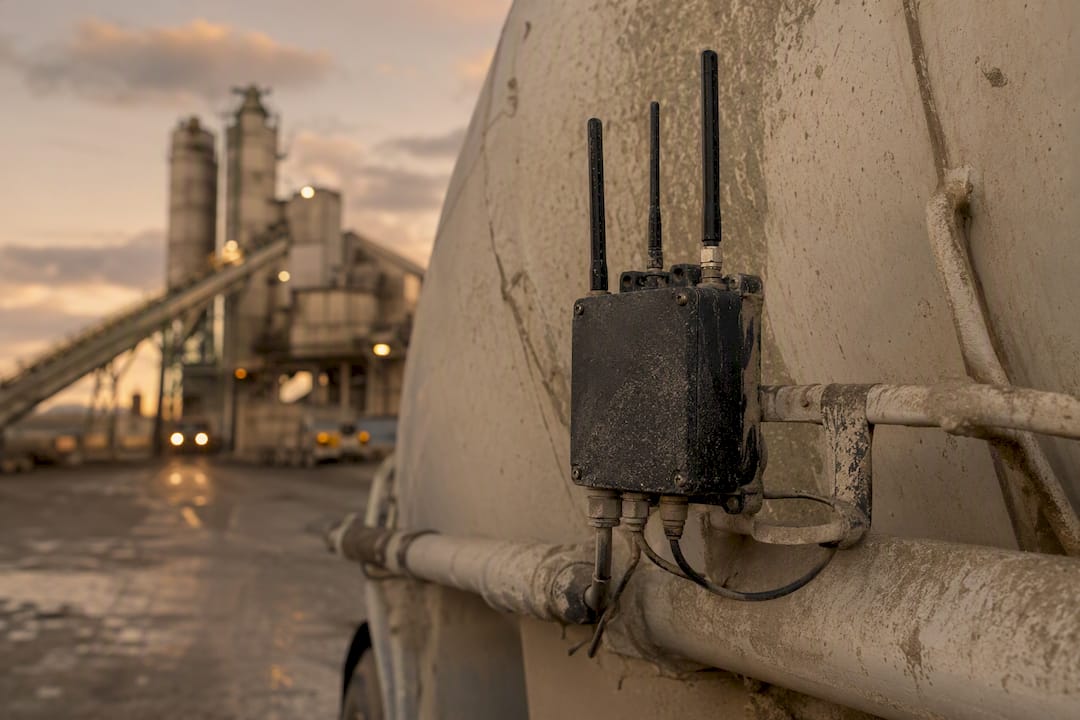
IoT sensors extend GPS logic to condition monitoring, tracking temperature, humidity, or vibration on sensitive materials like concrete admixtures or electronics. They add real value for regulated or perishable materials, but the hardware and connectivity costs only pay off when the material’s sensitivity actually justifies it.
Machine vision and AI are the newest entrants, and they’re changing what “reconciliation” means. Instead of a person manually checking a delivery against a bill of lading, AI can parse delivery receipts and auto-match quantities to purchase orders. In complex manufacturing environments, multi-source fusion that combines vision with sensor data and state-event logic significantly improves identification consistency where visually similar parts would otherwise confuse a camera-only system.
Manual methods (spreadsheets, paper logs) still exist everywhere, and pretending otherwise is naive. They’re free to start and require zero training. They’re also the leading cause of the exact data gaps this article is about.
Pro Tip: Don’t chase a single “best” technology. Pair a cheap barcode or QR layer for everyday items with RFID at your highest-volume chokepoints, and reserve vision/AI for reconciliation tasks where manual checking is the real bottleneck.
How to Choose the Right Method for Your Operation
Match the method to your actual constraints, not to whatever technology got the most attention at the last trade show.
Run through this checklist before you commit budget:
- What’s the per-unit value and volume? High-value, low-volume items justify RFID or serialized tracking; low-value, high-volume items rarely do.
- What’s the environment? Dust, moisture, and metal racking all knock out certain tag types.
- What latency do you actually need? A yard doesn’t need real-time GPS pings if daily reconciliation solves the problem.
- What does it need to talk to? If your ERP can’t ingest RFID event streams, that investment sits idle.
On cost versus return, think in three buckets: capital cost (readers, scanners, software licenses), per-unit cost (tags, labels), and labor cost (time spent tagging and scanning). A $2 RFID tag on a $40 fitting rarely pays for itself; the same tag on a $4,000 piece of equipment almost always does.
Prioritize what you track first using this order:
- Critical-path items that stop work if missing
- High-value components where loss or misuse is expensive
- Long-lead items where a shortage can’t be fixed quickly
- Materials with a documented history of theft or waste on your sites
Build a simple scorecard, rate each candidate method 1 to 5 against your top five criteria, and you’ll usually find the answer is obvious once it’s on paper instead of in your head.
Rolling Out Materials Tracking: Audit, Pilot, Scale
Skip the multi-month planning cycle. Start small, measure fast, and expand only what proves out.
- Audit (1 day): Walk your current material flow from PO to consumption and mark every point where data gets lost, delayed, or re-entered by hand.
- Tag critical items: Apply barcodes, QR codes, or RFID to your highest-priority category from the prioritization list above.
- Pilot (2 to 6 weeks): Choose one site or one item category, define acceptance criteria upfront, and run it in parallel with your existing process.
- Measure: Track receipt accuracy, time-to-receive, and invoice discrepancy rate throughout the pilot window.
- Scale: Expand only the parts of the pilot that hit their targets, and fix the rest before rolling out wider.
Your pilot checklist should include the sample SKUs or job sites involved, the device list (phones, scanners, readers), a short training plan for crews and stores staff, and clear acceptance criteria tied to measurable numbers, not vague satisfaction.
Training matters more than the hardware. Crews who see the point of scanning, faster payment cycles, fewer disputes, will adopt it. Crews handed a new device with no explanation will find workarounds within a week.
On the integration side, every event your pilot generates should flow into your inventory or ERP system automatically, not through a nightly manual export. That’s what makes 3-way invoice matching possible without adding office headcount.
Pro Tip: Fix your paper trail before you fix your hardware. Digitizing GRNs with photo proof solves more discrepancies in the first month than any scanner purchase will.
Common Challenges and How Teams Actually Overcome Them
Every rollout hits the same handful of walls. Knowing them in advance saves you months.
- Adoption resistance: crews ignore new steps that feel like extra work. Fix it with a simple, one-tap interface and supervisory spot checks, not lectures.
- Data accuracy drift: even good systems degrade without maintenance. Run regular reconciliations and set BOQ variance alerts so drift gets caught in days, not quarters.
- Tag durability: cheap labels fail in mud, heat, and washdown environments. Match the tag to the environment, or fall back to visual/AI verification where physical tags won’t survive.
- Integration gaps: mismatched item masters and units between systems quietly corrupt your data. Insist on open APIs and run a full end-to-end test before go-live.
- Multi-site complexity: different suppliers and sites create inconsistent intake formats. Standardize packing lists and require mobile photo intake from every supplier, no exceptions.
Building the Software Stack: What Actually Connects to What
A tagging strategy without the right software behind it just generates more disconnected data points. The software layer is where tracking becomes usable.
Require these core features from any platform you evaluate:
- Mobile intake with photo-based GRNs at the point of receiving
- Automated PO matching and 3-way invoice verification
- BOQ reconciliation with daily, not quarterly, variance reporting
- Site-to-site transfer logging with approval workflows
- Audit logs and role-based access so accountability is traceable
On integration, map out your ERP sync points before you buy anything: purchase orders, item records, stock levels, and cost centers all need to line up. The most common failure isn’t the technology, it’s a mismatched item master, where the same material has three different names across three systems, or units that don’t convert cleanly between “each” and “linear foot.”
Platform fit matters as much as feature lists. Look for mobile-first design built for someone wearing gloves in bad light, offline capability for sites with no signal, and dashboards that convert raw events into a readiness report a superintendent can act on without a data analyst.
This is where field-focused platforms earn their keep. CHERP and SiteComm, built by Debecorp specifically for trades crews, are designed around exactly this kind of field-to-office data flow, photo-verified intake, requisition tracking, and daily logs that feed straight into the record you actually need for reconciliation, rather than a generic back-office tool retrofitted for a jobsite.
When comparing software, put these on your checklist: mobile UX quality, offline support, role-based approval chains, and how quickly a scan or photo actually appears on the office side.
Where Materials Tracking Is Headed
The biggest shift underway is a move away from passive, periodic updates toward event-driven visibility, where every movement broadcasts instantly instead of waiting for someone to run a report.
- AI-driven receipt parsing and anomaly detection are becoming standard rather than a premium add-on
- Multi-source fusion, combining RFID, vision, and state-event logic, is improving ID consistency on complex manufacturing lines
- “Readiness” tracking, following material all the way to installation, not just to the warehouse, is becoming the real success metric
- Sustainability reporting is starting to piggyback on tracking data, linking material volumes to embodied carbon figures
None of this replaces the fundamentals. It just makes them faster to act on.
A Field-Proven SOP: BOQ Reconciliation and Photo-Verified Receiving
This sequence works because it closes the gap between “material arrived” and “someone knows it arrived” to almost zero.
- Require a photo-verified GRN at the gate for every delivery, no exceptions.
- Auto-match the photo and quantity to the original purchase order.
- Run BOQ reconciliation daily, not weekly or monthly.
- Flag any variance immediately and assign it to a specific person for investigation.
Track these pilot metrics from day one: daily variance rate, time-to-match between PO and receipt, invoice discrepancy rate, and the drop in emergency reorders once the process is running.
- Tie every material issue to a specific work activity and crew so discrepancies surface the moment they happen, not weeks later during a billing dispute.
Where This Comes From
Field operations across construction and manufacturing follow a familiar pattern: teams that skip the paper-trail fix and go straight to hardware end up with expensive tags feeding inaccurate data. The operational lesson holds regardless of trade or region. Photo-verified receiving beats fancier technology bolted onto broken processes, every time.
Where CHERP and SiteComm Fit Into This Playbook
If you’re piecing this together with spreadsheets and text threads right now, the fastest fix isn’t more hardware, it’s a platform that already builds photo-verified GRNs, requisition workflows, and BOQ reconciliation into the daily field routine instead of bolting them on afterward. CHERP handles the field operations side: time and attendance, daily logs, and material intake tied directly to the crew and work activity that touched it. SiteComm keeps that data flowing between the field and the office in real time, so a photo taken at the gate this morning shows up in your reconciliation report before lunch.

Both platforms were built with input from tradesmen who’ve dealt with the exact reconciliation headaches covered above, not designed in a boardroom and handed down to a jobsite. If you want to see how the CHERP and SiteComm platforms handle photo-verified receiving and daily variance tracking on a real site, request a demo and walk through a pilot setup for your own crews.
Frequently Asked Questions
What is the most cost-effective material tracking method for construction? Barcode or QR code scanning remains the cheapest starting point for most job sites, since it needs no specialized hardware beyond a smartphone or basic scanner and works well for batch-level tracking of common materials.
When does RFID make sense over barcodes? RFID earns its higher cost when materials move through chokepoints without a clear scanning angle, like a busy gate or racking system, or when you need to read dozens of tagged items at once rather than one at a time.
How does photo-verified receiving reduce disputes with suppliers? A timestamped photo taken at the point of delivery, matched to the purchase order, gives you documented proof of what actually arrived and its condition, which removes the guesswork when a supplier disputes a shortage claim.
Can small manufacturing operations use the same tracking methods as large construction firms? Yes. The same core methods, barcodes, QR codes, RFID, and photo-verified intake, scale down easily; smaller operations often see faster wins because there’s less legacy paperwork to unwind first.
What KPIs should a materials tracking pilot measure? Track receipt accuracy, time-to-match between purchase order and receipt, invoice discrepancy rate, and the reduction in emergency reorders, since these numbers show whether the new process is actually working before you scale it.
Sources
- Barcode labeling trends 2026
- Field materials profile — Software Advice
- Who saw it last and where? Materials identification and tracking
- Materials tracking explained — NetSuite
- Multi-source fusion methods for material tracking in manufacturing — MDPI Processes